
Artificial intelligence is finding its way into nearly every corner of the internet, and WordPress is no exception.
For years, WordPress has given website owners the freedom to build, customize, and manage their own online presence. Whether you’re launching your first blog, building a small business website, or creating an online marketing platform, that flexibility has always been one of its biggest advantages.
But flexibility comes with a learning curve.
Themes, plugins, hosting, security, updates, design tools, and content management can quickly turn what seemed like a simple website project into something much more complicated.
Now, artificial intelligence is entering the picture with the promise of making some of those tasks easier.
The latest WordPress AI features and developments are opening the door to smarter editing experiences, AI-assisted content creation, improved workflows, and new possibilities for website management.
And that raises an interesting question.
Is WordPress finally becoming easier for everyday website owners, or are we simply adding another layer of technology to figure out?
It’s a question worth asking, especially if you’re a beginner, a solo entrepreneur, or someone trying to grow an online business without spending a fortune on software subscriptions.
After all, an AI feature that saves you two hours of work could be incredibly valuable. But an AI tool that requires three additional plugins, another monthly subscription, and a technical manual the size of a telephone directory?
Well, that’s a different conversation.
And there’s another important consideration: just because artificial intelligence can help create content, modify website elements, or automate certain tasks doesn’t necessarily mean it should operate without human oversight.
Website owners still need to think about accuracy, security, privacy, costs, and how much control they’re willing to hand over to automated systems.
That’s particularly important as WordPress continues developing the underlying technology that could support more sophisticated AI capabilities.
Not every announced development is a finished feature available to every WordPress website today. Some capabilities depend on plugins, hosting environments, third-party services, or future development.
Understanding those differences can help you avoid unnecessary expenses and unrealistic expectations.
At LaunchForge Studio, we’re especially interested in what these developments mean for people building websites without large budgets or dedicated technical teams.
We use WordPress alongside Divi 5 to build and manage our own website, so the conversation about easier workflows, practical tools, and maintaining control over our content is directly relevant to what we do.
In this guide, we’ll explore how artificial intelligence is becoming part of the WordPress ecosystem, what website owners can realistically expect, and which developments deserve their attention.
We’ll also examine the potential benefits, costs, security considerations, and limitations that are easy to overlook when everyone is talking about the next big AI breakthrough.
Because the goal isn’t simply to have more artificial intelligence inside WordPress.
The goal is to make building and managing a website easier, more affordable, and more productive without sacrificing the control that made WordPress valuable in the first place.
WordPress Is Entering a New Era of Artificial Intelligence
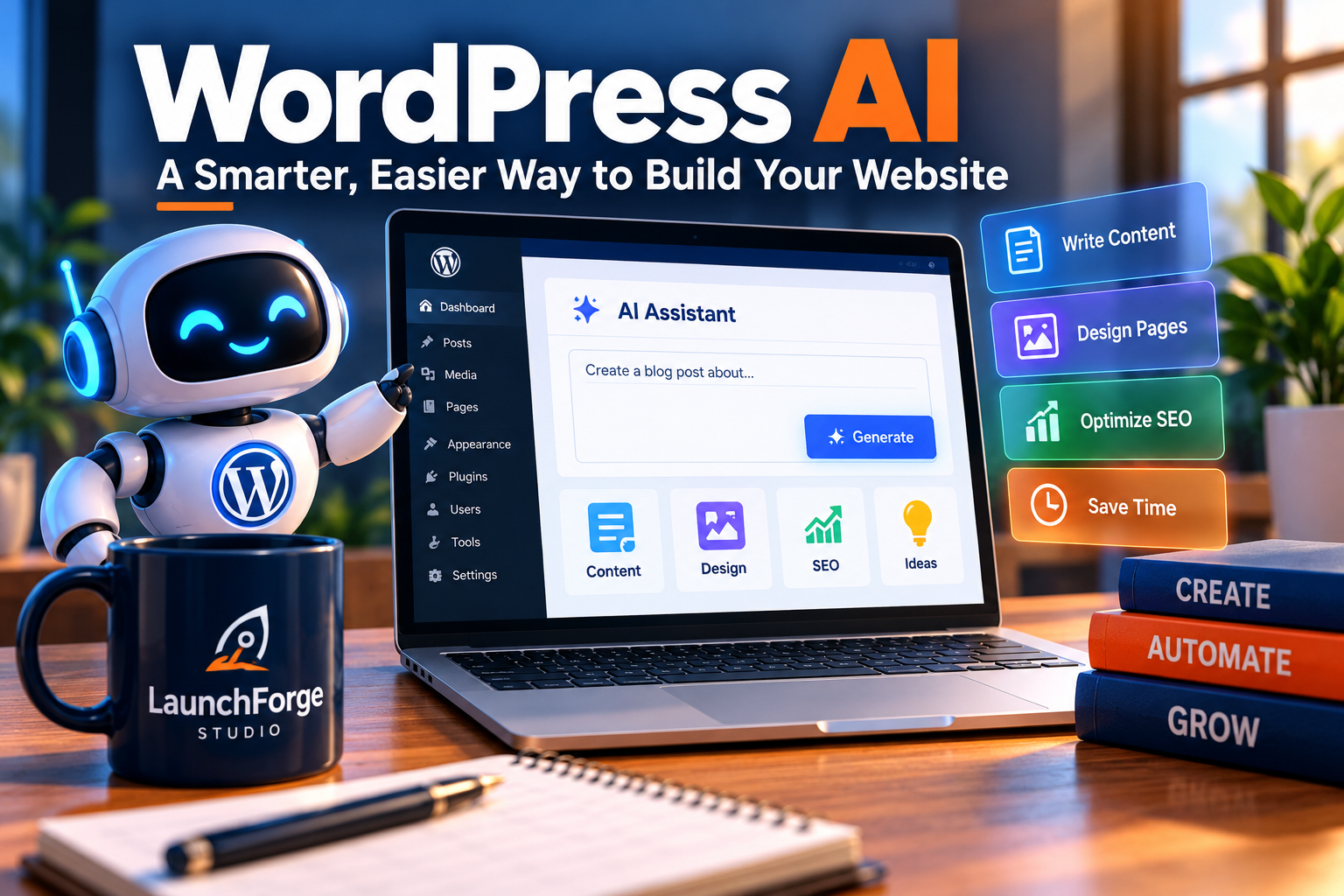
WordPress AI is evolving beyond content creation to support website design, optimization, and everyday management.
WordPress has never been a stranger to change.
What began as a relatively straightforward blogging platform has evolved into one of the most versatile website management systems available. Today, people use WordPress to publish articles, operate online stores, build membership websites, generate leads, and manage entire digital businesses.
Throughout that evolution, one principle has remained especially important: website owners have the freedom to decide how their websites look, function, and grow.
Artificial intelligence introduces another major opportunity for WordPress to evolve.
However, this isn’t simply about adding a chatbot to the dashboard or generating a blog post with a single click.
The bigger opportunity involves making artificial intelligence more useful throughout the website-building and management experience.
That could eventually affect how people create content, organize information, customize designs, manage technical tasks, and interact with their websites.
For small website owners, the potential is significant.
But understanding what’s happening requires separating the broader direction of WordPress AI development from the individual tools already available.
WordPress AI Is About More Than Writing Blog Posts
When most people hear about artificial intelligence in WordPress, they immediately think about AI-generated content.
That’s understandable.
AI writing assistants have become popular because they can help website owners brainstorm topics, create outlines, draft descriptions, and overcome the occasional case of staring at a blank screen.
But content creation represents only one part of the picture.
Artificial intelligence could also help website owners with tasks such as:
- Website design: Suggesting layouts, adjusting page elements, and helping users make visual changes.
- Content organization: Categorizing information, generating summaries, and improving editorial workflows.
- Search engine optimization: Identifying potential improvements to titles, descriptions, and content structure.
- Website accessibility: Assisting with image descriptions and identifying certain accessibility concerns.
- Technical troubleshooting: Helping users understand errors, settings, and potential configuration problems.
- Workflow automation: Reducing repetitive administrative tasks that otherwise require manual attention.
Some of these capabilities already exist through individual WordPress plugins or connected services.
Others represent areas where developers are experimenting or building new functionality.
The important distinction is that WordPress AI features are not necessarily built into WordPress itself.
A tool advertised as an AI-powered WordPress solution might actually be a third-party plugin that connects to an external artificial intelligence service.
That distinction matters because it can affect pricing, security, performance, and long-term compatibility.
Why WordPress Is Exploring a More Connected AI Ecosystem
One of the challenges with artificial intelligence is that different tools often operate independently.
A content assistant might help you write an article, while a separate plugin analyzes SEO, another service generates images, and yet another application handles automation.
Individually, these tools may be useful.
Together, however, they can create a familiar problem for small business owners: too many subscriptions, too many dashboards, and too many systems that don’t communicate effectively.
This is where a more coordinated approach to AI becomes interesting.
WordPress’s broader AI initiatives have included work on shared technical foundations, integrations, and ways for developers to build AI functionality that works more consistently within the WordPress ecosystem.
Rather than expecting every website owner to understand how different AI services communicate, the long-term opportunity is to make those connections easier for developers and, eventually, more accessible to everyday users.
Imagine being able to request a website improvement in ordinary language instead of searching through multiple menus.
Or receiving assistance with a repetitive task without installing several unrelated tools.
Those are examples of the possibilities that more connected AI systems could support.
They are not guarantees that every WordPress installation will automatically gain those capabilities.
The distinction between technical groundwork and finished consumer features is important, particularly when evaluating announcements about new technology.
What This Could Mean for Beginners and Small Business Owners
For experienced WordPress developers, artificial intelligence may become another way to accelerate projects and streamline technical work.
For beginners, the implications could be even more interesting.
Consider someone launching their first online business.
They may understand their products, services, or audience extremely well but have limited experience with website design, search engine optimization, or technical configuration.
Traditionally, learning those skills requires time, research, experimentation, and sometimes outside assistance.
AI-powered guidance could make certain parts of that process more approachable.
For example, a beginner might use an assistant to understand why a page looks different on mobile devices, generate an initial page outline, or identify questions to investigate before changing a website setting.
That doesn’t eliminate the need to learn.
Instead, it could reduce some of the frustration associated with learning unfamiliar technology.
However, there’s a catch.
Making a task easier is not the same as making the result reliable.
An AI assistant might suggest an incorrect setting, overlook a compatibility issue, or generate content that sounds convincing but contains inaccurate information.
A beginner who follows every recommendation without reviewing it could create problems that are difficult to diagnose later.
That’s why practical AI adoption should include a basic understanding of what a tool does, what information it accesses, and how its recommendations can be verified.
The Difference Between AI Assistance and AI Automation
Two concepts are frequently discussed together, but they aren’t identical.
AI assistance means artificial intelligence helps you complete a task while you remain responsible for the decisions.
For example, you might ask an AI tool to suggest improvements to a landing page headline. You review the suggestions, choose the best option, and make the change yourself.
AI automation goes further.
An automated system may perform actions based on instructions, predefined rules, or access to connected website functions.
Depending on its permissions, that could involve modifying content, updating information, or triggering workflows.
The potential time savings are appealing.
But the level of risk also changes when software can take action rather than simply provide suggestions.
For a small business website, an incorrect recommendation is inconvenient.
An incorrect automated change to an important page, form, or website setting could be much more disruptive.
That’s why permissions, backups, approval processes, and human oversight become increasingly important as AI capabilities expand.
For most beginners, starting with AI assistance is a sensible approach.
It allows website owners to gain experience, evaluate results, and understand the limitations before considering more advanced automation.
Why This Development Deserves Attention
It’s easy to dismiss another AI announcement as just another technology trend.
After all, website owners have heard plenty of promises about tools that will supposedly transform their businesses overnight.
But WordPress AI development deserves attention for a more practical reason.
WordPress is already part of the infrastructure that millions of website owners depend on.
Changes to its tools, development practices, and integrations can influence the broader ecosystem of themes, plugins, hosting services, and website-building platforms.
That doesn’t mean every new feature will be useful.
Some developments may become genuinely valuable productivity improvements. Others may remain experimental, require paid services, or offer limited advantages over existing solutions.
The smartest approach is neither to embrace every AI feature immediately nor to reject the technology entirely.
It’s to understand what’s changing and evaluate whether those changes solve problems you actually have.
For LaunchForge Studio, that means looking beyond impressive demonstrations and asking practical questions.
Will this feature save meaningful time?
Will it make our website easier to manage?
Does it introduce additional costs or security concerns?
And most importantly, will it help us provide a better experience for the people visiting our website?
Those questions provide a useful foundation for examining the specific WordPress AI developments taking shape.
The WordPress AI Features and Developments Website Owners Should Know About
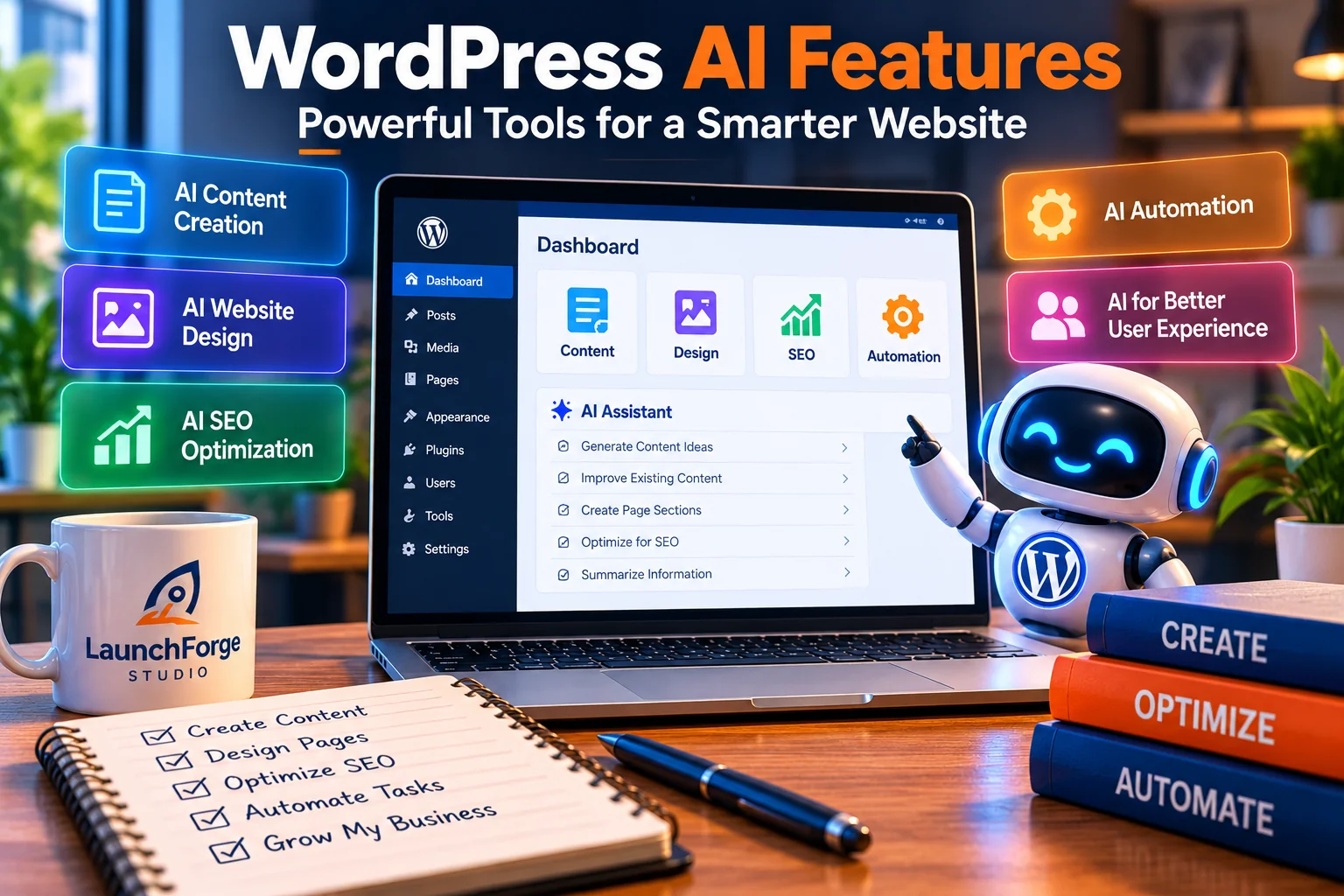
WordPress AI developments are opening new possibilities for content creation, website design, SEO, and automation.
Artificial intelligence is becoming a bigger part of the WordPress conversation, but not every AI announcement means a new feature has appeared inside your WordPress dashboard.
That’s an important distinction.
Some AI capabilities are already available through plugins, hosting providers, and website-building tools. Others are part of ongoing development efforts intended to make WordPress more compatible with emerging AI technologies.
And some of the most ambitious ideas are still possibilities rather than finished products.
For website owners, understanding these differences is the first step toward making sensible decisions.
Rather than installing every new tool that promises to revolutionize website management, it helps to examine the technologies involved and what they could realistically accomplish.
The WordPress AI Team and Its Role in Development
One of the more significant developments in the WordPress ecosystem has been the establishment of a dedicated WordPress AI Team.
The team’s work focuses on helping WordPress approach artificial intelligence in a coordinated, open-source-friendly way.
This matters because WordPress isn’t a single commercial website builder controlled by one company.
It’s an open-source project supported by contributors, developers, businesses, and a large international community.
Introducing AI capabilities into that environment requires more than connecting a chatbot to an existing interface.
Developers must consider how different services interact, how website permissions are managed, how AI integrations can be maintained, and how new functionality fits into WordPress’s existing architecture.
A coordinated development effort can help establish common approaches instead of leaving every plugin developer to solve the same problems independently.
For everyday website owners, much of that work may be invisible.
You might never interact directly with the underlying technology.
But the decisions made at this level could influence the AI-powered tools that become available in the future.
The key takeaway is that the existence of a WordPress AI development initiative does not mean every proposed AI capability is already included in WordPress core.
It’s an indication of where development attention is being directed, not a promise that every feature will arrive on a particular date.
The WordPress AI Building Blocks
Another important part of the conversation involves the technical building blocks that developers can use to create AI-powered WordPress experiences.
These building blocks are intended to make it easier for different AI services and WordPress components to work together.
For example, a developer creating an AI-assisted editing feature may need a reliable way to communicate with an AI model, process its response, and present useful results inside WordPress.
Without shared approaches, individual plugins may implement these interactions differently.
That can increase development complexity and make integrations harder to maintain.
WordPress AI development has explored components such as provider integrations, AI client interfaces, and reusable tools for building AI-powered functionality.
These are primarily developer-facing technologies.
They aren’t necessarily buttons that a beginner can click to generate a complete website.
However, they may help developers build more consistent tools over time.
Think of it like the electrical wiring inside a house.
Most homeowners aren’t interested in studying every wire behind the walls.
They care that the lights turn on reliably when they flip a switch.
Similarly, website owners are more likely to benefit from AI infrastructure when it produces useful, dependable features that fit naturally into their existing workflows.
The Model Context Protocol and WordPress
One of the technical concepts attracting attention across the AI industry is the Model Context Protocol, commonly abbreviated as MCP.
MCP is an open protocol designed to help AI applications connect with external tools and information sources through standardized interfaces.
In simpler terms, it provides a way for an AI application to interact with supported systems without requiring an entirely different integration approach for every connection.
That creates interesting possibilities for WordPress.
Imagine an AI assistant that could retrieve certain website information through a properly configured connection.
Instead of manually navigating through several administrative screens, an authorized user might ask questions about available content or request information from supported WordPress functions.
More advanced integrations could potentially support actions as well as information retrieval.
However, those capabilities depend on the specific implementation.
MCP does not automatically give an AI assistant access to every WordPress website.
A connection must be established, the relevant tools must be available, and appropriate permissions must be configured.
This is especially important when discussing AI agents that can perform actions.
A system that can read published article information presents different risks from one that can edit content, change settings, or interact with administrative functions.
For beginners, the important point isn’t memorizing the technical details of MCP.
It’s understanding that standardized connections may eventually make AI tools more useful while also making access controls increasingly important.
What’s New in WordPress 7.0: AI Features That Are Actually Available
One of the most important developments in the WordPress AI ecosystem arrived on May 20, 2026, with the release of WordPress 7.0, officially named Armstrong.
Unlike experimental concepts or features still being discussed, WordPress 7.0 introduced actual AI infrastructure into WordPress core.
But what does that mean for everyday website owners?
The biggest development is the introduction of the WordPress AI Client, which provides a standardized way for compatible plugins to communicate with external artificial intelligence services.
Instead of every developer building an entirely separate connection system, WordPress now provides shared infrastructure for handling AI requests.
Another significant addition is the Connectors screen, located under Settings > Connectors in the WordPress dashboard.
This centralized interface allows website administrators to manage supported external service connections, including AI providers.
WordPress 7.0 includes connection options for OpenAI, Google, and Anthropic, although using these services requires the appropriate provider integration and credentials.
The release also expanded the Abilities API, giving developers additional ways to make supported WordPress functions accessible to compatible tools and workflows.
For beginners, however, there’s an important distinction.
Having AI infrastructure built into WordPress doesn’t mean every AI feature is automatically available without additional setup.
For example, WordPress offers a separate AI plugin that can provide capabilities such as:
- Generating suggested article titles and excerpts.
- Creating and editing images.
- Suggesting alternative text for images.
- Bringing supported AI assistance into the editing experience.
These features depend on the appropriate plugin configuration and AI provider connection. Availability and costs can vary.
So, while WordPress 7.0 represents a meaningful step toward more integrated artificial intelligence, website owners should understand the difference between the underlying technology and the tools built on top of it.
The exciting part isn’t simply that WordPress can connect to AI services.
It’s that developers now have a more consistent foundation for creating useful AI-powered experiences.
And for small business owners, that could eventually mean fewer complicated integrations, more convenient workflows, and easier access to practical website management tools.
WordPress 7.0 didn’t eliminate the learning curve, but it established an important foundation for making AI a more integrated part of the WordPress experience.
AI-Assisted Content Creation and Editing
Content creation is one of the most accessible ways website owners can begin experimenting with artificial intelligence.
WordPress users can already find tools that assist with writing, editing, summarizing, and organizing content.
Depending on the plugin or service, these tools may help with tasks such as generating initial drafts, rewriting paragraphs, suggesting headlines, creating summaries, or improving readability.
For someone managing a website alongside a full-time job or another business, those capabilities can be appealing.
Producing useful content takes time.
Research, outlining, drafting, editing, formatting, and publishing all require attention.
AI can help accelerate parts of that process.
But there’s an important difference between accelerating content creation and replacing the judgment required to publish something trustworthy.
An AI-generated paragraph may be grammatically polished while still containing incorrect information.
It may describe features that don’t exist, cite outdated statistics, or make claims that require additional evidence.
That’s why AI-assisted writing should be treated as a starting point rather than an automatic publishing system.
Website owners should still verify factual claims, check sources, refine the writing, and ensure the finished article provides genuine value to readers.
For LaunchForge Studio, this distinction is particularly important.
Our goal isn’t to publish as much content as possible simply because technology makes it easier.
It’s to create educational resources that help beginners understand online business tools and make better decisions.
AI can assist with that work, but quality control remains essential.
AI-Powered Website Design and Page Building
Website design is another area where artificial intelligence is becoming increasingly visible.
Some WordPress-compatible design tools and hosting services offer AI-assisted experiences that can help generate layouts, suggest content, or create starting points for website projects.
These tools can be useful for people who have a clear business idea but aren’t sure how to translate it into an attractive website.
For example, an AI-assisted builder might generate a preliminary page structure based on a description of the business.
It could suggest sections for services, testimonials, frequently asked questions, or contact information.
That may help beginners move past the intimidating blank-page stage.
But a generated design is not necessarily a finished website.
Website owners still need to evaluate navigation, mobile responsiveness, accessibility, page speed, brand consistency, and whether the content communicates clearly.
There’s also the question of which tool actually provides the AI functionality.
An AI design assistant included with a third-party page builder is not automatically a native WordPress core feature.
And its availability may depend on a particular subscription, license, hosting plan, or service connection.
At LaunchForge Studio, we use WordPress with Divi 5.
That gives us a practical perspective on the relationship between website-building tools and the underlying WordPress platform.
The two work together, but they have different responsibilities.
When evaluating AI design capabilities, it’s important to identify whether a feature belongs to WordPress itself, the page builder, the hosting provider, or another connected service.
That distinction can make a considerable difference when comparing costs and long-term flexibility.
AI Tools for SEO, Accessibility, and Website Management
Not every useful AI feature needs to create something new.
Sometimes the biggest time savings come from improving tasks website owners already perform.
Search engine optimization is one example.
AI-assisted SEO tools may help generate meta descriptions, suggest related topics, evaluate content structure, or identify potential improvements.
However, those recommendations shouldn’t be confused with guarantees of higher rankings.
Search performance depends on many factors, including relevance, competition, technical accessibility, content quality, and how search engines evaluate pages.
An AI-generated description can save time, but it cannot guarantee that Google will display that description or send more visitors to the website.
Accessibility is another area with potential.
AI tools may assist with image descriptions, content clarity, and identifying certain usability concerns.
Yet automated assistance cannot replace a thorough accessibility review.
A description that sounds plausible may fail to communicate the important information in an image.
Likewise, an automated checker may overlook barriers that become obvious when someone actually uses a website with assistive technology.
Website management offers additional possibilities.
AI-powered systems may help explain technical errors, summarize website information, or assist with routine administrative work.
Some tools may also provide automated recommendations for improving performance or security.
These capabilities can be valuable, particularly for people who don’t have a dedicated technical support team.
But recommendations involving plugins, databases, permissions, or website settings deserve careful review.
A poorly chosen automated change can cause more work than it saves.
The most useful AI tools are those that make existing responsibilities easier without introducing unnecessary complexity or risk.
What Is Available Today Versus What Is Still Developing?
This is where website owners need to be especially careful.
AI-related WordPress announcements often combine several different categories of technology.
A feature might be available today through a paid plugin.
Another might be accessible through a particular hosting service.
A third might exist as a developer experiment or an early-stage integration.
And another might represent a long-term direction rather than something people can install immediately.
Before adopting any new WordPress AI feature, ask four questions:
- Is this available in WordPress core, or does it require another product? This identifies where the functionality actually comes from.
- Is it a stable release, beta feature, or experimental project? This helps establish how much reliability to expect.
- Does it require an external AI service or paid subscription? This reveals possible recurring costs and data-sharing considerations.
- What can the tool access or change? This helps determine the appropriate security precautions.
These questions are particularly useful for beginners who may be unfamiliar with the differences between WordPress, plugins, themes, and hosting services.
They also help prevent an expensive mistake: paying for multiple AI tools that perform nearly identical functions.
For a small business website, having more features isn’t automatically better.
Having the right features, at a manageable cost, is what matters.
And as WordPress AI technology continues evolving, the most important developments may not be the ones that generate the biggest headlines.
They may be the ones that quietly make everyday website management simpler, safer, and more productive.
How WordPress AI Could Make Website Building Easier for Beginners
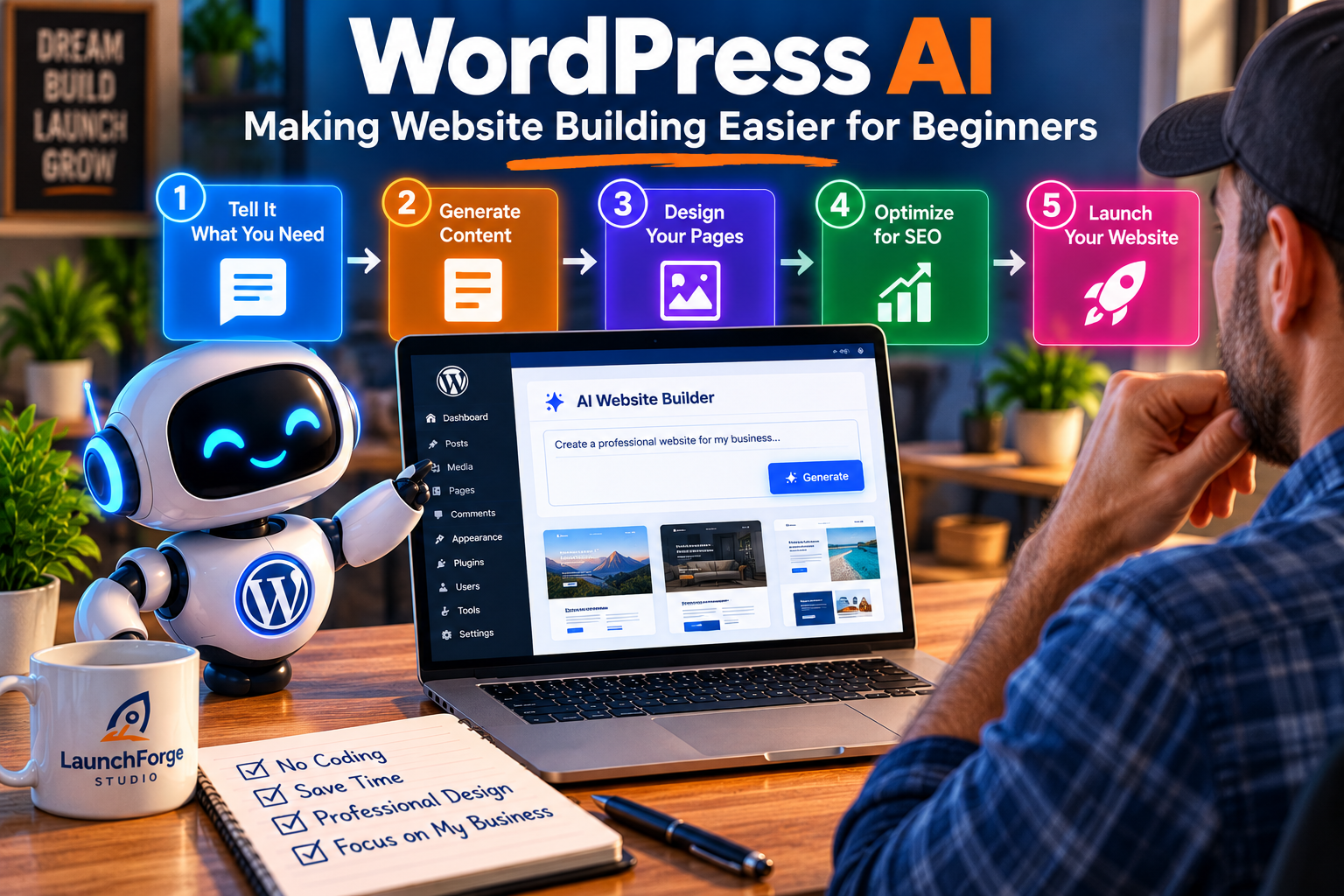
AI-assisted tools could help beginners simplify website creation, from generating content and designing pages to preparing a website for launch.
Starting a website sounds simple enough.
Choose a domain name, select a hosting provider, install WordPress, pick a design, and start publishing.
At least, that’s how the process often appears in advertisements.
The reality can be considerably more complicated.
A beginner may spend hours trying to understand the difference between a theme and a plugin, figuring out why a page doesn’t look right on a mobile phone, or searching for instructions to accomplish what seems like a relatively simple task.
And that’s before getting into search engine optimization, security, website performance, and lead generation.
For someone building an online business while working another job, those challenges can become overwhelming.
This is where WordPress AI features could make a meaningful difference.
Not because artificial intelligence can eliminate every technical challenge, but because it may help reduce the time and frustration involved in learning how to manage a website.
Let’s examine some of the areas where that assistance could be most useful.
Getting Past the Blank Website Problem
One of the biggest obstacles for beginners is knowing where to start.
You might have a business idea, a domain name, and plenty of enthusiasm.
But when you open a website builder and see an empty page, suddenly you’re expected to become a designer, copywriter, and marketing strategist.
All before lunch.
That’s a lot to ask from someone who simply wants to launch a business.
AI-assisted website-building tools can help by providing an initial structure.
For example, someone creating a website for a consulting business might describe their services, target audience, and preferred style.
A compatible AI tool could then suggest a homepage layout with sections for an introduction, services, benefits, testimonials, and a contact form.
Instead of beginning with an empty canvas, the website owner has something to evaluate and improve.
If you’re ready to build your own website, our How to Build a Business Website With WordPress: A Beginner’s Guide walks you through the process.
This doesn’t mean the generated design will be perfect.
The suggested content may be generic, the layout may need adjustments, and the website owner still needs to make sure the finished page accurately represents the business.
But having a starting point can make the entire process feel more manageable.
For beginners, reducing that initial uncertainty can be just as valuable as saving time.
Understanding WordPress Without Constantly Searching for Tutorials
WordPress offers tremendous flexibility, but its terminology can be confusing when you’re first getting started.
What’s the difference between a page and a post?
Why does changing a theme sometimes affect the appearance of existing content?
What does a caching plugin actually do?
And why are there seventeen settings that sound almost identical?
These are ordinary questions for someone learning the platform.
Traditionally, finding answers means searching online, watching tutorials, reading documentation, and experimenting.
That approach still has value.
However, an AI assistant can sometimes make the learning process more conversational.
Instead of searching through several articles, a beginner could ask for a plain-language explanation of a WordPress feature.
They could also request step-by-step guidance, ask follow-up questions, or have unfamiliar terminology explained.
For example, someone might ask:
“What is the difference between a WordPress plugin and a theme, and which one should I use to change my website’s layout?”
A useful AI response could explain that themes generally control the website’s overall appearance, while plugins add or extend functionality.
It could then help the person identify which type of tool is appropriate for the task.
That kind of assistance can reduce confusion.
But it also has limitations.
AI tools may provide instructions based on older versions of WordPress, outdated plugin interfaces, or features that aren’t available in the user’s particular setup.
That’s why beginners should compare important instructions with current official documentation before making significant changes.
AI can be a helpful learning companion, but it shouldn’t be treated as an infallible technical authority.
For a deeper look at using artificial intelligence responsibly, read our guide, How to Use AI as a Business Partner Without Letting It Run Your Business.
Creating Website Content Without Starting From Scratch
Writing website content is another challenge that beginners frequently underestimate.
A homepage needs to explain what the business offers.
A services page needs to communicate benefits.
An about page needs to establish credibility.
And blog articles need to answer questions that potential visitors are actually searching for.
For someone who isn’t comfortable writing, the process can feel intimidating.
AI writing tools can help organize ideas and create preliminary drafts.
A business owner might provide information about their services, customers, and goals, then ask for a suggested page outline.
They could also request alternative headlines, simpler explanations, or different ways to organize existing information.
The greatest value often comes from using AI to support the writing process rather than asking it to produce finished content without any input.
Consider two approaches.
In the first, a website owner asks an AI tool to write a generic article about starting an online business.
In the second, the owner explains the specific challenges they’ve encountered, identifies the questions their audience asks, and uses AI to help organize those experiences into a useful article.
The second approach has a much better opportunity to produce something distinctive.
Why?
Because the website owner contributes knowledge, perspective, and real-world context that the AI system doesn’t automatically possess.
AI can help you communicate your experience, but it cannot replace experience you haven’t provided.
For LaunchForge Studio, that principle matters.
We want our articles to help readers make informed decisions, not simply repeat the same generic advice available across thousands of websites.
Making Website Design Changes More Approachable
Website design can become frustrating when a small adjustment produces unexpected results.
You change a heading size, and suddenly the mobile version looks awkward.
You adjust the spacing around a button, and another element moves.
Or you discover that a design looks beautiful on a desktop monitor but becomes difficult to navigate on a phone.
These problems aren’t unique to beginners.
Even experienced website owners occasionally encounter layout issues that require investigation.
AI-assisted design tools may help explain why certain problems occur and suggest possible solutions.
Depending on the software, an AI feature might assist with creating page sections, adjusting styling, or generating initial design elements.
But the specific capabilities vary considerably between products.
A general-purpose AI assistant may explain how to approach a design problem without having any direct access to the website.
A specialized website builder may offer more integrated functionality.
And a tool capable of making changes directly requires a different level of access and oversight.
That distinction is important.
Beginners shouldn’t assume that every AI assistant can safely modify a WordPress website simply because it understands WordPress terminology.
The most practical approach is to use AI assistance to understand the problem, evaluate possible solutions, and make controlled changes.
It’s also wise to preview adjustments on desktop and mobile devices before publishing them.
After all, a website isn’t finished simply because it looks attractive in the editor.
It needs to work for the people visiting it.
Reducing Repetitive Website Management Tasks
Building a website is only the beginning.
Once it’s online, there’s an ongoing list of responsibilities.
Content needs updating.
Links need checking.
Plugins and themes require maintenance.
Forms should be tested.
Performance needs monitoring.
And older articles may need revisions as information changes.
For a solo entrepreneur, these tasks can consume time that could otherwise be spent serving customers or growing the business.
AI-assisted workflows may help with some of that routine work.
For example, compatible tools could help summarize content changes, identify pages that might need attention, or organize information for an editorial review.
Some systems may also assist with detecting patterns in website data or explaining technical reports.
However, these capabilities depend on the software being used and the information it can access.
An AI assistant cannot accurately analyze website performance without relevant data.
Likewise, a tool cannot reliably determine whether a contact form is functioning simply by generating a confident-sounding answer.
Actual testing and verification remain necessary.
This is especially important when considering automation.
Automating a repetitive task can save time, but automating a mistake can create problems repeatedly.
For beginners, a sensible starting point is to identify the tasks that consume the most time and investigate whether AI can assist with them safely.
There’s no need to automate everything at once.
Helping Small Business Owners Focus on What Matters
Perhaps the biggest potential benefit of artificial intelligence isn’t any individual feature.
It’s the possibility of giving website owners more time to focus on the purpose of their business.
A person launching an online store probably didn’t start that business because they wanted to spend their evenings troubleshooting plugin conflicts.
Someone building an affiliate marketing website likely wants to create useful content, attract visitors, and develop relationships with an audience.
And a service provider would probably prefer helping customers over spending hours adjusting website settings.
Technology should support those goals.
It shouldn’t become the entire job.
That’s one reason AI-assisted website management is worth exploring.
If a tool genuinely reduces repetitive work, makes unfamiliar tasks easier to understand, or helps someone produce better results, it may offer real value.
But convenience alone isn’t enough.
The tool should also be affordable, reliable, reasonably secure, and compatible with the website’s existing setup.
A feature that saves fifteen minutes each month but introduces another expensive subscription may not be worthwhile.
Likewise, an AI assistant that requires constant correction might create more work than it eliminates.
The best WordPress AI features won’t necessarily be the most impressive ones. They’ll be the ones that solve everyday problems without creating new ones.
For beginners and small business owners, that should remain the guiding principle.
And it leads naturally to another important consideration.
Even when artificial intelligence makes website management easier, it can introduce costs, security concerns, and limitations that deserve just as much attention as the potential benefits.
The Hidden Costs, Security Risks, and Limitations of WordPress AI
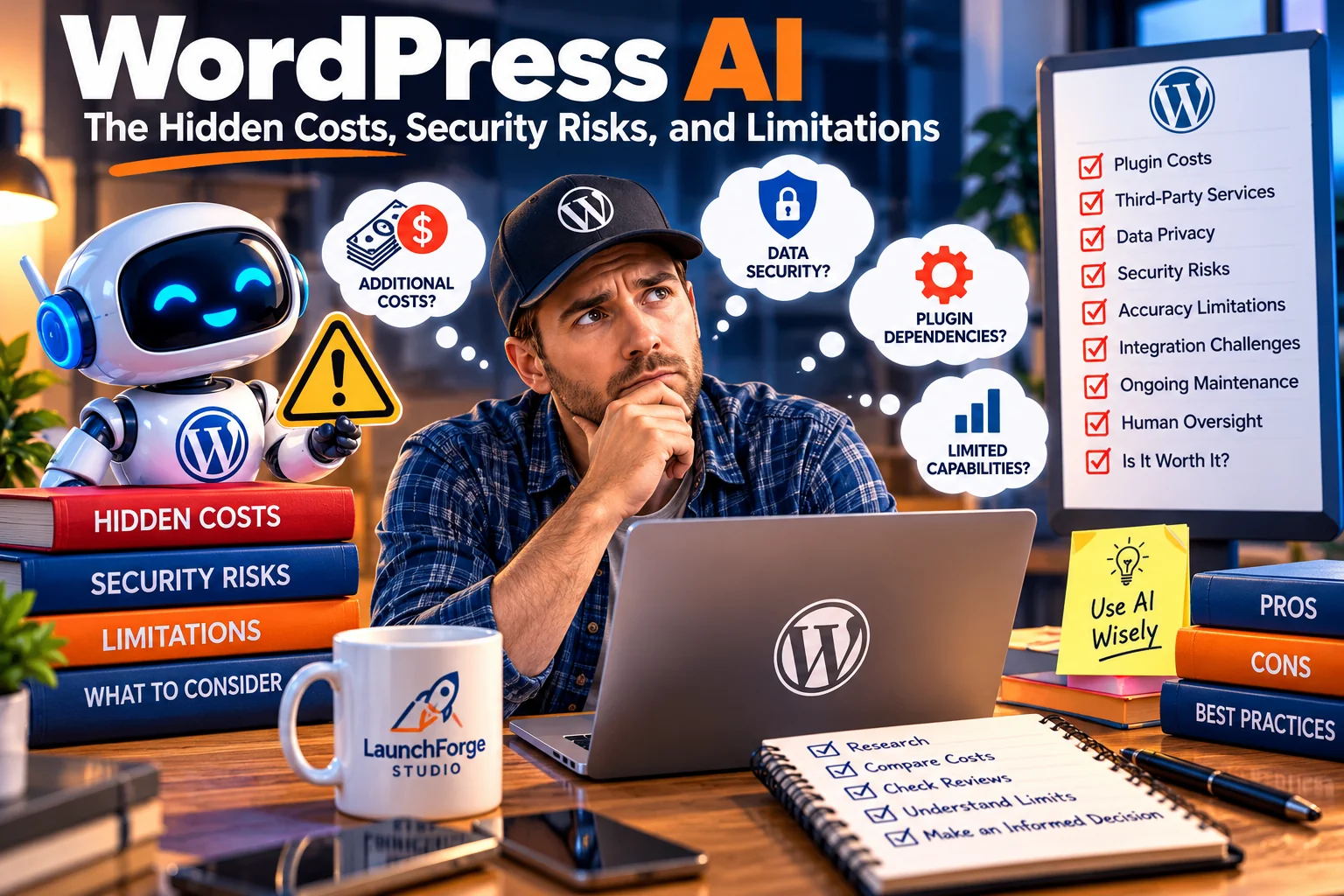
Before adopting WordPress AI tools, website owners should evaluate costs, security, limitations, and the need for human oversight.
Artificial intelligence can make certain website tasks easier, but convenience doesn’t always come without a cost.
When a new AI-powered WordPress tool promises to write content, improve search engine optimization, generate images, or automate website management, it’s tempting to focus entirely on what the technology can accomplish.
The promotional demonstrations often make everything look effortless.
Enter a few instructions.
Click a button.
Watch the magic happen.
But behind that polished experience, there may be additional subscriptions, external service connections, usage limits, and security considerations that aren’t immediately obvious.
For beginners and small business owners, these details matter.
A tool that saves time can be valuable. However, a tool that creates unexpected expenses or introduces unnecessary risks can quickly become another problem to manage.
Before adopting new WordPress AI features, it’s worth understanding the potential tradeoffs.
The Real Cost of AI Plugins and External Services
One of the most common misconceptions about AI-powered WordPress tools is that installing a free plugin means the underlying AI service is also free.
That isn’t necessarily true.
Many AI features depend on external services that process requests and generate responses.
Depending on the provider, those services may charge through monthly subscriptions, usage-based pricing, prepaid credits, or a combination of billing methods.
A WordPress plugin might provide the interface, while an external AI provider performs the actual processing.
This means there can be more than one cost associated with a single feature.
For example, imagine a small business owner installs an AI content assistant.
The plugin itself may offer a free version, but advanced functionality could require a paid upgrade.
The AI provider might also charge for the number or size of requests processed.
If the website owner begins using the tool frequently, those costs could increase.
That doesn’t automatically make the tool a poor investment.
The important question is whether the value justifies the total expense.
Before connecting an AI service, investigate:
- Whether the WordPress plugin is free, paid, or limited by usage.
- Whether a separate AI provider account is required.
- Whether the provider charges for API requests or generated content.
- Whether there are monthly limits, credits, or automatic overage charges.
- Whether the service can be canceled without disrupting important website functions.
These questions are especially important for budget-conscious entrepreneurs.
It’s easy to accumulate several relatively inexpensive subscriptions without noticing how much they cost collectively.
Five tools costing $15 per month each represent $75 in monthly expenses.
That’s $900 annually before accounting for hosting, domain registration, or other business costs.
For someone just starting an online business, that money could potentially be better spent elsewhere.
The goal isn’t to avoid every paid tool.
It’s to pay for tools that solve meaningful problems.
AI Integration Doesn’t Automatically Mean Better Website Performance
Another consideration involves website performance.
WordPress websites already depend on a combination of themes, plugins, hosting resources, and external services.
Adding more functionality can increase the complexity of that environment.
Some AI tools perform most of their processing through external services, which may reduce the amount of computation required on the website’s own server.
However, external processing can introduce other considerations, including network requests, service availability, and response times.
Other plugins may add scripts, administrative interfaces, database activity, or background processes.
The impact depends on how the tool is built.
It’s therefore inaccurate to assume that every AI plugin will slow down a website.
It’s equally inaccurate to assume that AI functionality has no performance cost.
The sensible approach is to measure rather than guess.
Before installing a new tool, record how the website currently performs.
After installation, test important pages and workflows.
Pay particular attention to:
- Page loading performance.
- Mobile responsiveness.
- Compatibility with the active theme and page builder.
- Administrative dashboard responsiveness.
- Contact forms and other important website functions.
- Unexpected errors or conflicts.
If the tool creates noticeable problems, investigate whether the benefits justify keeping it.
For a small business website, reliable performance should remain a priority.
An impressive AI feature doesn’t provide much value if visitors struggle to use the website.
Protecting Website Data and Customer Information
Privacy is one of the most important considerations when connecting AI services to WordPress.
Some AI-powered tools send information to external providers so the information can be processed.
Depending on the task, that information might include article content, prompts, images, website details, or other data supplied by the user.
Not every integration handles information the same way.
Some tools may transmit only the specific text needed for a request.
Others may require broader access to perform their intended functions.
Website owners should understand those differences before enabling an integration.
This becomes particularly important when a website collects personal information through contact forms, email subscriptions, customer accounts, or transactions.
Customer information should never be shared with an external AI service simply because doing so is convenient.
Before using an AI integration with sensitive information, review the service’s documentation and privacy practices.
Consider what data is transmitted, why it is needed, whether it is retained, and which parties can access it.
Also review whether the service’s terms permit the intended use.
For example, using AI to improve a public article introduction presents different privacy considerations from sending private customer messages to an external service for analysis.
Both involve AI, but the information being processed is very different.
A responsible website owner should understand that distinction.
Why AI Permissions Matter More Than Ever
AI assistance and AI automation are not the same thing.
An assistant that suggests a better headline has limited influence over the website.
A connected AI system that can modify published pages, change settings, or perform administrative actions has considerably more power.
That difference makes permissions essential.
WordPress uses roles and capabilities to control what different users and systems can do.
AI-powered integrations should respect those boundaries.
A tool designed to suggest article improvements generally doesn’t need unrestricted access to every administrative function.
Likewise, a system intended to retrieve public website information shouldn’t automatically receive permission to modify private content.
Before connecting an AI tool, ask:
What can this system see, and what can it change?
If the answer is unclear, investigate before granting access.
Website owners should also be cautious about tools that request administrator-level permissions without explaining why they are necessary.
Some integrations legitimately require elevated access for specific functions.
But that access should be justified, documented, and limited where possible.
For important actions, human approval is often preferable to unrestricted automation.
Publishing an article, deleting content, changing payment settings, or modifying security configurations can have consequences that are difficult to reverse.
A useful AI workflow should help reduce mistakes, not create new opportunities for them.
The Problem With Confident but Incorrect AI Recommendations
One of the most frustrating limitations of artificial intelligence is that incorrect information can sound remarkably convincing.
An AI assistant might provide detailed instructions for a WordPress setting that no longer exists.
It could recommend a plugin feature that belongs to a paid version rather than the free edition.
Or it might describe a menu location from an older software release.
The explanation may sound professional and complete.
That doesn’t make it accurate.
This problem becomes particularly important when beginners use AI for technical guidance.
Someone unfamiliar with WordPress may have difficulty recognizing when instructions are outdated or incompatible with their setup.
For example, a tutorial written for the native WordPress block editor may not apply directly to someone using a visual builder such as Divi 5.
Similarly, instructions for an older version of a plugin may no longer match the current interface.
Before following important AI-generated technical advice, verify the instructions against current documentation.
For significant changes, consider testing in a staging environment.
And if an AI assistant describes a feature that you cannot find, don’t assume you’re doing something wrong.
The information may simply be inaccurate or outdated.
Artificial intelligence can be a useful guide, but confidence is not evidence of correctness.
That principle applies to content creation as well.
AI-generated statistics, product descriptions, software comparisons, and technical claims should be checked before publication.
A polished article containing inaccurate information can damage credibility just as easily as a poorly written one.
Plugin Overload and the Hidden Cost of Complexity
WordPress’s flexibility is one of its greatest strengths.
It’s also one of the reasons beginners sometimes feel overwhelmed.
With thousands of available plugins, it’s possible to add functionality for almost every imaginable task.
AI has introduced another category of tools competing for attention.
One plugin promises faster writing.
Another promises better SEO.
A third promises automatic image generation.
A fourth promises website automation.
Before long, a beginner may have installed several tools without understanding how they interact.
This can create unnecessary complexity.
If managing too many tools is becoming a headache, our article Why Most Online Businesses Become Too Complicated explores how to simplify your setup before things get out of hand.
Plugins may overlap in functionality, introduce additional settings, or depend on external services.
Some may also require ongoing maintenance or become incompatible with future WordPress updates.
The solution isn’t to avoid plugins altogether.
It’s to be selective.
Before installing a new AI tool, review the features already available through your existing software.
Your website builder, SEO plugin, hosting provider, or marketing platform may already offer similar functionality.
If an existing tool meets your needs, adding another service may not provide enough value to justify the additional complexity.
This is particularly relevant for small businesses trying to maintain a manageable technology budget.
An organized system with fewer well-chosen tools can be easier to maintain than a collection of overlapping subscriptions.
The best technology stack isn’t necessarily the largest.
If you’re trying to avoid unnecessary subscriptions and overlapping software, our guide, How to Choose the Right Tools for Your Online Business, can help you make smarter decisions.
It’s the one that supports your business without becoming a business of its own.
Keeping Human Oversight in the Process
As AI systems become more capable, the temptation to automate increasingly important tasks will grow.
Some automation can be extremely useful.
A system that helps organize information, prepare drafts, or summarize routine reports may reduce repetitive work.
But automation should be matched to the consequences of the task.
Consider three examples.
An AI tool suggests alternative headlines for an unpublished article.
An AI tool updates an existing page’s content.
An AI tool changes website permissions or deletes outdated information.
All three involve artificial intelligence, but they carry different levels of risk.
The first is relatively easy to review.
The second requires careful inspection before publishing.
The third could create serious problems if performed incorrectly.
For that reason, website owners should establish clear approval boundaries.
Low-risk tasks may be suitable for more automation.
Higher-risk tasks should generally require human review, appropriate permissions, and reliable recovery options.
Maintaining current backups is also essential.
If an automated change produces an unexpected result, the website owner should have a practical way to restore the previous state.
And remember that backups are only useful when they can actually be restored.
It’s worth understanding how your hosting provider or backup system handles recovery before an emergency occurs.
How to Decide Whether an AI Tool Is Worth Paying For
After considering the costs and risks, it’s reasonable to ask a simple question.
How do you know whether a WordPress AI tool is worth the investment?
Start by identifying the specific problem you’re trying to solve.
Perhaps writing article excerpts takes too much time.
Maybe you’re struggling to organize a large content library.
Or perhaps a repetitive administrative task is preventing you from focusing on more important business activities.
Next, establish how much time or effort that task currently requires.
Then test a tool that claims to help.
Evaluate whether it produces accurate results, works reliably with your website, and reduces the amount of manual work involved.
Don’t forget to include the time required to review and correct its output.
A tool that generates a draft in thirty seconds but requires an hour of corrections may not provide the productivity improvement you expected.
Also consider the financial cost.
If a service costs $20 per month and saves several hours of useful work, it may be worthwhile.
If it saves only a few minutes and duplicates features you already have, the value is less convincing.
The decision should be based on your circumstances rather than someone else’s promotional claims.
Finally, consider whether you can stop using the tool without disrupting your website.
Avoid becoming unnecessarily dependent on a service that makes your content, data, or important workflows difficult to manage independently.
The most valuable WordPress AI features are the ones that provide measurable benefits while keeping costs, complexity, and risk under control.
For beginners and small business owners, that balance is far more important than having access to every new AI capability.
Artificial intelligence should make your website easier to manage.
It shouldn’t become another expensive problem you have to solve.
Should Beginners Start Using WordPress AI Features Right Now?
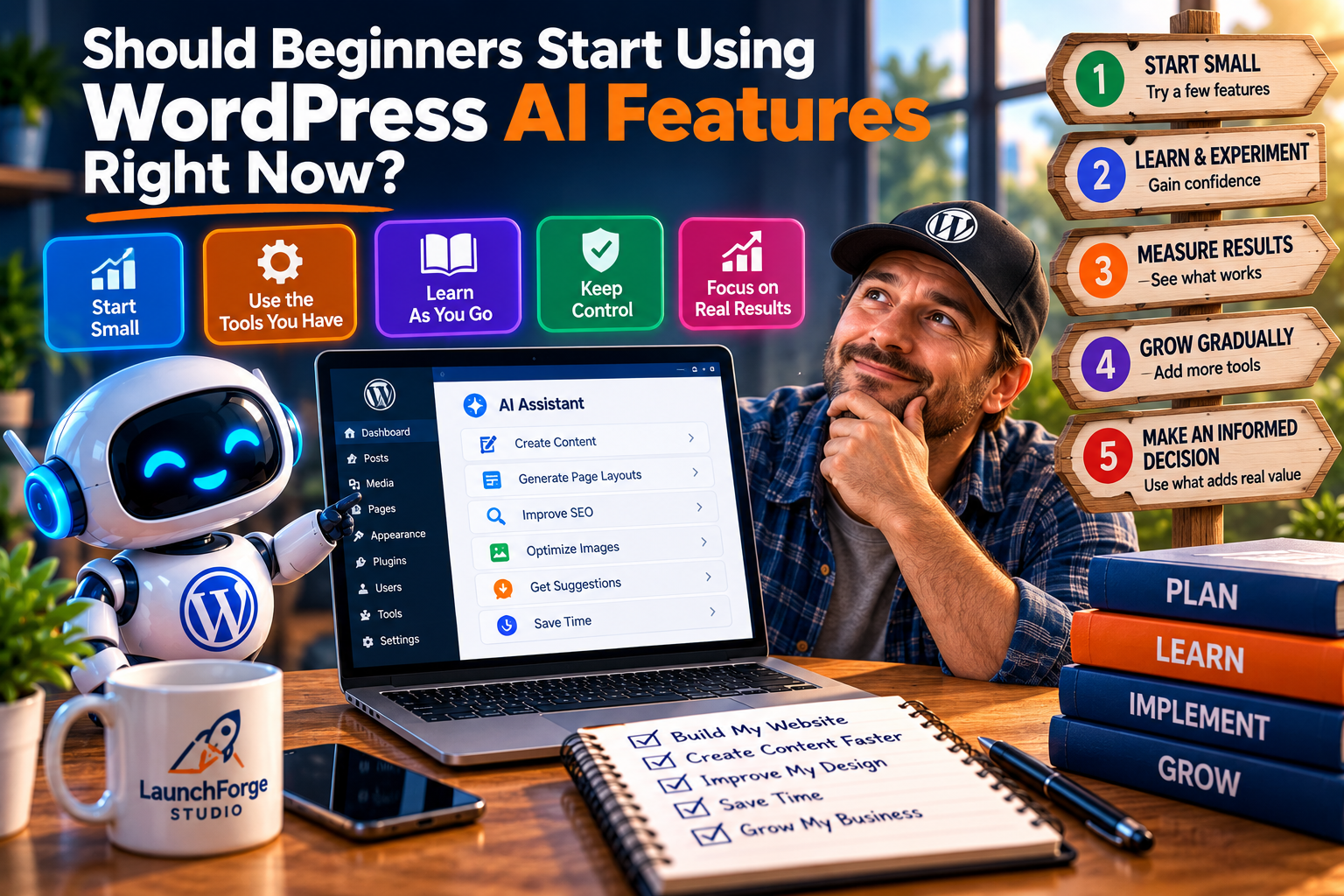
Beginners can explore WordPress AI tools gradually, starting with low-risk tasks while keeping control of their websites.
With so much attention surrounding artificial intelligence, it’s understandable that website owners might feel pressure to start using every new tool immediately.
After all, nobody wants to fall behind.
But adopting technology simply because it’s new isn’t necessarily a smart business decision.
For beginners and small business owners, the better approach is to evaluate WordPress AI features based on practical needs, affordability, and the amount of control they provide.
The good news is that you don’t need to become an artificial intelligence expert to begin exploring these tools.
You also don’t need to rebuild your website, purchase multiple subscriptions, or automate every task.
A few carefully chosen experiments can help you determine where AI provides genuine value.
Start With Simple, Low-Risk Tasks
If you’re new to artificial intelligence, begin with tasks that are easy to review and don’t require giving an external service administrative access to your website.
For example, AI can help you brainstorm article topics, organize an outline, simplify a complicated explanation, or generate alternative headlines.
These activities allow you to experiment without placing important website functions at risk.
You can compare the results with your own ideas, make adjustments, and gradually learn where the technology performs well.
The important thing is to remain involved.
An AI-generated suggestion should be evaluated before it becomes part of your published website.
Starting small also makes it easier to determine whether the technology is actually saving time.
Review the Tools You Already Have
Before installing another AI plugin, examine your existing WordPress setup.
Your page builder, SEO plugin, hosting provider, or marketing platform may already offer AI-assisted functionality.
Some features may be included with your current subscription, while others may require additional payment.
Understanding what’s already available can prevent unnecessary spending and duplicated functionality.
For small business owners operating on limited budgets, this is particularly important.
You don’t need five different AI writing assistants performing essentially the same task.
You need tools that work together and solve problems you actually encounter.
Keep Control of Your Website
One of WordPress’s greatest advantages is the control it gives website owners over their content and technology choices.
Artificial intelligence shouldn’t undermine that advantage.
Before allowing an AI-powered system to modify website content or settings, understand its permissions and limitations.
Maintain reliable backups, review significant changes, and avoid granting unnecessary administrative access.
If a tool requires access to private information, investigate how that information will be handled.
And remember that automation is optional.
For a practical approach to keeping technology under control, check out our article Your Business Does Not Need More Tools. It Needs a Better System.
There’s nothing wrong with using AI for suggestions while continuing to make important decisions yourself.
In fact, that may be the most sensible approach for many beginners.
Focus on Results Instead of Features
It’s easy to become distracted by impressive demonstrations.
An AI assistant that can generate an entire webpage in seconds might look exciting.
But the real question is whether the finished webpage helps your visitors.
Does it explain your offer clearly?
Is it easy to navigate?
Does it work properly on mobile devices?
Does it provide useful, accurate information?
And does it support the purpose of your business?
Those questions matter more than how quickly the content was generated.
At LaunchForge Studio, our approach is to use technology as a tool for building something valuable.
We want our website to remain informative, manageable, and useful to the people who visit it.
If AI helps us accomplish those goals, it’s worth exploring.
If it adds unnecessary complexity, expense, or uncertainty, there’s no reason to rush.
The Future of WordPress AI Is Worth Watching
Artificial intelligence will likely continue influencing how WordPress websites are created and managed.
As development progresses, website owners may see more sophisticated integrations, improved assistance within editing environments, and new ways to interact with website information.
Some of these developments could make WordPress more approachable for people without technical backgrounds.
Others may primarily benefit developers or businesses with more advanced requirements.
And not every experimental idea will necessarily become a widely adopted feature.
That’s why staying informed is more valuable than trying to predict exactly what the future will look like.
Follow credible WordPress development updates, evaluate new tools carefully, and pay attention to improvements that address real challenges.
You don’t need to adopt everything.
You simply need to recognize opportunities that make sense for your website.
Final Thoughts: Smarter Tools Should Make Website Ownership Simpler
The growing role of artificial intelligence in WordPress represents an interesting opportunity for beginners, entrepreneurs, and small business owners.
AI-assisted writing, design, technical guidance, and workflow management could reduce some of the barriers that make website ownership challenging.
But these benefits aren’t automatic.
Costs, privacy, security, accuracy, and compatibility still matter.
And while emerging WordPress AI technology may create new possibilities, it’s important to distinguish between features available today and developments that are still taking shape.
The most sensible approach is to remain curious without becoming dependent on every new tool.
Start with a problem you want to solve.
Choose technology that addresses that problem.
Evaluate the results.
And maintain control over the website you’re building.
At LaunchForge Studio, we believe creating an online business should be more approachable, especially for people working with limited budgets or technical experience.
That’s why we focus on practical education, useful tools, and solutions that help simplify the process of building and growing an online presence.
If you’re exploring ways to bring your website, marketing tools, and business workflows together, visit our Business Platform page to learn more about the approach behind LaunchForge Studio.
Because ultimately, the future of WordPress shouldn’t be about making websites more complicated with artificial intelligence.
It should be about giving everyday website owners the confidence, tools, and freedom to build something worthwhile.