Starting an online business is exciting. You have ideas, goals, and a vision of what you want to build. Maybe you’re planning to launch your first website, promote affiliate products, sell digital products, or create a business that gives you more flexibility and control over your future.
But then comes a question that can bring all that excitement to a screeching halt.
Which online business platform should you actually use?
Suddenly, you’re comparing website builders, sales funnel software, email marketing services, hosting providers, automation tools, and dozens of other platforms promising to make your business easier.
One company says you need its website builder. Another insists its funnel software is essential. Someone else recommends an email marketing platform, a customer management system, and three additional subscriptions you hadn’t even considered.
Before you’ve made your first sale, you could already be looking at a growing collection of monthly expenses.
And here’s the frustrating part.
You don’t necessarily need more tools. You need the right tools working together.
That’s why finding the best all-in-one business platform for beginners can be an important step toward building an online business without unnecessary complexity.
An all-in-one platform aims to bring essential business functions into one place, potentially reducing the need to manage multiple services, subscriptions, and software integrations.
But there’s something beginners should understand before choosing one.
Not every all-in-one business platform is created equal.
Some focus primarily on websites and online stores. Others specialize in sales funnels, email marketing, and lead generation. Certain platforms offer extensive automation capabilities, while others prioritize simplicity and affordability.
And just because a platform advertises hundreds of features doesn’t automatically mean it’s the best choice for your particular business.
The right solution depends on what you’re building, which tools you’ll actually use, how comfortable you are with technology, and what you can realistically afford.
That’s exactly what we’re going to explore in this guide.
You’ll learn what an all-in-one business platform is, which features matter most for beginners, how to compare pricing and capabilities, and what to watch out for before committing to a particular system.
We’ll also examine how all-in-one platforms compare with using separate business tools, explore popular options worth considering, and walk through a practical checklist to help you make a more informed decision.
Our goal isn’t to convince you that one platform is perfect for everyone. It’s to help you find a solution that makes sense for your business, your budget, and your long-term goals.
Because building an online business is challenging enough.
Choosing the technology that supports it shouldn’t have to be.
What Is an All-in-One Business Platform?
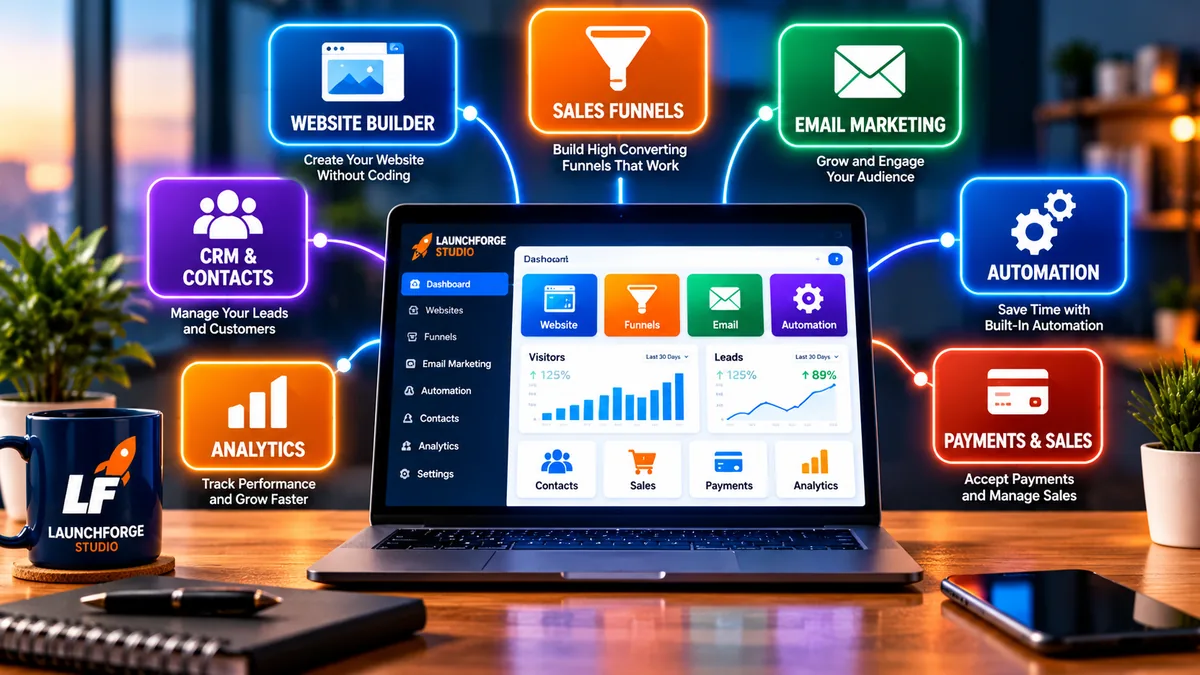
An all-in-one business platform brings websites, sales funnels, email marketing, automation, and other essential tools together in one connected system.
An all-in-one business platform is a software solution that combines several essential business tools into one connected system. Instead of relying on separate services to build a website, create landing pages, manage contacts, send marketing emails, and automate everyday tasks, you can handle many of these activities from a single platform.
Think of it as having a central workspace for your online business.
Rather than switching between multiple accounts, remembering different passwords, and figuring out how separate applications communicate with one another, you have access to a collection of tools designed to work together.
For someone launching their first online business, that convenience can make a meaningful difference.
But there’s an important distinction worth understanding.
All-in-one doesn’t necessarily mean every business tool imaginable is included.
Different platforms offer different combinations of features. Some provide comprehensive website-building and marketing capabilities, while others concentrate on ecommerce, customer management, or sales automation.
The key is finding a platform that includes the tools your particular business needs.
How Does an All-in-One Business Platform Work?
Most all-in-one platforms operate through a centralized dashboard where users can access and manage different business functions.
For example, imagine you’re starting an affiliate marketing business.
You want to create a website, publish helpful content, build an email list, and recommend products or services to your audience.
Without an integrated platform, you might need separate subscriptions for:
- Website hosting: A service that stores your website and makes it accessible online.
- Website builder: Software that helps you design pages without writing code.
- Landing page builder: A tool for creating focused pages that encourage visitors to take specific actions.
- Email marketing: Software for collecting subscribers and communicating with your audience.
- Sales funnel builder: A system for guiding potential customers through a series of steps toward a desired action.
- Marketing automation: Tools that perform repetitive tasks, such as sending follow-up emails or organizing new leads.
- Contact management: A place to organize subscriber information and track interactions.
Each service might work well individually.
However, connecting everything can introduce additional expenses, technical requirements, and ongoing maintenance.
An all-in-one platform attempts to simplify that arrangement by providing several of these capabilities within one environment.
For instance, someone could create a landing page, connect a signup form, collect a visitor’s email address, and trigger an automated welcome message without relying on several unrelated applications.
The exact process depends on the platform, but the underlying goal is the same.
Make it easier to build, manage, and grow an online business without constantly juggling disconnected tools.
What Types of Businesses Can Use an All-in-One Platform?
Although all-in-one platforms are frequently marketed toward entrepreneurs, they’re not limited to one particular business model.
Depending on the available features, they can support several types of online businesses.
Affiliate Marketing Businesses
Affiliate marketers promote products or services and may earn commissions when qualifying purchases or actions occur through their referral links.
An integrated platform can help them create websites, build landing pages, collect subscribers, and organize email follow-up campaigns.
Digital Product Businesses
Entrepreneurs selling ebooks, templates, courses, or other digital products may need sales pages, payment integrations, customer communication tools, and automated product delivery.
Some all-in-one platforms include these capabilities, while others require additional integrations.
Service-Based Businesses
Freelancers, consultants, coaches, and other service providers can use integrated business tools to create professional websites, capture inquiries, organize contacts, and automate certain communications.
Appointment scheduling, invoicing, and client management may also be available, depending on the platform.
Content Creators and Bloggers
Bloggers and creators often need a website, publishing tools, email subscriptions, and ways to promote products or services.
An all-in-one solution may help consolidate some of these functions, although the quality of its content management and search engine optimization features deserves careful evaluation.
Small Online Stores
Some platforms support ecommerce through product listings, checkout pages, payment processing, and customer management.
However, businesses with large inventories or complicated shipping requirements may benefit from dedicated ecommerce platforms instead.
The important takeaway is that the best platform depends on your business model, not simply the number of features advertised.
Is an All-in-One Platform the Same as a Website Builder?
Not exactly.
A website builder primarily focuses on helping users create and manage websites.
An all-in-one business platform generally goes further by combining website-related tools with additional business functions such as email marketing, lead generation, sales funnels, and automation.
There can be considerable overlap between the two.
Some website builders have expanded into ecommerce, email marketing, and customer management. Likewise, many all-in-one platforms include website builders as part of their broader toolkit.
The difference is usually a matter of scope.
A traditional website builder helps you establish your online presence.
A broader business platform aims to help you manage more of the activities that happen after your website goes live.
For beginners, this distinction matters because having a website and having a complete online business system are not necessarily the same thing.
You might have a beautiful website, but still need a way to capture leads, communicate with subscribers, and guide potential customers toward purchasing decisions.
Understanding those requirements before choosing software can help prevent unnecessary expenses and frustration later.
Do Beginners Really Need an All-in-One Business Platform?
Not necessarily.
And that’s an important point that sometimes gets lost in marketing messages.
If your only goal is to publish a simple personal blog, you may not need advanced sales funnels, customer management systems, or extensive automation features.
A straightforward website builder and hosting service might be enough.
However, if you plan to combine several business activities—such as publishing content, generating leads, building an email list, and promoting products—an integrated platform may be worth considering.
It could reduce the number of separate subscriptions you manage and simplify how different parts of your business work together.
But convenience alone shouldn’t determine your decision.
You also need to evaluate pricing, usability, reliability, available integrations, customer support, and whether the platform can accommodate your future plans.
The goal isn’t to purchase the biggest system available. It’s to choose a system that supports what you’re trying to accomplish.
And that brings us to an equally important question: why does choosing the right platform matter so much when you’re just getting started?
Why Does Choosing the Right Online Business Platform Matter?
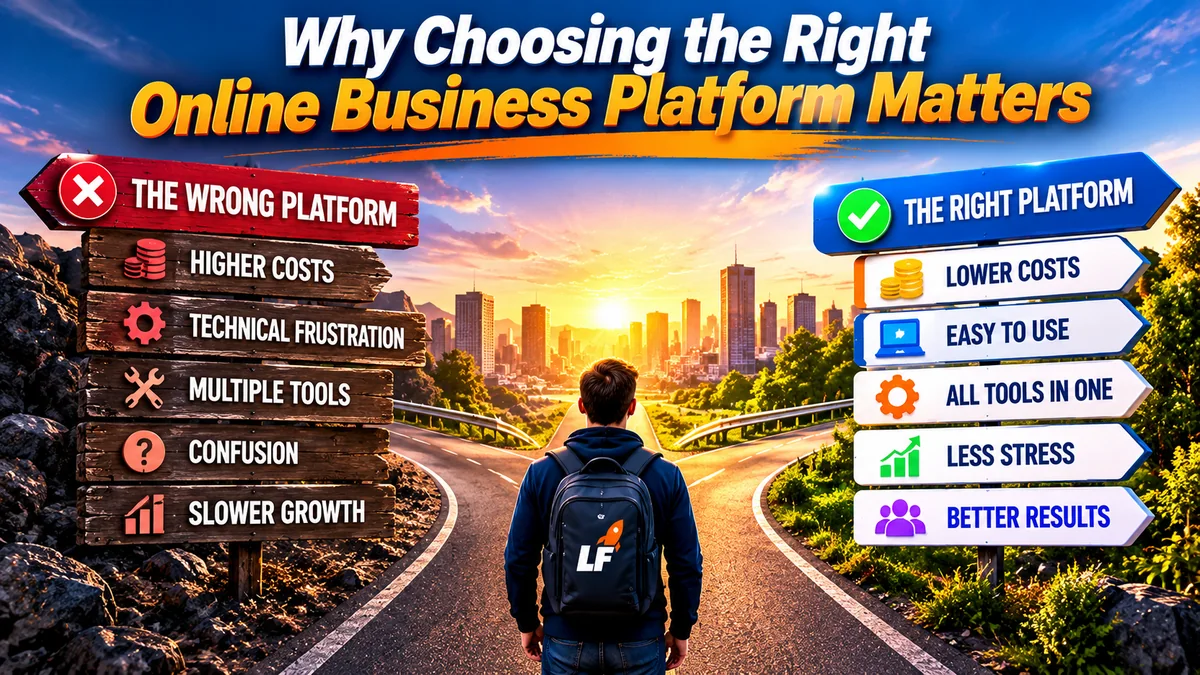
The right business platform can simplify your workflow, reduce unnecessary complexity, and support your long-term goals.
When you’re starting an online business, it’s tempting to focus entirely on getting your website launched.
You want to choose a domain name, create a few pages, publish your first pieces of content, and finally turn that business idea into something real.
Those are exciting milestones.
But the platform you choose can influence much more than how your website looks.
It can affect your ongoing expenses, the amount of time you spend managing technology, how easily you connect with potential customers, and how much flexibility you have as your business develops.
Choosing the right online business platform isn’t simply a software decision. It’s a decision about how you want to operate your business.
That doesn’t mean you need to find a perfect platform before getting started. No software solution can anticipate every requirement you’ll have in the future.
However, understanding the practical consequences of your decision can help you avoid unnecessary complications.
Your Platform Can Affect Your Startup and Ongoing Costs
One of the biggest concerns for new entrepreneurs is affordability.
When you’re working with a limited budget, every expense matters.
A website hosting plan might seem inexpensive. An email marketing subscription might also look affordable. Add a landing page builder, automation software, and a contact management tool, and suddenly those individual expenses begin adding up.
For example, imagine purchasing four separate services at $15, $25, $20, and $30 per month.
That’s $90 every month, or $1,080 annually, before considering domain renewals, transaction fees, premium upgrades, or additional features.
Those figures are hypothetical, but they illustrate why comparing individual subscription prices doesn’t always reveal the full cost of running an online business.
An all-in-one platform might consolidate several of those services under one subscription.
However, that doesn’t automatically guarantee savings.
Some platforms charge additional fees for increased contact limits, email volume, advanced automation, additional websites, or premium support.
Others may require an initial setup payment alongside recurring charges.
The number that matters isn’t simply the advertised monthly price. It’s the total cost of the tools your business actually needs.
Before making a purchasing decision, look beyond the headline price and calculate what you’ll realistically spend over the next 12 months.
The Right Platform Can Reduce Technical Frustration
Starting an online business often involves learning unfamiliar technology.
Even relatively simple tasks can feel complicated when you’re encountering them for the first time.
You might need to connect your domain name, configure your website, create signup forms, integrate email marketing software, and make sure information moves correctly between different services.
Each tool has its own dashboard, settings, terminology, and learning curve.
Individually, those challenges may be manageable.
Together, they can become frustrating, particularly when something stops working and you’re unsure which service is responsible.
An integrated business platform can reduce some of that complexity by providing tools designed to operate within the same environment.
For example, connecting a landing page to an email list may require fewer steps when both functions are built into the same system.
That doesn’t mean an all-in-one platform eliminates technical challenges.
You still need to learn how to use its features, configure your settings, and troubleshoot occasional problems.
Some comprehensive platforms can actually feel overwhelming because they offer so many options.
The real advantage comes from choosing a platform whose capabilities match your experience and willingness to learn.
For beginners, a straightforward dashboard, clear documentation, and accessible support can be just as valuable as an impressive feature list.
Your Platform Influences How You Generate and Manage Leads
A website can attract visitors without necessarily turning those visitors into subscribers or customers.
That’s why lead generation deserves attention when choosing an online business platform.
Imagine someone visits your website after finding one of your articles through a search engine.
They enjoy the content and want to learn more.
If your website includes a useful signup form, you may have an opportunity to invite that visitor to join your email list.
But what happens after they subscribe?
Ideally, their information is stored correctly, they receive the message you promised, and you have a reliable way to continue communicating with them.
That process may involve several connected tools:
- A landing page or signup form that collects visitor information.
- A contact management system that organizes subscribers.
- An email marketing service that delivers messages.
- Automation features that trigger relevant follow-up communications.
- Reporting tools that help you understand which pages and campaigns generate results.
When these capabilities work together effectively, you can spend more time creating useful content and building relationships with your audience.
When they don’t, you may encounter disconnected subscriber lists, failed integrations, or additional manual work.
An all-in-one platform can help simplify this process, but it’s important to verify that its lead generation and communication tools actually support your goals.
For example, check whether you can export your contacts, manage consent and unsubscribe requests, segment your audience, and connect any outside services you may need.
A platform should help you build and maintain relationships with your audience, not make those relationships harder to manage.
Switching Platforms Later Can Be More Complicated Than Expected
It’s easy to assume you can simply move to another platform if your first choice doesn’t work out.
Sometimes that’s true.
But depending on the system you’ve chosen, migrating your business can involve more than transferring a few website pages.
You might need to rebuild landing pages, reconnect your domain, recreate automated email sequences, transfer contact information, update integrations, and test your checkout or lead capture processes.
If you’ve already published substantial content, maintaining your existing URLs and search visibility becomes another consideration.
Some platforms make exporting content and data relatively straightforward.
Others use proprietary tools or page builders that don’t transfer easily to competing services.
This is sometimes called vendor lock-in, which occurs when moving away from a particular provider becomes difficult, expensive, or time-consuming.
Vendor lock-in isn’t unique to all-in-one platforms, but it deserves attention whenever you’re choosing business software.
Before committing, ask a few practical questions:
- Can I export my contacts and business data?
- Will I retain control of my domain name?
- Can I move my website content elsewhere?
- What happens to my pages and automations if I cancel?
- Are there cancellation requirements or additional fees?
- Does the platform support integrations with outside tools?
You don’t need to predict every possible change your business might experience.
However, understanding your options before purchasing can make future decisions much easier.
The Right Platform Should Support Growth Without Forcing Unnecessary Upgrades
Your needs today may look very different from your needs a year from now.
Perhaps you’re beginning with a simple website and a handful of articles.
Later, you might want to introduce downloadable resources, automated email campaigns, digital products, or additional sales funnels.
A platform that works perfectly for your first month may become limiting if it can’t support those activities.
On the other hand, purchasing an expensive enterprise-level system before you have an established audience can leave you paying for features you don’t use.
The challenge is finding a reasonable balance between your current requirements and your likely future needs.
Look for a platform that provides enough functionality to get started while offering a practical path to expand.
Pay particular attention to limits involving:
- Website pages and landing pages.
- Email subscribers and monthly sending allowances.
- Automation workflows.
- Product listings and sales funnels.
- Storage, bandwidth, and website traffic.
- Team members and user permissions.
- Integrations and additional business features.
Not every limit will matter to your business.
For example, someone publishing educational articles may care more about content management and search engine optimization than advanced inventory management.
An entrepreneur selling digital products may prioritize checkout functionality, payment integrations, and automated delivery.
The best long-term value comes from paying for capabilities that support your business rather than features that simply look impressive on a comparison chart.
Your Platform Should Give You More Time to Focus on Your Business
There’s another cost beginners sometimes overlook.
Your time.
Every hour spent troubleshooting integrations, navigating complicated dashboards, or manually transferring information between services is an hour you can’t spend creating content, learning marketing skills, or serving your audience.
Of course, learning new technology is part of building an online business.
And no platform can eliminate every administrative task.
But choosing software that fits your workflow can help reduce unnecessary distractions.
Imagine being able to publish an article, create a related landing page, connect a signup form, and manage follow-up communications without constantly switching between unrelated systems.
For the right business model, that convenience can be valuable.
However, the opposite can also be true.
If an all-in-one platform is difficult to navigate or lacks a feature you depend on, using a few well-chosen specialized tools may be more efficient.
That’s why your decision should be based on practical usability rather than marketing promises alone.
A good business platform should support the work you’re trying to accomplish, not become the work itself.
And now that we understand why choosing carefully matters, it’s time to examine the features beginners should actually look for when comparing their options.
What Features Should Beginners Look for in an All-in-One Business Platform?
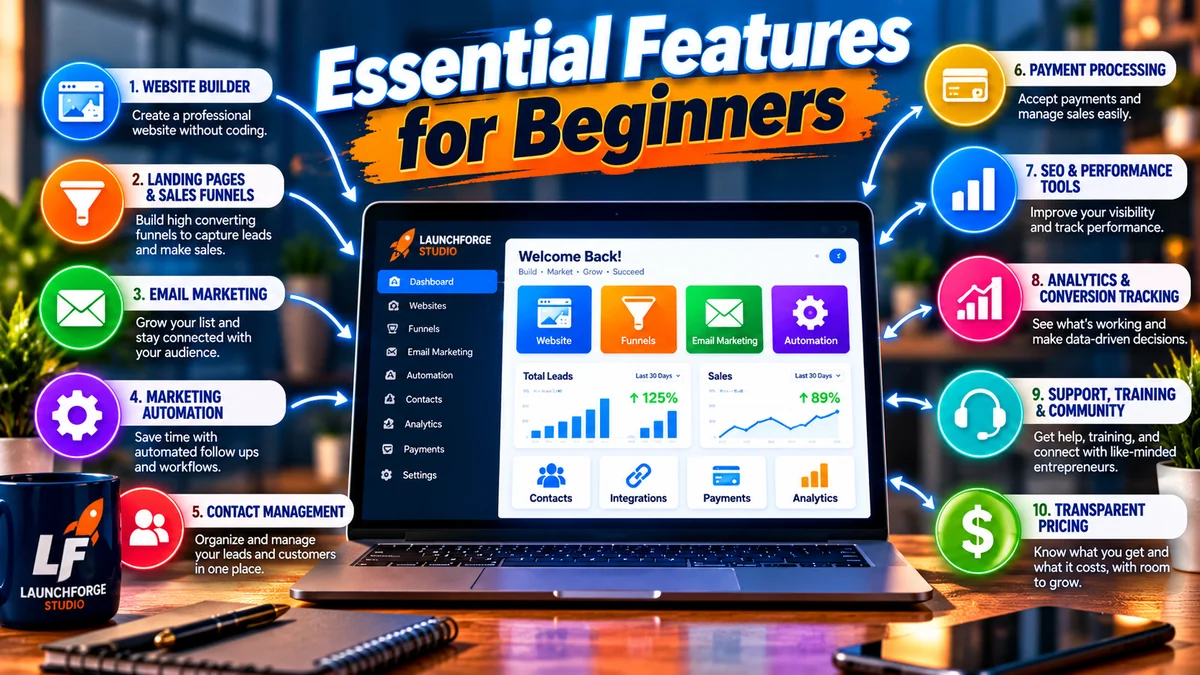
Compare these 10 essential features before choosing an all-in-one business platform that fits your goals, experience, and budget.
Choosing an all-in-one business platform becomes much easier when you understand which features actually matter.
At first glance, many platforms appear remarkably similar. Their websites advertise powerful dashboards, automated marketing, professional designs, and everything you supposedly need to build a successful online business.
But a long list of features doesn’t necessarily tell you whether a platform will work for your business.
The best all-in-one business platform for beginners should provide the tools you need today, offer room to grow, and remain manageable as you learn.
Rather than comparing platforms based on which one advertises the most capabilities, start by identifying the tasks you want your software to perform.
Let’s examine the features worth evaluating before making a purchasing decision.
1. An Easy-to-Use Website Builder
For many beginners, a website is the foundation of their online presence.
It’s where potential customers can learn about your business, explore your content, discover your products or services, and decide whether they want to take the next step.
That’s why website-building capabilities deserve careful consideration.
A beginner-friendly platform should make it reasonably straightforward to create and manage a professional website without requiring extensive coding knowledge.
Look for features such as:
- Visual page editing: The ability to arrange and customize page elements without writing code.
- Responsive designs: Layouts that adapt to desktop computers, tablets, and smartphones.
- Custom domain support: The option to connect a domain name you own.
- Page templates: Starting points for common pages such as Home, About, Services, and Contact.
- Content management: Tools for publishing and updating articles, images, and other website content.
- Basic SEO controls: The ability to edit page titles, meta descriptions, URLs, and image descriptions.
Templates can help you get started, but customization matters too.
You should be able to adjust your branding, organize navigation, and create pages that reflect your business rather than looking identical to every other website using the same template.
Also consider what happens after your website launches.
Can you easily update existing pages? Add new content? Change your layout? Create additional landing pages?
A website builder should make ongoing improvements easier, not turn every small adjustment into a technical project.
If publishing educational content is part of your business strategy, pay particular attention to blogging capabilities and SEO flexibility.
A platform that’s excellent for creating sales pages may not necessarily offer the content management features you need for a growing educational website.
2. Landing Page and Sales Funnel Tools
A website introduces people to your business.
A landing page focuses their attention on a specific action.
That action might involve subscribing to an email list, downloading a free resource, registering for a webinar, requesting information, or purchasing a product.
For businesses that depend on lead generation or online sales, landing page capabilities can be particularly valuable.
Look for a platform that allows you to:
- Create landing pages without complicated coding.
- Customize headlines, images, forms, and calls to action.
- Connect signup forms to your contact management system.
- Build thank-you pages and confirmation messages.
- Test how pages display on mobile devices.
- Track important visitor actions where reporting is available.
Sales funnel tools extend this concept by connecting multiple steps in a customer journey.
For example, a simple funnel might guide someone from an educational article to a free resource, then to an email follow-up sequence introducing a relevant product or service.
Not every beginner needs an elaborate sales funnel.
However, having the ability to create a straightforward lead capture process can be useful if you plan to build an audience or promote offers.
The important question isn’t whether a platform advertises hundreds of funnel templates. It’s whether you can build the specific customer journey your business needs.
Before purchasing, investigate whether landing pages and funnels are included in the advertised plan or require an upgrade.
3. Email Marketing and Subscriber Management
Email marketing remains a useful way to communicate directly with people who have chosen to hear from your business.
Unlike visitors who discover one article and disappear, subscribers give you an opportunity to continue providing information over time.
An all-in-one platform with email marketing capabilities may allow you to collect subscribers, organize contacts, create campaigns, and send automated messages without purchasing separate software.
When evaluating email features, consider:
- Signup forms: Can you collect subscribers through your website and landing pages?
- Email campaigns: Can you send updates, educational content, and promotional messages?
- Automated sequences: Can you schedule welcome emails and follow-up communications?
- Contact segmentation: Can you organize subscribers based on relevant interests or actions?
- Subscriber limits: How many contacts does your plan allow?
- Sending allowances: Are there monthly email limits or additional charges?
- Unsubscribe management: Does the system provide appropriate opt-out functionality?
- Data portability: Can you export your subscriber information if you change providers?
Email deliverability deserves attention as well.
A platform may offer impressive email features, but those tools provide limited value if messages consistently fail to reach subscribers.
Ask about domain authentication, sender reputation requirements, and available delivery reporting.
Also remember that email marketing involves legal and privacy responsibilities. Your business should obtain appropriate consent, provide accurate sender information, and honor unsubscribe requests.
A useful email marketing system should help you communicate responsibly and consistently, not simply send more messages.
For beginners, a reliable welcome sequence and an organized subscriber list may be more valuable than dozens of complicated automation workflows.
4. Marketing Automation That Saves Time
Marketing automation allows software to perform certain tasks when predefined conditions are met.
For example, imagine someone downloads a beginner’s checklist from your website.
Instead of manually sending that person a welcome email, your platform could automatically deliver the resource and begin a short educational email sequence.
Depending on the software, automation may also help you:
- Add new subscribers to appropriate contact lists.
- Send follow-up messages after form submissions.
- Apply tags based on subscriber interests.
- Notify you when someone requests information.
- Organize leads according to actions they’ve taken.
- Trigger additional steps after a purchase or registration.
These capabilities can reduce repetitive work.
However, automation isn’t automatically beneficial simply because it’s available.
Poorly planned workflows can create confusing customer experiences, duplicate communications, or messages that arrive at inappropriate times.
That’s why beginners should prioritize simplicity.
Start with one useful process, such as welcoming new subscribers or delivering a promised download.
Once that process works reliably, you can consider adding more sophisticated workflows.
When comparing platforms, investigate whether automation is included in the entry-level plan.
Some providers advertise automation prominently but reserve their more useful features for higher-priced subscriptions.
The best automation system is one you can understand, manage, and confidently maintain.
5. Contact Management and Basic CRM Features
A customer relationship management system, commonly called a CRM, helps businesses organize information about contacts, leads, and customers.
For a beginner, that might sound like something only large companies need.
But even a simple contact management system can be useful when you’re collecting inquiries, building an email list, or following up with potential customers.
Basic capabilities may include:
- Storing contact names and email addresses.
- Recording how someone joined your list.
- Applying tags or categories.
- Viewing previous interactions.
- Organizing inquiries and potential customers.
- Tracking lead status when applicable.
You may not need an advanced sales pipeline with dozens of stages.
But you should have a reliable way to understand who has contacted your business and what information they’ve requested.
For example, someone interested in website-building tutorials may have different needs from someone evaluating sales funnel software.
A contact management system can help you organize those interests and provide more relevant communications.
When evaluating a platform, consider how its contact management tools connect with signup forms, email campaigns, and automation.
Also investigate how easily you can access, update, and export your data.
Your contact information is an important business asset. You should understand how it’s stored and what control you retain over it.
6. Payment Processing and Sales Features
If you plan to sell products or services directly through your website, payment processing becomes an essential consideration.
Depending on your business model, you might need tools for:
- Creating product or service checkout pages.
- Connecting supported payment processors.
- Accepting one-time payments.
- Managing recurring subscriptions.
- Delivering digital products.
- Sending order confirmations.
- Tracking purchases and customer transactions.
However, not every online business needs these features immediately.
For example, an affiliate marketer who refers visitors to another company’s checkout page may not need a built-in payment system for those referrals.
A creator selling downloadable templates or educational products, on the other hand, may depend on reliable checkout and delivery capabilities.
When comparing platforms, don’t assume that payment processing is included simply because the software advertises sales funnels.
Check which payment providers are supported, whether transactions are available in your region, and what additional fees may apply.
Consider refund handling, tax settings, subscription management, and customer access to purchased products where relevant.
Choose sales features based on how your business actually earns revenue, not on capabilities you might never use.
7. Search Engine Optimization and Performance Tools
If attracting visitors through search engines is part of your strategy, your platform’s SEO capabilities deserve serious attention.
Search engine optimization involves helping search engines understand your content while making your website useful and accessible to visitors.
No website platform can guarantee high search rankings.
However, the software you choose can make essential optimization tasks easier or more difficult.
Look for control over:
- SEO titles and meta descriptions.
- Page URLs and redirects.
- Heading structure.
- Image alternative text.
- XML sitemaps.
- Mobile-friendly page layouts.
- Indexing controls.
- Website performance and loading speed.
Some platforms provide built-in SEO settings, while others support additional plugins or integrations.
Also investigate how much control you have over your website’s technical configuration.
For example, can you create redirects if a page URL changes? Can you manage which pages search engines should index? Can you connect your website to Google Search Console?
These questions become especially important if you plan to publish a substantial collection of articles over time.
Performance matters too.
A visually impressive website that loads slowly or behaves poorly on mobile devices can frustrate visitors.
When evaluating software, test actual websites built with the platform rather than relying entirely on promotional claims.
Good SEO tools won’t replace useful content, but they can help you manage the technical foundation that supports it.
8. Analytics and Conversion Tracking
Once your website is running, you’ll want to understand whether your marketing efforts are producing meaningful results.
That requires more than simply counting visitors.
Useful analytics can help you identify where traffic comes from, which pages attract attention, and whether visitors complete important actions.
Depending on the platform, reporting features may include:
- Website visits and traffic sources.
- Landing page views.
- Form submissions.
- Email campaign performance.
- Funnel conversion rates.
- Product sales.
- Subscriber growth.
Some platforms provide these reports directly within their dashboards.
Others rely on integrations with outside analytics services.
Neither approach is automatically better.
What’s important is having access to reliable information that helps you make decisions.
For example, imagine one landing page receives 500 visitors and generates 25 signups.
That represents a 5% signup conversion rate.
If another page receives the same number of visitors but generates only 10 signups, its conversion rate is 2%.
Those numbers don’t explain every reason for the difference, but they give you a useful starting point for investigating what might be improved.
For beginners, basic reporting that clearly connects visitor activity to business goals is often enough to get started.
You don’t need a dashboard filled with complicated charts. You need information that helps you understand what’s working and what needs attention.
9. Customer Support, Training, and Community Resources
One feature that’s easy to overlook during software comparisons is the quality of the help available when something goes wrong.
A platform might look impressive during a demonstration.
But what happens when you can’t connect your domain, an email automation stops working, or a page doesn’t display correctly?
For beginners, accessible support can make a substantial difference.
Look for:
- Clear setup instructions.
- Step-by-step tutorials.
- Searchable documentation.
- Responsive customer support channels.
- Active user communities.
- Training resources for essential features.
- Regular software updates and maintenance information.
A helpful community can be especially valuable because other users may have encountered similar challenges.
However, community discussions shouldn’t be treated as a replacement for official technical support.
Before purchasing, investigate what support is included with your chosen plan.
Some platforms offer different response times, support channels, or onboarding services depending on subscription level.
You should also consider how comfortable you feel using the available learning materials.
A beginner-friendly platform isn’t just one that’s easy to start using. It’s one that helps you keep learning when you encounter unfamiliar challenges.
10. Transparent Pricing and Room to Grow
Finally, take a close look at how the platform charges for its services.
This is particularly important for beginners trying to build a business on a limited budget.
A low advertised price can be appealing, but it doesn’t always represent the complete cost.
Some platforms charge separately for features that appear essential to their overall marketing message.
Others impose limits that may require upgrades as your audience grows.
Before choosing a platform, investigate:
- Monthly and annual subscription prices.
- One-time setup or activation fees.
- Domain and hosting costs.
- Contact and email sending limits.
- Website and funnel limits.
- Transaction and payment processing fees.
- Premium integrations and add-ons.
- Upgrade requirements.
- Cancellation and refund policies.
Whenever possible, calculate the estimated cost of your first year rather than comparing monthly prices alone.
Also consider whether the platform offers a practical upgrade path.
You don’t necessarily need advanced features today, but you should understand what they’ll cost if your business eventually requires them.
And remember that an inexpensive platform isn’t a bargain if it lacks the tools you need.
Likewise, a premium platform may offer poor value if you’re paying for dozens of features you’ll never use.
The best value comes from finding a balance between affordability, usability, essential features, and long-term flexibility.
Which Features Should Beginners Prioritize First?
After reviewing all these capabilities, you might be wondering whether you need every feature we’ve discussed.
The answer is no.
Your priorities should depend on your business model and immediate goals.
For example:
If you’re starting a content-focused affiliate marketing website, prioritize website building, blogging, SEO controls, landing pages, email marketing, and basic analytics.
If you’re selling digital products, prioritize sales pages, checkout functionality, payment integrations, customer communication, and product delivery.
If you’re offering services, prioritize a professional website, inquiry forms, contact management, appointment scheduling where needed, and reliable follow-up tools.
If you’re primarily building an email audience, prioritize lead capture pages, subscriber management, email deliverability, automation, and reporting.
You can always revisit additional capabilities as your business develops.
For now, identify the three to five features that matter most to your immediate plans.
Write them down before comparing platforms.
Then use that list to evaluate potential solutions.
Your business requirements should determine which platform you choose—not the other way around.
Now that we’ve identified the essential features, let’s examine another major purchasing decision: whether it’s better to use one integrated business platform or assemble your own collection of specialized tools.
Ready to Explore an All-in-One Business Platform?
If you’re looking for a way to bring your website, sales funnels, lead generation, and marketing tools together, Profit Hub System is one option worth exploring.
It’s the platform we use to build and support LaunchForge Studio.
Rather than purchasing software based on promises alone, take a look at the available tools, features, and pricing to see whether they fit your business goals.
Explore Profit Hub System and See What’s Included
Disclosure: LaunchForge Studio may earn a commission if you purchase through our referral link, at no additional cost to you.
All-in-One Business Platforms vs. Separate Tools: Which Is Better?
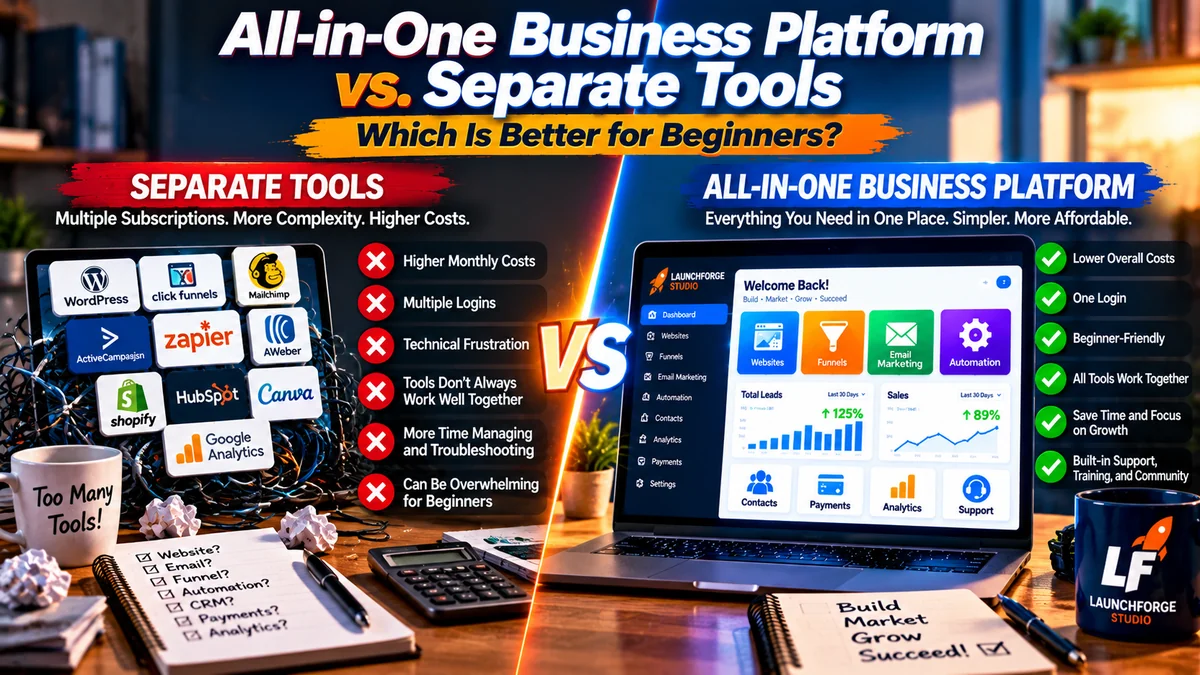
All-in-one platforms can simplify business management, while separate tools may offer greater flexibility for specialized needs.
One of the biggest decisions beginners face is whether to choose an all-in-one business platform or build their own system using separate software services.
Both approaches can work.
The right choice depends on your budget, technical experience, business model, and the level of flexibility you need.
Understanding the advantages and disadvantages of each approach can help you avoid paying for unnecessary software or choosing a system that doesn’t support your goals.
The Advantages of an All-in-One Business Platform
An integrated platform brings multiple business functions into one environment.
Instead of managing separate services for your website, landing pages, email marketing, and automation, you may be able to handle these activities through one dashboard.
Some potential advantages include:
- Simpler management: Fewer dashboards, accounts, and software subscriptions to maintain.
- Connected tools: Website forms, contact lists, email marketing, and automation may work together without complicated integrations.
- Predictable budgeting: Bundled features can make expenses easier to estimate when pricing and usage limits are clearly explained.
- Coordinated support: Some platforms provide training and assistance covering multiple included tools.
- Greater convenience: Managing several business activities from one location can reduce repetitive administrative work.
For beginners planning to launch a website, generate leads, and build an email marketing system, these benefits can be particularly appealing.
However, convenience doesn’t guarantee that every included feature will meet your needs.
The Disadvantages of an All-in-One Business Platform
Although integrated software can simplify business management, there are potential trade-offs.
Some platforms provide a wide range of features but lack the advanced functionality available through specialized services.
Common limitations may include:
- Paying for tools or features you rarely use.
- Limited customization compared with specialized software.
- Restrictions on connecting outside applications.
- Dependence on one provider for several business functions.
- Difficulty transferring websites, funnels, or automations to another service.
- Higher subscription costs when additional features or usage allowances become necessary.
Before purchasing, investigate what happens if you outgrow a particular feature or decide to switch providers.
An all-in-one platform offers the greatest value when its integrated tools genuinely match your business requirements.
The Advantages of Using Separate Business Tools
Building your own collection of specialized tools provides more flexibility.
For example, you might choose one provider for website hosting, another for email marketing, and a third for creating landing pages.
This approach allows you to select individual services based on their specific strengths.
Potential advantages include:
- Greater flexibility: Choose the software that best fits each business requirement.
- Specialized capabilities: Access advanced features that broader platforms may not provide.
- Independent upgrades: Replace one service without necessarily changing your entire business system.
- More pricing options: Combine affordable, free, and premium tools based on your budget.
Businesses with specialized technical requirements or established workflows may prefer this approach.
And for someone who only needs a simple website and basic email marketing, purchasing a comprehensive business platform might be unnecessary.
The Disadvantages of Using Separate Business Tools
The biggest challenge with separate tools is making everything work together.
Each service may have its own account, dashboard, billing schedule, technical requirements, and support team.
Connecting these services can also require additional integrations.
Potential disadvantages include:
- Multiple subscriptions and renewal dates.
- Additional setup and configuration work.
- Compatibility problems between different applications.
- More time spent maintaining integrations.
- Difficulty identifying which provider is responsible when something stops working.
These challenges don’t necessarily make separate tools a poor choice.
However, beginners should consider whether they have the time, patience, and technical confidence to manage multiple systems.
Software flexibility is valuable, but only when the additional complexity is worth it.
Which Approach Makes More Sense for Beginners?
The easiest way to decide is to start with your business priorities.
Rather than assuming one approach is always better, consider the following situations.
Choose an all-in-one business platform when:
- You want to manage several business functions from one dashboard.
- You need website building, landing pages, email marketing, and automation working together.
- You prefer fewer software integrations and separate subscriptions.
- You value having coordinated training and support.
- The included features meet your needs at a reasonable total cost.
Consider separate business tools when:
- You only need one or two specific services.
- You require advanced functionality that integrated platforms don’t offer.
- You want greater freedom to replace individual applications.
- You already have reliable software that works well together.
- A carefully selected combination of tools offers better value for your business.
Neither approach is automatically cheaper, easier, or more effective.
For example, a beginner launching a simple informational website may find that a website builder and basic email service provide everything necessary.
Someone planning to create multiple landing pages, collect leads, manage email campaigns, and build automated sales funnels may benefit from a more integrated solution.
The best choice is the one that supports your actual business activities without introducing unnecessary expenses or complications.
Before committing to either approach, compare the complete cost of the features you’ll use.
That brings us to another important question: how much should you realistically expect to pay for an all-in-one business platform?
How Much Does an All-in-One Business Platform Cost?
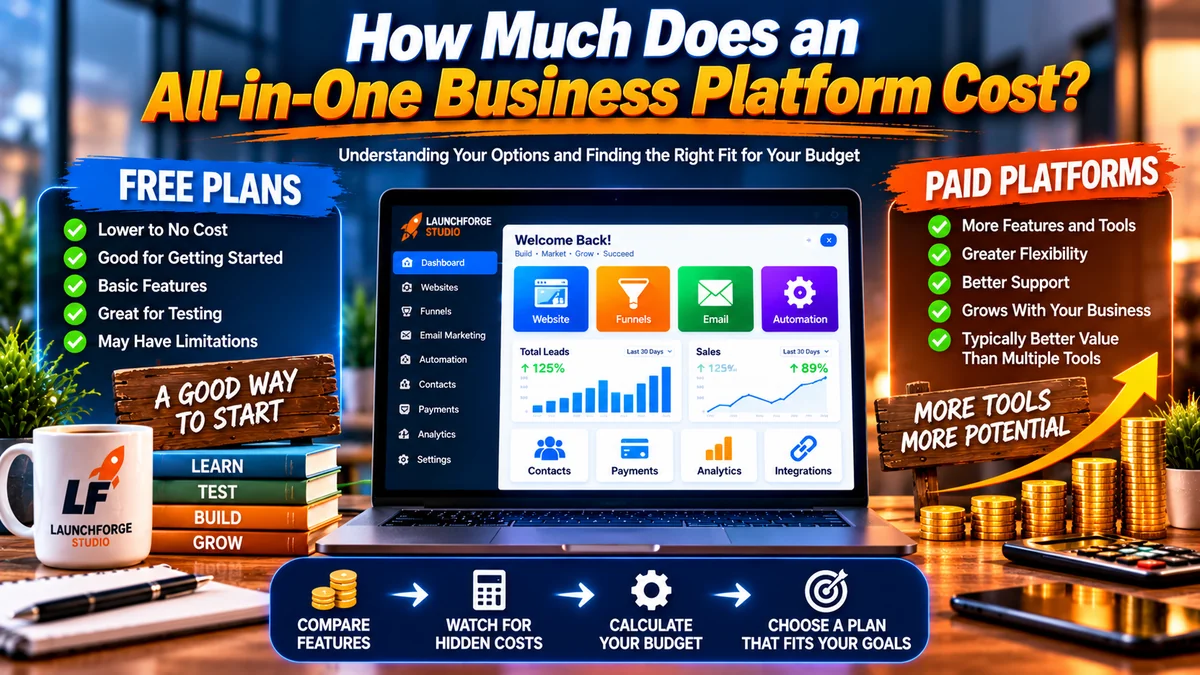
Compare free and paid business platforms by evaluating essential features, potential additional costs, and your long-term business needs.
The cost of an all-in-one business platform varies depending on its features, usage limits, and pricing structure.
Some platforms offer free plans with limited functionality. Others charge monthly or annual subscriptions, while certain services require setup fees or additional payments for premium features.
The most important number isn’t the advertised starting price. It’s what you’ll actually spend to operate your business.
Free Plans vs. Paid Business Platforms
Free plans can be useful when you’re exploring software or launching a simple project.
However, they may limit the number of websites, contacts, email messages, automation workflows, or sales funnels you can create.
Paid platforms generally provide additional capabilities, but higher prices don’t automatically mean better value.
Before upgrading, determine whether the additional features solve a problem your business actually has.
Watch for Hidden and Additional Costs
When comparing platforms, investigate expenses beyond the advertised subscription.
These may include:
- Domain registration and renewal fees.
- One-time setup or activation charges.
- Additional website hosting costs.
- Email subscriber or sending limits.
- Premium templates and integrations.
- Payment processing and transaction fees.
- Higher-tier subscriptions for advanced features.
Not every platform charges all these fees. The important thing is understanding which costs apply to the plan you’re considering.
Calculate Your First-Year Business Software Budget
A practical way to compare platforms is to estimate your total expenses over 12 months.
For example, a hypothetical platform costing $39 per month would total $468 annually before additional charges.
If that platform also required a $99 setup fee, your first-year cost would increase to $567.
Compare that figure with the combined annual cost of purchasing the individual tools you actually need.
A platform that costs more upfront may offer better overall value if it replaces several subscriptions. But that depends on the features included and how frequently you use them.
Is an All-in-One Platform Worth Paying For?
An integrated platform may be worth the investment when it simplifies your workflow, provides reliable tools, and supports several important business activities.
However, if you’re paying for extensive features you don’t need, a smaller software setup could be more economical.
Before purchasing, ask yourself:
- Does this platform include my essential tools?
- Can I realistically afford its ongoing costs?
- Will I need expensive upgrades soon?
- Is the software manageable for my experience level?
- Can I cancel or move my business if necessary?
Choose the platform that delivers practical value for your business—not simply the one with the lowest price or longest feature list.
Popular All-in-One Business Platforms Worth Comparing
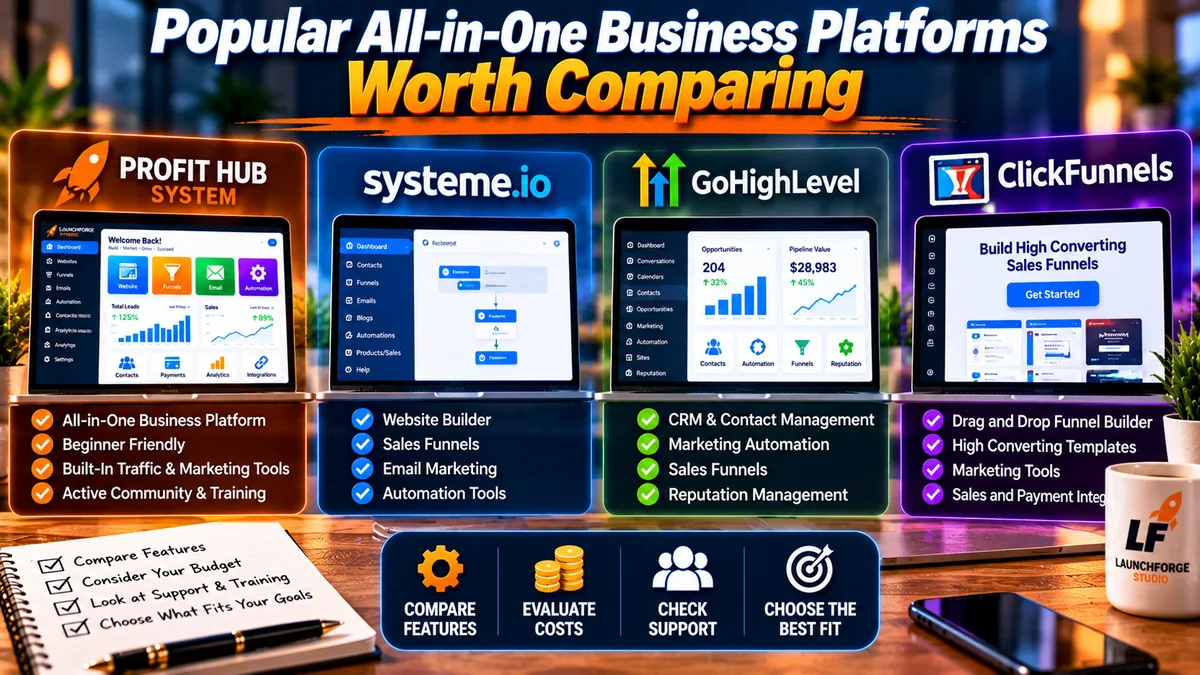
Compare business platforms by their features, pricing, support, and suitability for your goals rather than choosing based on marketing claims alone.
Once you understand your business requirements and budget, the next step is evaluating platforms that might meet those needs.
Three options worth investigating are Profit Hub System, Systeme.io, and GoHighLevel.
These platforms serve somewhat different audiences, so the best choice depends on what you’re trying to build.
Profit Hub System: An Integrated Option for Online Entrepreneurs
Profit Hub System is designed to bring multiple online business and marketing tools into one environment.
Its offerings include website-building capabilities, sales funnels, marketing automation, and tools intended to support lead generation and business growth.
For beginners who want to build a website while developing their marketing systems, that integrated approach may be appealing.
Potential advantages include:
- Access to multiple business and marketing tools.
- Website and sales funnel capabilities.
- Lead generation and automation features.
- Training and community resources.
However, beginners should review the available plans, included features, setup costs, and recurring expenses before purchasing.
Who should consider it? Entrepreneurs who want an integrated environment for building and marketing an online business.
At LaunchForge Studio, Profit Hub System is the foundation of our own website and business setup. That gives us firsthand experience with its tools, although our experience doesn’t mean it’s the right choice for everyone.
For a more detailed look, read our Profit Hub System Review.
Systeme.io: A Beginner-Friendly Marketing Platform
Systeme.io is another option worth exploring, particularly for entrepreneurs interested in sales funnels, email marketing, and selling digital products.
Its platform combines several marketing functions and offers a free plan with usage limitations.
Potential advantages include:
- A free entry-level option.
- Sales funnel and email marketing tools.
- Automation capabilities.
- Features for selling digital products and courses.
Beginners should investigate the limitations of each plan, especially if they expect their subscriber lists or marketing activities to grow.
Who should consider it? Entrepreneurs who want to experiment with integrated marketing tools while keeping initial software expenses low.
GoHighLevel: A Platform for Marketing-Focused Businesses
GoHighLevel is an integrated marketing and customer relationship management platform commonly used by agencies and service-oriented businesses.
Its capabilities include contact management, sales pipelines, automation, and other marketing functions.
Potential advantages include:
- Extensive CRM capabilities.
- Marketing automation tools.
- Lead and pipeline management.
- Features designed for managing customer relationships.
However, its range of capabilities may introduce a steeper learning curve than some beginners need.
Who should consider it? Agencies, consultants, and service businesses that need more advanced customer management and marketing workflows.
Which Platform Should You Choose?
Start by matching the platform to your immediate business goals.
If you want a connected environment for building websites, creating funnels, and developing marketing systems, Profit Hub System may deserve consideration.
If minimizing initial costs is your priority, Systeme.io’s free offering may be worth exploring.
If advanced customer management and agency workflows are essential, GoHighLevel may be more appropriate.
Don’t choose based on marketing promises alone. Compare current features, pricing, support, and usability before committing.
The best platform is the one that fits your business—not necessarily the one with the longest feature list.
See Why We Chose Profit Hub System for LaunchForge Studio
Comparing platforms is important, but sometimes it helps to see which solution someone is actually using to build their business.
At LaunchForge Studio, we chose Profit Hub System as the foundation for our website and online marketing activities.
Its integrated approach gives us access to website-building tools, sales funnels, lead generation features, and marketing resources within one business environment.
Does that automatically make it the right platform for you? Absolutely not.
But if you’re looking for a more connected approach to building and marketing your online business, it’s worth taking a closer look.
Explore Profit Hub System and Decide If It’s Right for You
Affiliate disclosure: We may earn a commission if you purchase through our referral link, at no additional cost to you.
How to Choose the Right All-in-One Business Platform for Your Goals
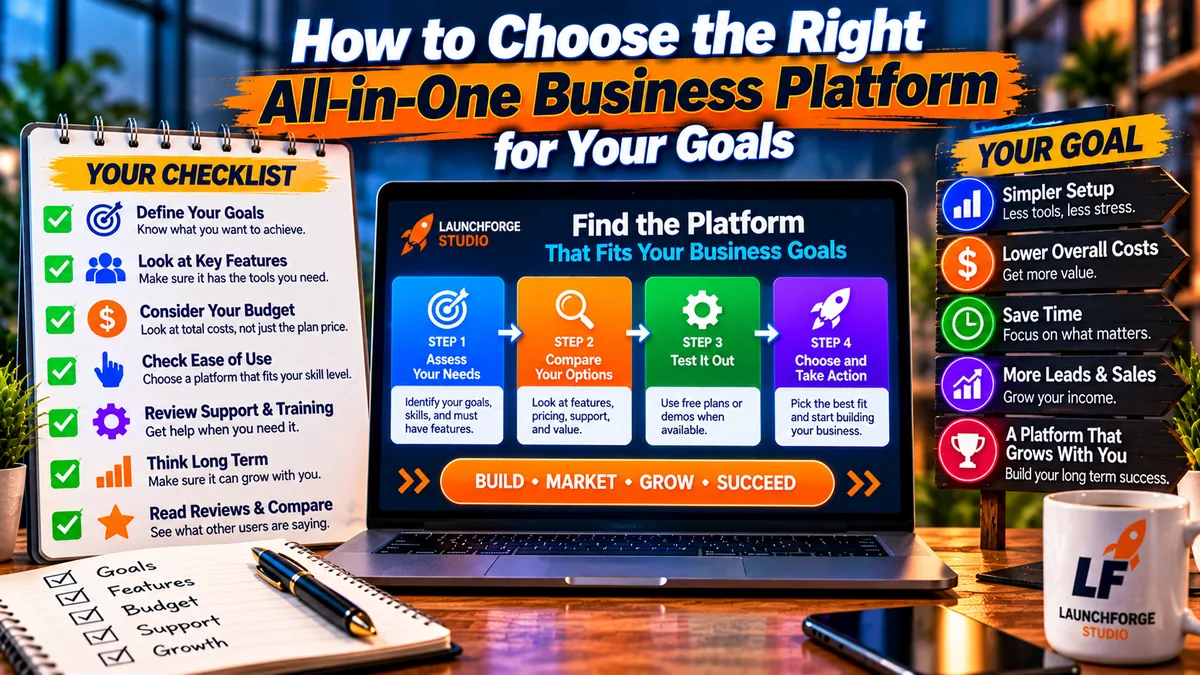
Choose your business platform by comparing essential features, total costs, usability, support, and how well each option fits your goals.
After comparing features, pricing, and available platforms, it’s time to make a decision.
Rather than searching endlessly for the perfect software, focus on finding a solution that supports your immediate business goals while leaving reasonable room for growth.
Your Beginner’s Platform Selection Checklist
Before committing to a platform, work through these seven questions:
- What am I building? Identify whether your primary goal is blogging, affiliate marketing, selling digital products, offering services, or managing an online store.
- Which features do I actually need? List your three to five essential tools instead of paying for everything available.
- What’s my realistic budget? Calculate setup fees, subscriptions, renewals, and potential upgrades over 12 months.
- Can I use the platform comfortably? Explore demonstrations, tutorials, or trial options where available.
- Does it support my marketing goals? Confirm that essential website, lead generation, email, and sales features are included.
- What happens if I need to leave? Investigate data exports, domain ownership, cancellation policies, and migration options.
- Can I get help when needed? Review documentation, customer support, training, and community resources.
You don’t need a platform that does absolutely everything.
You need one that helps you take the next practical step toward building your business.
If a platform meets your essential requirements, fits your budget, and offers a manageable learning experience, it may be a stronger choice than a more expensive alternative with dozens of unnecessary features.
Frequently Asked Questions About All-in-One Business Platforms
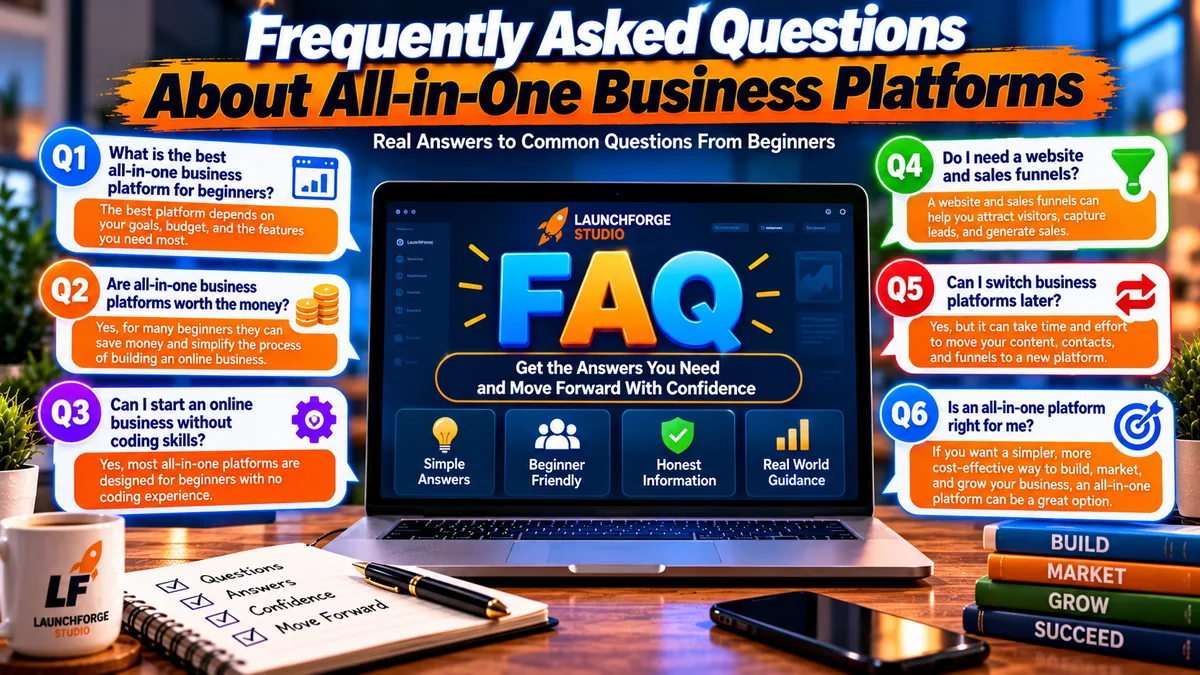
Get answers to common questions about choosing, using, and switching all-in-one business platforms.
What Is the Best All-in-One Business Platform for Beginners?
There isn’t one platform that’s best for everyone. The right choice depends on your business model, budget, technical experience, and required features. Compare several options before purchasing.
Are All-in-One Business Platforms Worth the Money?
They can be, particularly when they replace multiple subscriptions and simplify everyday tasks. However, businesses needing only a few basic tools may find separate services more economical.
Can I Start an Online Business Without Coding Skills?
Yes. Many modern platforms provide visual website builders, templates, and tools designed for people without programming experience. Some learning and configuration will still be necessary.
Do I Need a Website and Sales Funnels?
Not necessarily. A website can establish your online presence, while sales funnels guide visitors toward specific actions. Whether you need both depends on how you plan to attract customers and generate revenue.
Can I Switch Business Platforms Later?
Usually, but the process varies. Transferring contacts may be straightforward, while rebuilding pages, funnels, and automations can require additional work. Check migration and export options before committing.
Final Thoughts: Choose a Platform That Helps You Move Forward

The right business platform should help you focus less on managing tools and more on building a business that fits your goals.
Choosing an online business platform is an important decision, but it shouldn’t prevent you from getting started.
The best all-in-one business platform for beginners isn’t necessarily the cheapest, most expensive, or most heavily advertised solution.
It’s the platform that gives you the tools you need, fits your budget, and makes running your business more manageable.
Take time to compare your options, understand the costs, and identify which features genuinely support your goals.
At LaunchForge Studio, we use Profit Hub System to support our own website and marketing activities. If you’re interested in exploring the platform behind our business, our detailed Profit Hub System Review is a useful place to start.
Ready to Explore the Platform Behind LaunchForge Studio?
You’ve learned what to look for, which features matter, and how to compare your options.
Now it’s time to decide what makes sense for your business.
If you’re interested in bringing your website, sales funnels, lead generation, and marketing tools together, take a closer look at Profit Hub System.
It’s the platform we use at LaunchForge Studio, and it may be worth considering if you’re looking for an integrated approach to building your online business.
Explore the available features, review the current pricing, and decide whether the platform fits your goals and budget.
Explore Profit Hub System and Take Your Next Step
Affiliate disclosure: LaunchForge Studio may earn a commission if you purchase through our referral link, at no additional cost to you.
Remember, software alone won’t build a successful business.
Your willingness to learn, create useful content, understand your audience, and consistently improve matters just as much.
Choose your tools thoughtfully. Start with what you need. And build from there.