
Starting an online business is exciting. You have ideas, goals, and probably a growing list of tools you want to try. But sooner or later, one question becomes impossible to ignore: How are people actually going to find your business?
That’s where a digital marketing strategy for beginners comes in.
Without a clear strategy, it’s easy to spend hours posting on social media, experimenting with advertising platforms, building landing pages, or creating content without knowing whether those activities are moving your business forward.
You might be working hard every day and still wondering why your website isn’t attracting visitors, why your email list isn’t growing, or why your marketing efforts aren’t producing meaningful results.
The problem isn’t necessarily a lack of effort. Sometimes, it’s simply a lack of direction.
A digital marketing strategy gives your efforts a purpose. It helps you understand who you’re trying to reach, what problems you can help solve, where to connect with potential customers, and how to turn attention into lasting relationships.
And here’s the encouraging part: You don’t need a marketing degree, a large advertising budget, or a dozen expensive subscriptions to get started.
In this beginner-friendly guide, we’ll walk through how to create a digital marketing strategy step by step. You’ll learn how to establish realistic goals, identify your target audience, choose the right marketing channels, develop useful content, generate leads, measure your progress, and build a practical 30-day action plan.
We’ll also look at common mistakes that can waste time and money, along with ways to keep your marketing manageable as your online business grows.
Whether you’re launching your first website, exploring affiliate marketing, promoting a service, or trying to bring more structure to an existing business, the goal is the same: Build a marketing strategy you can understand, follow, and improve.
Because successful digital marketing isn’t about doing everything.
It’s about doing the right things, for the right people, with a clear reason behind every step.
What Is a Digital Marketing Strategy?
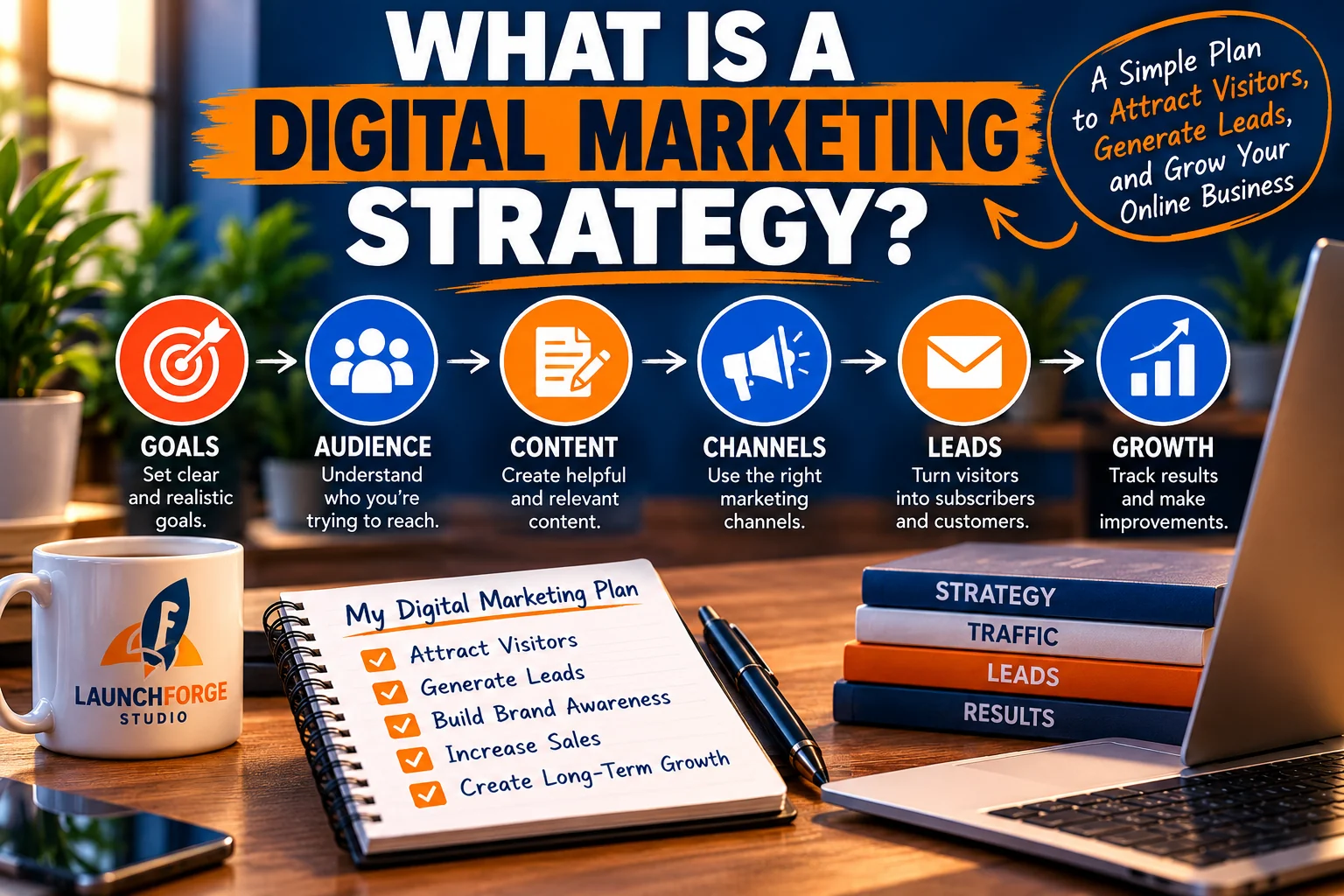
The six essential elements of a beginner-friendly digital marketing strategy, from setting goals to measuring business growth.
A digital marketing strategy is a structured plan that explains how your business will use online channels, content, and marketing tools to reach a specific audience and achieve measurable goals.
In simpler terms, it’s your roadmap for getting your business in front of the right people and giving them a reason to take the next step.
That next step might be visiting your website, reading an article, joining your email list, requesting information, or purchasing a product or service.
The important thing is that your marketing activities work together instead of operating as disconnected pieces.
Think about planning a road trip.
You wouldn’t normally jump into your car, start driving in random directions, and hope you eventually arrived somewhere worthwhile. You would choose a destination, figure out the best route, and make adjustments along the way.
Digital marketing works much the same way.
Your business goals are the destination. Your marketing channels are the roads. Your content and offers give people a reason to travel those roads, and your analytics help you determine whether you’re heading in the right direction.
Without a strategy, you might be busy creating social media posts, paying for advertising, or publishing website content without understanding how those activities contribute to your larger business objectives.
With a strategy, every major marketing decision has a purpose.
The Difference Between a Digital Marketing Strategy and a Marketing Plan
Although people sometimes use these terms interchangeably, there is an important distinction between a marketing strategy and a marketing plan.
Your digital marketing strategy explains what you want to accomplish and why you’ve chosen a particular approach.
Your marketing plan explains the specific actions you’ll take to put that strategy into practice.
For example, imagine you’re launching a website that teaches beginners how to build an online business.
Your strategy might focus on attracting people who are searching for beginner-friendly business advice, earning their trust through helpful educational content, and encouraging interested visitors to subscribe to your email list.
Your marketing plan would outline the actual tasks needed to accomplish those goals.
Those tasks might include:
Publishing two helpful educational articles each week.
Sharing useful tips and article links through selected social media platforms.
Creating a simple lead capture page offering a free beginner’s resource.
Setting up an automated welcome email sequence.
Reviewing website traffic and subscriber activity every week.
The strategy provides direction, while the plan turns that direction into action.
Both are important, but developing your strategy first helps prevent you from spending time on activities that don’t support your goals.
The Five Core Elements of a Digital Marketing Strategy
Most effective digital marketing strategies share five essential elements.
1. Clear business goals
You need to know what you’re trying to achieve. Your goal might be increasing website traffic, generating qualified leads, building an email list, improving conversions, or attracting new customers.
2. A defined target audience
Your marketing becomes more effective when you understand who you’re trying to reach, what problems they’re experiencing, and what information or solutions they’re looking for.
3. The right marketing channels
Different audiences spend time in different places. Your strategy should identify which channels make the most sense for your business, whether that’s search engines, social media, email marketing, paid advertising, or a combination of several methods.
4. Valuable content and relevant offers
People need a reason to pay attention to your business. Helpful articles, tutorials, videos, downloadable resources, and clearly presented solutions can create that reason.
5. Measurement and continuous improvement
A strategy isn’t something you create once and never revisit. Tracking results helps you understand what’s working, what needs improvement, and where your time and resources are best spent.
These five elements form the foundation of the digital marketing strategy we’ll develop throughout this guide.
Why Beginners Should Start With a Simple Strategy
One of the biggest mistakes beginners make is assuming that successful digital marketing requires being active everywhere.
They launch a website, create accounts on five social media platforms, sign up for multiple marketing tools, experiment with advertising, and attempt to learn everything simultaneously.
Before long, marketing starts feeling like a full-time job with no clear direction.
A simpler approach is often more sustainable.
Instead of trying to master every available marketing channel, begin with one primary goal, one clearly defined audience, and one or two channels you can manage consistently.
For example, a beginner with a limited budget might start by publishing helpful website content and sharing it through one social media platform.
As traffic grows, they could introduce an email signup form and begin building relationships with subscribers.
Later, once they understand which content attracts visitors and which offers generate interest, they might experiment with additional marketing channels.
This gradual approach allows you to learn, measure results, and improve without overwhelming yourself or stretching your budget unnecessarily.
Remember: A successful digital marketing strategy doesn’t need to be complicated. It needs to be clear, practical, and realistic enough that you can consistently follow it.
Step 1: Set Clear and Realistic Digital Marketing Goals

Learn how SMART goals help beginners create a focused digital marketing strategy with realistic targets and measurable progress.
Before choosing marketing tools, creating social media accounts, or spending money on advertising, you need to answer one important question:
What exactly do you want your digital marketing efforts to accomplish?
It sounds simple, but many beginners skip this step.
They start publishing articles, posting promotional messages, joining traffic platforms, and experimenting with different marketing techniques without establishing what success should actually look like.
The result is often a lot of activity without a clear way to measure progress.
Setting realistic digital marketing goals gives your business direction. It helps you prioritize the activities that matter, avoid unnecessary expenses, and recognize when your efforts are producing meaningful results.
Your goals don’t need to be complicated, but they should be specific enough to guide your decisions.
Identify What Success Looks Like for Your Business
Not every online business has the same objectives.
Someone launching an affiliate marketing website might want to attract visitors who are researching products or comparing solutions.
A freelancer might focus on generating inquiries from potential clients.
An entrepreneur building an educational website might prioritize organic traffic, email subscribers, and returning visitors.
A local business might want more appointment requests, phone calls, or customers visiting its physical location.
All of these are legitimate marketing goals, but they require different approaches.
Some common digital marketing goals include:
- Increasing website traffic: Attracting more relevant visitors through search engines, social media, referrals, or advertising.
- Generating qualified leads: Encouraging interested visitors to provide their contact information or request additional details.
- Building an email list: Developing an audience you can communicate with directly through helpful content and follow-up messages.
- Improving conversion rates: Increasing the percentage of visitors who complete a desired action.
- Building brand awareness: Helping more people discover, recognize, and remember your business.
- Generating sales: Attracting potential customers and guiding them toward relevant products or services.
- Improving customer retention: Encouraging existing customers to return, engage, or make additional purchases.
You may eventually pursue several of these objectives simultaneously.
However, when you’re just getting started, choosing one primary goal makes your digital marketing strategy easier to manage.
For example, if your website receives very little traffic, improving your conversion rate might not be your immediate priority.
You may first need to focus on attracting relevant visitors.
On the other hand, if people are already visiting your website but rarely subscribe or make inquiries, improving your landing pages and calls to action could be more valuable than simply increasing traffic.
The right goal depends on where your business is today and what needs to happen next.
Use SMART Goals to Create a Clear Direction
One practical way to establish digital marketing goals is to use the SMART framework.
SMART stands for:
- Specific: Clearly define what you want to accomplish.
- Measurable: Identify how you’ll track progress.
- Achievable: Set a target that’s realistic for your resources and experience.
- Relevant: Make sure the goal supports your larger business objectives.
- Time-bound: Establish a reasonable deadline.
Let’s look at how this works.
Imagine your goal is to grow your website.
That’s a good starting point, but it’s too broad to guide your daily marketing activities.
Now consider this version:
“Increase monthly organic website visits from 100 to 200 within the next 90 days by publishing helpful beginner-focused articles and improving existing content.”
This goal is more useful because it identifies:
- What you want to improve: organic website traffic.
- Your starting point: 100 monthly visits.
- Your target: 200 monthly visits.
- Your timeframe: 90 days.
- Your general approach: creating and improving relevant content.
That doesn’t guarantee you’ll reach 200 visits within three months. Search engine visibility takes time, and results depend on factors such as competition, content quality, and website authority.
But it gives you a measurable objective and a practical direction.
Another example might be:
“Generate 25 new email subscribers over the next 30 days by improving website signup opportunities and sharing useful educational resources.”
Again, the goal is specific enough to guide your actions and evaluate your progress.
The numbers are examples, not universal benchmarks. Choose targets that make sense for your current traffic, available time, and marketing budget.
Focus on Meaningful Results Instead of Vanity Metrics
It’s easy to become distracted by numbers that look impressive but don’t necessarily contribute to business growth.
Social media followers, post impressions, page views, and likes can provide useful information.
However, they don’t always tell you whether your marketing strategy is achieving its purpose.
For example, imagine two websites.
Website A receives 5,000 visitors in a month but generates only five email subscribers.
Website B receives 500 visitors and generates 25 email subscribers.
Website A attracts significantly more traffic, but Website B is converting a larger percentage of its visitors into subscribers.
That doesn’t automatically make Website B more successful. The value of each subscriber, traffic quality, and business objectives also matter.
It does demonstrate why traffic numbers alone don’t tell the complete story.
Instead of concentrating exclusively on visibility, pay attention to actions that support your goals.
Depending on your business, meaningful performance indicators might include:
- Visitors who subscribe to your email list.
- People who click through to relevant product or service pages.
- Contact form submissions from potential customers.
- Downloads of educational resources.
- Completed purchases or booked appointments.
- Returning visitors who continue engaging with your content.
These actions can help you understand whether your marketing is attracting the right audience and encouraging useful engagement.
The goal isn’t simply to get attention. It’s to attract attention that has the potential to move your business forward.
Establish a Starting Point Before Measuring Growth
Once you’ve chosen your primary goal, take a few minutes to document your current performance.
This is called establishing a baseline.
Without a baseline, it becomes difficult to determine whether your marketing efforts are improving.
For example, if you want to increase website traffic, record your current monthly visitor numbers.
If you want to build an email list, note how many subscribers you currently have.
If you’re focused on lead generation, document how many inquiries or signup submissions you’re receiving.
You don’t need an elaborate reporting system.
A simple spreadsheet can help you track:
- Your primary marketing goal.
- Your current starting point.
- Your target result.
- Your deadline.
- The marketing activities you’re using.
- Your progress at regular intervals.
Tools such as Google Analytics and Google Search Console can provide additional information about website activity, search visibility, and visitor engagement.
Your email marketing platform may also offer reports showing subscriber growth, campaign activity, and other useful metrics.
For beginners, reviewing your progress weekly or monthly is usually more manageable than constantly checking statistics throughout the day.
Look for meaningful trends rather than reacting to every small fluctuation.
One slow day doesn’t mean your strategy has failed, just as one unusually busy day doesn’t guarantee long-term success.
Start With One Primary Goal and Build From There
One of the most effective ways to avoid marketing overwhelm is to concentrate on a single primary objective while keeping other goals in perspective.
Let’s say you’re building a new educational website.
Your first priority might be attracting relevant visitors through useful articles.
Once visitors begin arriving consistently, you could focus more heavily on email list growth.
As your audience develops, you might introduce additional lead generation opportunities, improve your follow-up process, or promote relevant products and services.
This creates a logical progression:
Attract the right visitors → Build trust → Generate leads → Develop relationships → Encourage meaningful action.
You don’t have to accomplish every stage immediately.
In fact, trying to build everything at once can make it harder to understand which marketing activities are actually helping.
Start with a clear objective, establish a realistic target, and choose a few actions that directly support it.
Then give those actions enough time to produce useful information before making major changes.
Your first digital marketing goal doesn’t have to be ambitious. It needs to be achievable, measurable, and important enough to keep you moving in the right direction.
With your goals established, the next step is understanding exactly who you’re trying to reach.
Step 2: Identify and Understand Your Target Audience
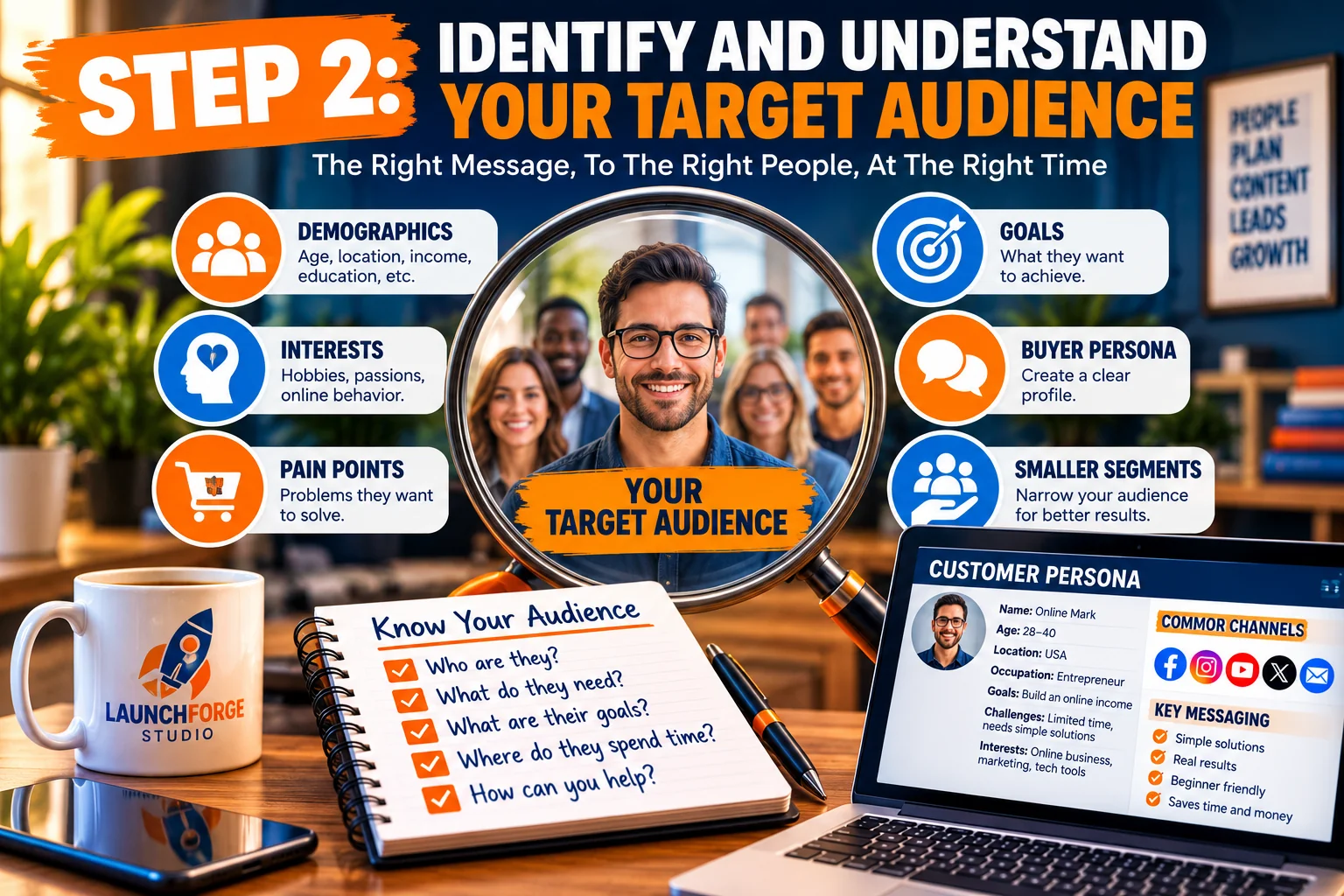
Understand your ideal audience by identifying their needs, interests, challenges, and goals before creating your digital marketing strategy.
Now that you’ve established your digital marketing goals, it’s time to answer another important question:
Who exactly are you trying to reach?
This is one of the most important decisions you’ll make when developing a digital marketing strategy.
You can create an attractive website, publish helpful articles, design impressive advertisements, and invest in powerful marketing tools. But if your message isn’t reaching people who need what you’re offering, those efforts may produce disappointing results.
Successful digital marketing begins with understanding your audience.
Not just their age, location, or occupation, but their goals, frustrations, questions, and reasons for searching for solutions.
When you understand those things, you can create content that feels relevant, choose marketing channels more effectively, and present your products or services in ways that address real needs.
And here’s something beginners should remember:
You don’t need to appeal to everyone. You need to connect with the people your business is best positioned to help.
What Is a Target Audience in Digital Marketing?
Your target audience is the specific group of people most likely to benefit from your content, products, or services.
These are the individuals your marketing efforts are designed to attract, educate, and potentially convert into subscribers, leads, or customers.
For example, imagine you’re launching a website about starting an online business.
You could attempt to target everyone interested in entrepreneurship.
However, that’s an extremely broad audience.
It includes experienced business owners, established marketing agencies, e-commerce professionals, freelancers, affiliate marketers, and people who haven’t even chosen their first business idea.
Each group has different expectations, experience levels, and challenges.
A more focused target audience might be:
Beginners who want to start an online business but feel overwhelmed by website building, marketing tools, and the technical steps involved.
Now your marketing has a clearer direction.
Instead of publishing general business advice for everyone, you can create educational content that answers questions such as:
- How do I start an online business with limited experience?
- Do I need coding skills to build a website?
- What marketing tools do beginners actually need?
- How can I attract visitors without spending a fortune?
- What’s the difference between a landing page and a website?
- How do I turn website visitors into email subscribers?
- Can I manage my online business without using ten different platforms?
These questions provide valuable clues about the content your audience wants and the problems they’re trying to solve.
The more clearly you define your audience, the easier it becomes to create marketing that speaks directly to them.
Understand the Problems Your Audience Wants to Solve
People rarely search online without a reason.
They’re usually looking for information, comparing options, trying to solve a problem, or deciding whether something is worth their time or money.
Understanding those motivations is essential.
Let’s say your audience includes aspiring entrepreneurs who want to build their first websites.
Their immediate problem might appear simple:
They don’t have a website.
But when you look deeper, you may discover several underlying concerns.
They might be worried about:
- Spending money on tools they don’t understand.
- Choosing the wrong website platform.
- Learning complicated technical processes.
- Making mistakes that require starting over.
- Paying recurring fees before earning any revenue.
- Creating a website that nobody visits.
- Investing months of effort without seeing meaningful progress.
These concerns influence how people evaluate information and make purchasing decisions.
If your marketing focuses exclusively on technical features, you might miss the emotional and practical challenges driving their search.
Instead of simply promoting a website builder, you could explain how beginners can create their first website without coding, compare the tools they’ll actually need, and show them how to avoid unnecessary expenses.
That approach provides useful information while demonstrating that you understand their situation.
Effective marketing doesn’t begin by asking what you want to sell. It begins by understanding what your audience needs help accomplishing.
Create a Simple Buyer Persona
A buyer persona is a fictional profile representing a segment of your target audience.
It’s a planning tool that helps you visualize the type of person you’re trying to reach.
You don’t need expensive research software or a complicated marketing document to create one.
Start with a few practical questions:
- Who is this person?
- What are they trying to accomplish?
- What experience do they already have?
- What problems are preventing them from moving forward?
- What questions are they searching for online?
- What concerns might influence their decisions?
- What type of content would help them most?
Let’s create an example.
Example Buyer Persona: The Overwhelmed Beginner
Name: Alex (fictional)
Experience level: New to online business and digital marketing.
Primary goal: Launch a simple online business while keeping expenses manageable.
Biggest challenge: Too many conflicting recommendations about websites, funnels, hosting, email marketing, and advertising tools.
Main concerns: Wasting money, choosing unreliable software, and getting stuck with technical problems.
Preferred content: Step-by-step tutorials, beginner-friendly comparisons, practical examples, and straightforward explanations.
Likely searches: “How to start an online business for beginners,” “best website tools for beginners,” and “how to get traffic to a new website.”
Potential next step: Reading a beginner’s guide, exploring recommended tools, or subscribing to receive additional educational resources.
This persona gives you a practical reference point when planning content.
Once you’ve identified your ideal customer, understanding the journey they take from discovering your business to considering a solution can help you create more relevant marketing experiences. Our beginner’s guide to creating a customer journey explores that process in greater detail.
Before publishing an article or launching a marketing campaign, you can ask:
Would this information genuinely help someone like Alex?
If the answer is yes, you’re probably moving in the right direction.
However, remember that buyer personas are working assumptions until they’re supported by real audience information.
As your business grows, use actual questions, subscriber feedback, and visitor behavior to improve them.
Learn About Your Audience Without Spending Money
One common misconception is that audience research requires expensive software or professional market research.
While advanced tools can be helpful, beginners can discover useful information through several free or low-cost methods.
1. Study Google Search Results
Search for topics related to your business and examine the questions people are asking.
Look at Google’s related searches and People Also Ask sections when available.
These can reveal common concerns, comparisons, and informational needs.
For example, searching for “how to start an online business” might lead you toward more specific topics involving business ideas, startup costs, websites, or marketing.
These related questions can become future article topics.
2. Explore Online Communities
Discussion forums, Reddit communities, Facebook groups, and other relevant online spaces can provide insight into recurring problems.
Pay attention to questions people ask repeatedly.
Are beginners confused about choosing a platform?
Are marketers frustrated by rising software costs?
Are website owners struggling to attract visitors?
Repeated questions may indicate opportunities to create useful educational content.
Participate respectfully and follow community rules. The goal is to understand people’s needs, not overwhelm discussions with promotional links.
3. Review Comments and Questions
Comments on educational articles, YouTube videos, tutorials, and industry discussions can reveal information that polished marketing pages sometimes overlook.
People often describe their frustrations in their own words.
That language can help you explain solutions more clearly.
4. Examine Search Performance
Once your website begins appearing in search results, Google Search Console can help you understand which search queries are generating impressions and clicks.
This information can reveal the subjects people associate with your website and identify opportunities to improve existing content.
5. Ask Your Audience Directly
Even a small audience can provide valuable feedback.
You might ask email subscribers what they’re struggling with, include a simple question in a welcome email, or invite readers to suggest future tutorial topics.
Sometimes, the most useful audience research comes from a straightforward conversation.
The important thing is to collect information consistently and look for patterns.
One person’s opinion can be helpful, but repeated questions and concerns are often more useful when planning a broader marketing strategy.
Understand Search Intent Before Creating Content
Knowing who your audience is represents only part of the picture.
You also need to understand why they’re searching for information.
This is called search intent.
Search intent describes the purpose behind someone’s search query.
In digital marketing, search intent is commonly grouped into four categories.
1. Informational Intent
The person wants to learn something or solve a problem.
Examples include:
- What is digital marketing?
- How do I build a website?
- How does email marketing work?
- What is a sales funnel?
Educational articles, tutorials, and beginner-friendly guides are especially useful for these searches.
2. Navigational Intent
The person wants to find a particular website, brand, or online destination.
For example, someone might search for the name of a marketing platform because they want to visit its official website.
3. Commercial Investigation Intent
The person is researching potential solutions before making a decision.
Examples include:
- Best website builders for beginners.
- Email marketing platform comparisons.
- All-in-one business platform reviews.
- Landing page builder versus website builder.
Product comparisons, detailed reviews, and feature explanations can help address this intent.
4. Transactional Intent
The person is closer to taking a specific action, such as purchasing a product, registering for a service, or signing up for a subscription.
Examples might include searches for a particular software pricing page or a specific product subscription.
Understanding these differences helps you match your content to the visitor’s needs.
Someone searching “what is a landing page” probably wants an explanation before seeing a sales pitch.
Someone comparing two landing page platforms may be further along in the decision-making process.
Your content should meet people where they are, rather than expecting everyone to be ready to buy immediately.
Divide Your Audience Into Smaller Segments
As your business grows, you may discover that your audience includes several groups with different needs.
This is where audience segmentation becomes useful.
Audience segmentation means dividing your broader audience into smaller groups based on relevant characteristics, interests, goals, or behaviors.
For example, an online business education website might serve three primary segments.
New Entrepreneurs
These visitors are just getting started.
They need foundational information about business ideas, websites, marketing, and basic online tools.
Helpful content might include beginner’s guides, startup checklists, and simple tutorials.
Frustrated Marketers
These individuals may already have websites, funnels, or marketing campaigns but feel overwhelmed by complicated systems and multiple software subscriptions.
They may benefit from articles about simplifying workflows, choosing integrated tools, and improving existing marketing processes.
Affiliate and Digital Marketers
These visitors are interested in attracting targeted traffic, building email lists, creating landing pages, and promoting relevant offers.
They may be looking for practical information about lead generation, conversion tracking, and marketing automation.
All three groups may be interested in building successful online businesses, but their immediate priorities differ.
By recognizing those differences, you can create more relevant content and guide visitors toward resources that match their experience levels.
You don’t need separate websites or elaborate marketing funnels for every audience segment.
Start by organizing your content clearly and making it easy for visitors to find the information most relevant to them.
Match Your Message to Your Audience’s Experience Level
One of the easiest ways to lose a beginner’s attention is to overwhelm them with unfamiliar terminology.
Imagine someone visiting your website to learn how to generate their first few leads.
If your article immediately starts discussing advanced attribution models, complicated automation workflows, and technical conversion tracking without explaining the basics, that visitor may leave feeling more confused than when they arrived.
The information might be accurate, but it isn’t appropriate for their current experience level.
A better approach is to explain foundational concepts first.
For example:
Instead of saying, “Optimize your multichannel lead acquisition funnel,” you might say:
“Create a simple process that helps visitors discover your business, learn about your offer, and join your email list.”
Both statements relate to lead generation, but the second is easier for beginners to understand.
This doesn’t mean avoiding technical topics.
It means introducing them gradually, explaining unfamiliar terms, and providing examples that connect concepts to real situations.
The same principle applies to your marketing messages.
A beginner may respond to an explanation of how to save time and reduce confusion.
An experienced marketer may be more interested in integration capabilities, automation features, and measurable performance improvements.
The clearer your message is for the audience you’re trying to reach, the easier it becomes for people to understand the value you’re providing.
Build Trust Before Asking for a Commitment
Understanding your audience also means recognizing that people may not be ready to take immediate action.
A first-time visitor might discover your website through a search engine, read one article, and leave.
That doesn’t necessarily mean your content failed.
They may still be researching their options or learning about a subject for the first time.
Trust develops through repeated useful experiences.
You can encourage that trust by:
- Publishing accurate, practical information.
- Explaining both benefits and limitations of recommended solutions.
- Avoiding unrealistic income claims or guaranteed results.
- Being transparent about affiliate relationships.
- Providing clear instructions and examples.
- Keeping your website easy to navigate.
- Offering helpful resources without making every interaction a sales pitch.
Over time, visitors who find your content useful may return, explore additional articles, subscribe to your email list, or investigate the solutions you recommend.
Not every visitor will become a customer, and that’s perfectly normal.
Your goal is to build a useful relationship with the people who are genuinely interested in what your business offers.
Turn Audience Research Into Practical Marketing Decisions
Audience research becomes valuable when you actually use it.
Suppose your research reveals that beginners frequently struggle with choosing the right tools for starting an online business.
That information could influence several parts of your digital marketing strategy.
Your content strategy: Publish articles explaining essential business tools, comparing different approaches, and identifying common beginner mistakes.
Your search strategy: Target relevant informational searches related to website building, marketing tools, and starting an online business.
Your email marketing: Share a short educational series that helps subscribers understand the basic components of an online business.
Your website navigation: Organize guides and tutorials so beginners can find foundational information without digging through unrelated topics.
Your offers: Recommend solutions that genuinely address the problems you’ve identified, rather than promoting tools simply because they’re available.
Notice how one audience insight can guide multiple marketing decisions.
That’s what makes understanding your target audience so powerful.
Instead of guessing what to publish or promote next, you begin making decisions based on the needs of the people you’re trying to help.
Your Step 2 Action Plan
Before moving forward, write down the following:
- Your primary target audience.
- Three problems that audience frequently experiences.
- Three goals they’re trying to accomplish.
- Five questions they might search for online.
- One or two places where they look for information.
- The type of content that would help them most.
Keep these notes somewhere accessible.
You’ll use them when choosing marketing channels, developing content, creating lead generation opportunities, and refining your overall digital marketing strategy.
Remember: The better you understand your audience, the less you need to rely on guesswork. Your marketing becomes more focused because you’re creating content and solutions for real needs rather than trying to appeal to everyone.
Now that you know who you’re trying to reach, the next step is determining where and how to connect with them.
Step 3: Choose the Right Digital Marketing Channels for Your Business
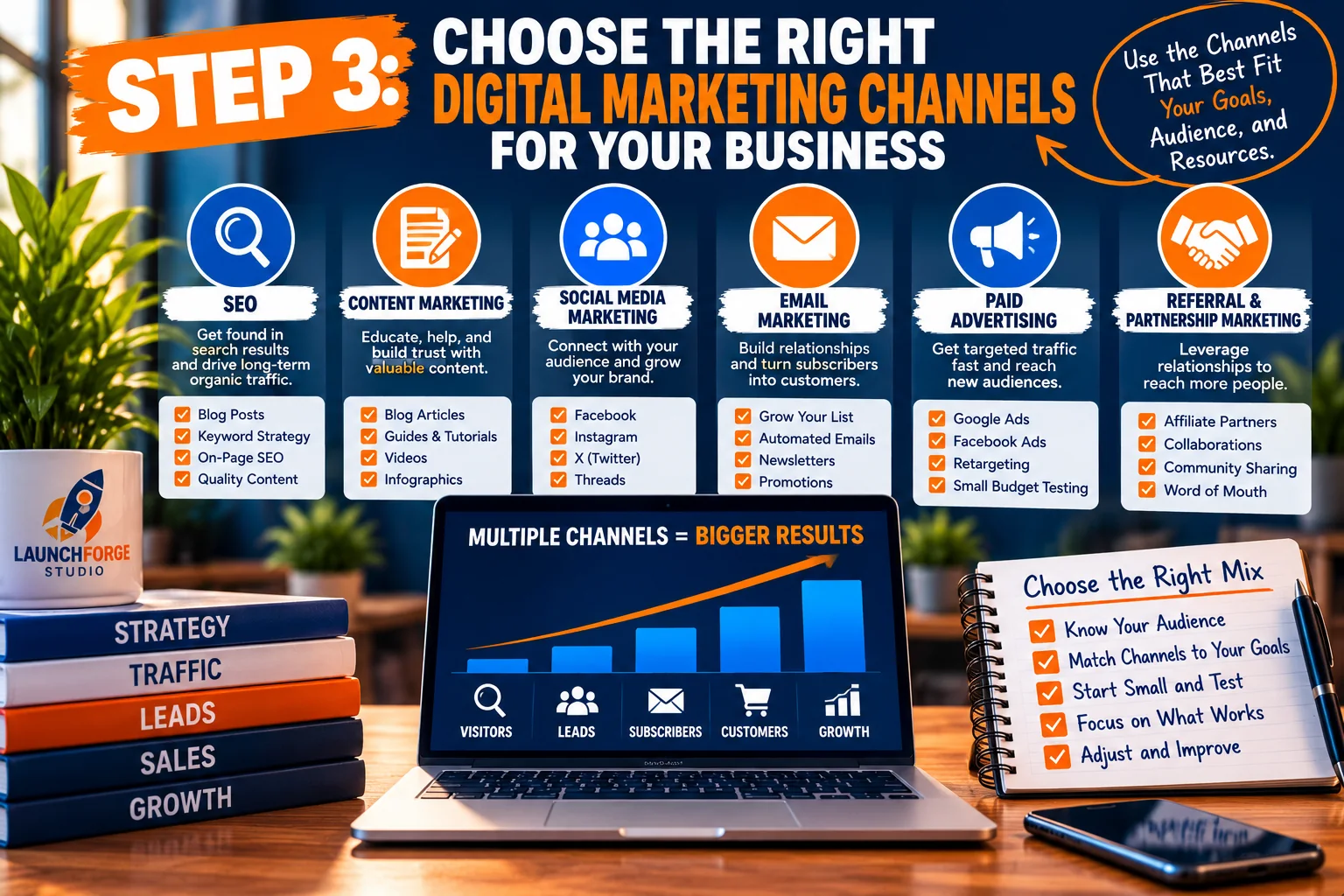
Explore six digital marketing channels and learn how to select the right combination for your audience, business goals, and available resources.
Now that you’ve established your marketing goals and identified your target audience, it’s time to decide where your marketing efforts should take place.
This is where many beginners make a costly mistake.
They assume that successful digital marketing means being everywhere at once.
They create accounts on every social media platform, experiment with paid advertising, start an email newsletter, and attempt to publish new website content every day.
Before long, they’re overwhelmed.
The problem isn’t necessarily a lack of effort. It’s a lack of direction.
A successful digital marketing strategy doesn’t require you to use every available channel. It requires you to choose the channels that make sense for your audience, goals, and available resources.
Let’s look at the most common digital marketing channels and how beginners can use them effectively.
1. Search Engine Optimization (SEO)
Search engine optimization, commonly called SEO, is the process of improving your website and its content so search engines can better understand and potentially display your pages in relevant search results.
For example, imagine someone searches Google for information about building their first website.
If you’ve published a helpful article explaining how beginners can create a website, that article may have an opportunity to appear in search results.
The visitor discovers your content because it addresses something they’re already interested in learning.
That’s one of the biggest advantages of SEO.
Instead of constantly interrupting people with advertisements, you’re creating resources that can be discovered when someone is actively searching for information.
SEO is especially useful for businesses that want to build a long-term foundation of educational content.
Some beginner-friendly SEO activities include:
- Researching the questions your audience searches for.
- Creating helpful articles that answer those questions.
- Using descriptive page titles and headings.
- Writing clear meta descriptions.
- Linking to relevant pages within your website.
- Making sure your website works properly on mobile devices.
- Monitoring search performance using Google Search Console.
Keep in mind that SEO is a long-term strategy.
Publishing an article doesn’t guarantee immediate rankings or website traffic.
Search engines need time to discover, evaluate, and understand your content. Rankings also depend on competition, relevance, website quality, and numerous other factors.
However, consistently publishing useful information can help establish a stronger foundation for organic search visibility.
2. Content Marketing
Content marketing involves creating and sharing useful information to attract, educate, and build relationships with a specific audience.
This content might include blog articles, tutorials, videos, checklists, case studies, or educational resources.
For example, someone interested in starting an online business might appreciate articles explaining:
- How to choose an online business idea.
- How to build a beginner-friendly website.
- How to generate website traffic.
- How to create a landing page.
- How to build an email list.
- How to understand website conversions.
Each piece of content helps answer a question or solve a problem.
Over time, visitors may begin recognizing your website as a useful source of information.
The purpose of content marketing is to provide value before asking someone to take the next step.
This approach is particularly effective for beginners who aren’t comfortable with aggressive sales tactics.
You can demonstrate your knowledge by helping people understand the challenges they’re facing.
Content marketing also supports other digital marketing channels.
A helpful article can potentially attract visitors through search engines, provide material for social media posts, and give you something valuable to share with email subscribers.
Rather than treating every marketing activity as a separate project, you can use content to connect your efforts.
3. Social Media Marketing
Social media marketing involves using platforms such as Facebook, Instagram, X, LinkedIn, and Threads to communicate with an audience, share content, and increase awareness of your business.
One of its advantages is accessibility.
You can begin sharing educational content without purchasing expensive advertising campaigns.
However, there’s an important distinction between having social media accounts and having a social media strategy.
Posting random promotional messages across multiple platforms isn’t necessarily an effective use of your time.
A better approach is to identify where your intended audience spends time and focus on providing useful information there.
For example:
- Facebook may help you participate in relevant communities and share educational updates.
- Instagram can be useful for visual tips, graphics, and short educational content.
- LinkedIn may be appropriate for professional audiences and business-related topics.
- X and Threads can support short insights, conversations, and links to useful resources.
- YouTube can be valuable for demonstrations, tutorials, and educational videos.
You don’t need to use all these platforms.
Start with one or two that fit your audience and the type of content you’re comfortable creating.
Consistency and relevance are more important than simply having a presence everywhere.
Also remember that social media platforms control how content is distributed.
Not every follower will see every post.
That’s one reason it’s helpful to use social media alongside a website and other marketing channels rather than relying on it exclusively.
4. Email Marketing
Email marketing allows you to communicate with people who have chosen to receive information from your business.
Unlike a social media post that might disappear quickly from someone’s feed, an email gives you a direct opportunity to deliver useful information to subscribers.
For example, someone reading an article about starting an online business might subscribe to receive additional beginner-friendly tutorials.
After subscribing, they could receive a welcome email followed by helpful educational messages.
Those emails might introduce related topics, answer common questions, and recommend relevant resources.
Email marketing can support several business goals:
- Building ongoing relationships with interested visitors.
- Sharing new articles and educational resources.
- Helping subscribers understand your solutions.
- Encouraging return visits to your website.
- Following up with people who have expressed interest.
- Supporting customer communication after a purchase.
The key is permission and relevance.
People should understand what they’re signing up for, and your messages should deliver the type of information they expect.
Include appropriate unsubscribe options and follow applicable email marketing requirements.
A smaller list of genuinely interested subscribers can be more valuable than a large list of people who never wanted your emails.
For beginners, email marketing becomes especially useful when combined with a simple lead generation system.
We’ll explore that connection later in this guide.
5. Paid Advertising
Paid advertising involves paying to place promotional messages in front of potential customers or website visitors.
Common examples include search advertisements, social media advertisements, display advertising, and traffic campaigns.
Paid advertising can help businesses reach audiences without waiting for organic traffic to develop.
However, it also introduces financial risk.
Every campaign costs money, and paying for visitors doesn’t guarantee that those visitors will become subscribers or customers.
Before spending money on advertising, make sure you understand:
- Who you’re trying to reach.
- What you’re promoting.
- Where visitors will go after clicking.
- What action you want them to take.
- How you’ll measure the results.
- How much you can realistically afford to spend.
For example, sending paid traffic to a confusing page with no clear purpose may waste money.
Sending visitors to a focused landing page that explains a relevant offer and provides an appropriate next step creates a clearer experience.
Even then, results aren’t guaranteed.
Advertising performance depends on factors such as audience targeting, message relevance, landing page quality, competition, and campaign execution.
If you’re working with a limited budget, you don’t need to begin with paid advertising.
You can start by building useful content, improving your website, and learning how visitors interact with your pages.
Paid advertising can become an additional option when you have a clear goal and a reliable way to evaluate performance.
6. Referral and Partnership Marketing
Another channel beginners sometimes overlook is referral and partnership marketing.
This involves building relationships with people, businesses, or communities that serve audiences with related interests.
For example, a website teaching beginners how to build an online business might develop relationships with creators who focus on website design, productivity, or digital marketing education.
These relationships can create opportunities for sharing resources, participating in interviews, contributing educational content, or introducing audiences to relevant solutions.
The emphasis should be on genuine value.
A partnership is more useful when both audiences benefit from the information being shared.
Avoid approaching every interaction as an opportunity to push a product or collect a commission.
Trust is easier to build when people can see that your recommendations and relationships are based on relevance rather than promotion alone.
How to Decide Which Marketing Channels Are Right for You
Now that you understand the main options, how do you choose where to begin?
Start by considering four important factors.
Your Target Audience
Where do the people you’re trying to help look for information?
Someone researching website-building tutorials may spend time using search engines and watching instructional videos.
Someone looking for professional business advice may be more active on LinkedIn.
Your audience should influence your decisions.
Your Available Time
How much time can you realistically dedicate to marketing?
If you only have a few hours each week, maintaining five social media accounts, publishing daily articles, and managing advertising campaigns probably isn’t sustainable.
Choose activities you can perform consistently.
Your Budget
Some marketing channels require more financial investment than others.
Creating educational website content and participating in social media conversations may require relatively little direct spending, although they still require time and effort.
Paid advertising requires a budget and careful monitoring.
Start with what you can afford.
Your Marketing Goals
Different channels can support different objectives.
If your priority is building long-term website visibility, SEO and educational content may deserve more attention.
If your priority is developing relationships with existing subscribers, email marketing may be especially valuable.
If you’re testing a specific offer and have an appropriate budget, paid advertising may be worth evaluating.
The important thing is to connect your channel selection to a measurable purpose.
A Simple Digital Marketing Channel Strategy for Beginners
Let’s imagine you’re starting an educational website that helps people build their first online businesses.
Instead of trying to master every marketing channel immediately, you could begin with three connected activities.
First: Publish Helpful Website Content
Create articles that answer questions your audience is already asking.
Focus on useful explanations, practical tutorials, and clear examples.
These articles become resources that visitors can discover and explore.
Second: Share That Content Through One Social Media Platform
Choose a platform that fits your intended audience.
Share helpful insights from your articles and invite interested people to learn more.
You don’t need to promote every article repeatedly.
Concentrate on giving people a reason to visit.
Third: Offer an Opportunity to Stay Connected
Provide an appropriate email signup opportunity for visitors who want additional educational resources.
Use a clear description of what subscribers can expect.
Then deliver useful follow-up messages that support their interests.
Notice how these activities work together.
Your website provides helpful information.
Social media introduces that information to additional people.
Email marketing allows interested visitors to continue learning from you.
That’s the foundation of an integrated digital marketing strategy: individual activities supporting one another instead of competing for your attention.
Avoid the Trap of Constantly Switching Marketing Channels
One of the biggest challenges beginners face is the temptation to abandon a strategy before they’ve gathered enough information to evaluate it.
You might publish several articles and become frustrated because traffic hasn’t increased immediately.
Then you switch to social media.
After a few posts receive little engagement, you move to paid advertising.
When the advertising doesn’t produce immediate results, you start looking for another platform.
Eventually, you’ve experimented with numerous methods without developing a consistent process.
This doesn’t mean you should continue using something that clearly isn’t working.
It means you should give your marketing activities a reasonable opportunity to produce measurable information before making major changes.
Review the results.
Look for patterns.
Identify what you can improve.
Then adjust your approach based on evidence rather than frustration.
Your Step 3 Action Plan
Before moving to the next step, complete these five tasks:
- Identify the marketing channels your target audience is most likely to use.
- Choose one primary channel to focus on initially.
- Select one supporting channel that complements your primary activity.
- Define what success will look like for each channel.
- Establish a realistic schedule for creating, sharing, and reviewing your marketing efforts.
For example, a beginner-friendly weekly routine could include researching audience questions on Monday, developing an article on Tuesday, publishing or improving website content on Wednesday, sharing a useful tip on Thursday, and reviewing performance on Friday.
During the weekend, you could plan the following week’s priorities or simply take a break.
The schedule isn’t meant to become another source of pressure.
It’s a starting point you can adjust to fit your responsibilities.
The most effective marketing channel is not necessarily the newest, most popular, or most expensive. It’s the one that helps you reach the right audience while supporting your business goals in a sustainable way.
With your marketing channels selected, the next step is developing the content that will give people a reason to discover, visit, and engage with your business.
Step 4: Create a Content Strategy That Attracts the Right Audience
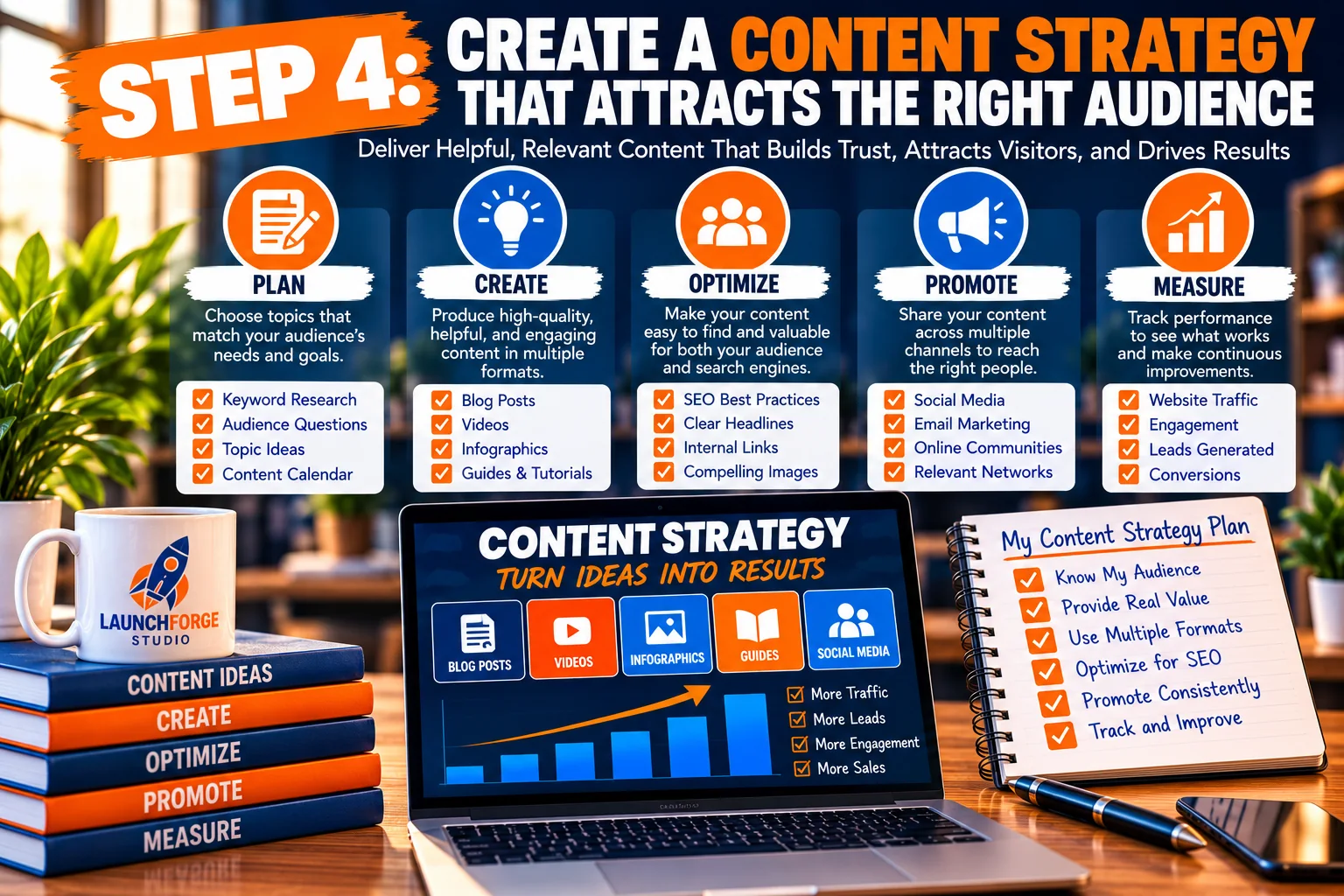
Build an effective content strategy by planning helpful content, creating valuable resources, optimizing for search engines, promoting consistently, and measuring results.
You’ve identified your business goals, researched your target audience, and selected the digital marketing channels that make the most sense for your business.
Now it’s time to decide what you’re actually going to share with your audience.
This is where your content strategy comes into play.
A content strategy is a plan for creating, organizing, publishing, and improving information that helps you attract the right visitors and guide them toward meaningful actions.
For beginners, this doesn’t have to be complicated.
You don’t need a professional writing team, an expensive content management system, or dozens of articles waiting to be published.
You need a clear understanding of what your audience wants to learn and a practical plan for helping them.
The goal isn’t to create more content than everyone else. It’s to create useful content that serves a specific purpose.
Start With the Questions Your Audience Is Already Asking
One of the easiest ways to develop content ideas is to think about the problems your potential customers are trying to solve.
Imagine you’re building an online business that helps beginners create websites and learn digital marketing.
Your audience might be asking questions such as:
- How do I start an online business with little experience?
- What do I need to build my first website?
- How can I get visitors to my website?
- What is a landing page?
- How does email marketing work?
- How do I turn website visitors into leads?
- What digital marketing tools do beginners actually need?
Each question represents an opportunity to create helpful content.
Instead of guessing what people might find interesting, you’re developing resources around subjects that already matter to your intended audience.
This approach also supports search engine optimization because many people use search engines to find answers to specific questions.
However, remember that a topic being relevant doesn’t automatically mean it will attract substantial search traffic.
Search demand, competition, content quality, and search intent all influence whether a page gets discovered.
Start with relevance and usefulness. Then use available research tools to refine your ideas.
Understand the Different Stages of the Customer Journey
Not everyone visiting your website is ready to purchase something or subscribe to your email list.
Some people are just discovering a problem.
Others are researching possible solutions.
A smaller group may be comparing specific products or services before making a decision.
Your content strategy should account for these differences.
Awareness Stage
At this stage, people are trying to understand a topic or identify a problem.
They may not know which solutions are available.
Helpful content includes:
- Beginner-friendly explanations.
- Educational tutorials.
- Definitions of unfamiliar terms.
- Articles answering common questions.
- Guides introducing important concepts.
For example, someone searching for information about landing pages might benefit from an article explaining what a landing page is and how it works.
The purpose is education, not immediate promotion.
Consideration Stage
At this stage, visitors understand their problem and are exploring possible solutions.
They may be comparing approaches, learning about available tools, or trying to determine which method fits their circumstances.
Helpful content includes:
- Detailed how-to guides.
- Comparisons between different approaches.
- Explanations of business tools.
- Practical implementation tutorials.
- Articles discussing advantages and limitations.
For example, someone who understands what a landing page does might want to learn whether they should use a dedicated landing page builder or create one directly in WordPress.
Your content can help them evaluate those options.
Decision Stage
Visitors at this stage may be closer to choosing a product, service, or platform.
They’re often looking for more specific information.
Helpful content includes:
- Product reviews.
- Platform comparisons.
- Demonstrations.
- Pricing explanations.
- Feature breakdowns.
- Clear explanations of what happens next.
At this stage, transparency becomes especially important.
If you recommend a product through an affiliate relationship, disclose that relationship clearly and explain why the recommendation may be relevant.
Avoid exaggerated promises or suggesting that a particular tool guarantees business success.
After-Purchase Stage
Your content strategy shouldn’t end when someone makes a purchase.
Customers may still need help understanding how to use their tools, solve common problems, or take advantage of available features.
Helpful content includes:
- Setup tutorials.
- Troubleshooting guides.
- Frequently asked questions.
- Training resources.
- Follow-up educational messages.
Providing useful information after a purchase can strengthen relationships and improve the overall customer experience.
Match Your Content to Search Intent
Search intent refers to the reason someone performs a search.
Understanding that reason helps you create content that answers the question behind the search instead of simply repeating a keyword.
Consider these examples.
Search: “What is email marketing?”
This person likely wants an explanation of the concept.
A beginner-friendly educational article would be appropriate.
Search: “How to build an email list”
This person is probably looking for instructions.
A step-by-step tutorial may be more useful.
Search: “Best email marketing tools for beginners”
This person may be comparing available solutions.
A balanced comparison discussing features, limitations, and suitability could address their needs.
Search: “Email marketing platform pricing”
This person may be evaluating costs before making a decision.
Clear pricing information and an explanation of what’s included would be relevant.
Notice how the general subject remains the same while the visitor’s needs change.
Effective content marketing focuses on satisfying the visitor’s intent, not simply placing a target keyword throughout an article.
Before writing, ask yourself:
What does someone searching for this topic actually want to accomplish?
Then structure your content to help them accomplish it.
Organize Your Content Around Core Topics
As your website grows, publishing articles without a clear organizational structure can make it difficult for visitors to find related information.
A better approach is to establish a handful of core topics that connect directly to your business and audience.
For a beginner-focused online business website, those topics might include:
- Starting an online business.
- Website creation and design.
- Lead generation.
- Email marketing.
- Digital marketing strategies.
- Website traffic and growth.
- Sales funnels and landing pages.
- Marketing tools and automation.
Each core topic can support multiple educational articles.
For example, a website creation topic could include tutorials about choosing a domain name, setting up WordPress, designing pages, improving mobile usability, and understanding website navigation.
A lead generation topic could include articles about signup forms, landing pages, lead magnets, email lists, and follow-up systems.
These related resources help visitors explore subjects in greater depth.
They also create natural opportunities for internal linking.
Use Internal Links to Connect Related Articles
Internal links connect one page of your website to another page on the same website.
They help visitors discover additional information and allow search engines to better understand relationships between your pages.
For example, imagine someone is reading an article explaining how to generate website traffic.
Within that article, you might reference a separate beginner’s guide about turning website visitors into leads.
That connection makes sense because attracting visitors and generating leads are related activities.
Likewise, an article about email marketing might direct readers toward a more detailed tutorial about creating a follow-up system.
The important thing is relevance.
Internal links should help readers continue learning rather than interrupt their experience with unrelated promotions.
Use descriptive link text that explains what the reader can expect.
Avoid inserting links simply to increase the number of links within an article.
And remember that every internal link should lead to a relevant, working page.
Choose Content Formats You Can Maintain
Written articles are valuable, but they’re not the only way to share educational information.
Depending on your audience and available resources, you might also create:
- Short instructional videos.
- Educational graphics.
- Downloadable checklists.
- Frequently asked question pages.
- Email tutorials.
- Product demonstrations.
- Step-by-step walkthroughs.
However, you don’t need to create all these formats immediately.
If you enjoy writing and already have a website, publishing helpful articles may be the most practical starting point.
If you’re comfortable speaking on camera or recording your screen, instructional videos may be worth exploring.
If you prefer visual communication, simple educational graphics could complement your written content.
Choose a format you can produce consistently without creating unnecessary pressure.
A sustainable content strategy is more valuable than an ambitious publishing schedule you can’t maintain.
Create a Realistic Content Publishing Schedule
Consistency matters, but consistency doesn’t mean publishing something every day.
For someone building an online business while managing a full-time job or other responsibilities, daily publishing may be unrealistic.
A better approach is to choose a manageable schedule.
For example, a beginner could follow this routine:
Week 1: Research and Planning
Identify a common audience question, review the search intent, and outline a helpful article.
Week 2: Content Creation
Write the article, organize the headings, add practical examples, and make sure the information answers the original question.
Week 3: Publishing and Promotion
Review the content, publish it on your website, and share it through your selected marketing channels.
Week 4: Review and Improvement
Check available performance information, look for opportunities to improve the article, and begin planning your next topic.
This is only an example.
You might publish more frequently if you have the time, or less frequently if your schedule is demanding.
The important thing is establishing a process you can repeat.
Over time, that process can help you build a growing library of educational resources.
Make Every Article Useful Before Making It Promotional
One of the most common content marketing mistakes is turning every article into a sales presentation.
Imagine someone searching for instructions on creating their first website.
They click an article expecting a beginner-friendly tutorial.
Instead, they’re immediately presented with repeated sales pitches, promotional banners, and promises about making money online.
That experience may cause them to leave before discovering anything useful.
A more effective approach is to prioritize the reader’s original question.
Explain the topic.
Provide practical guidance.
Address common mistakes.
Offer relevant examples.
Then, when appropriate, introduce a resource or solution that could help them take the next step.
For example, an article about building a website might naturally mention the types of tools needed to create and manage one.
A recommendation can be helpful when it fits the discussion and is presented transparently.
Education builds the foundation for trust. Relevant recommendations can support the next step, but they shouldn’t replace the educational value of your content.
Include a Clear Next Step for Interested Readers
Providing helpful information doesn’t mean you should leave visitors wondering what to do next.
Once someone finishes reading an article, give them a relevant opportunity to continue.
That next step might involve:
- Reading another related tutorial.
- Exploring a beginner-friendly resource collection.
- Subscribing to receive educational updates.
- Downloading a useful checklist.
- Learning more about a relevant business tool.
- Visiting a page that explains your available solutions.
These invitations are commonly called calls to action, or CTAs.
A good CTA should be clear, relevant, and appropriate for the visitor’s current stage.
For example, someone reading an introductory article about digital marketing may be more interested in exploring additional beginner guides than immediately purchasing a complicated marketing platform.
Someone reading a detailed product comparison may be ready to investigate a particular solution.
The next step should make sense in context.
Review and Improve Your Existing Content
Your content strategy shouldn’t focus exclusively on publishing new articles.
Existing content can also benefit from regular improvements.
As your website grows, you may discover opportunities to:
- Update outdated information.
- Clarify confusing explanations.
- Add useful examples.
- Improve headings and organization.
- Correct broken links.
- Connect related articles through internal links.
- Improve mobile readability.
- Replace outdated screenshots.
- Strengthen calls to action.
You can also use tools such as Google Search Console and Google Analytics to better understand how people discover and interact with your content.
Search Console can provide information about search impressions, clicks, and queries.
Google Analytics can help you examine website activity and engagement.
Neither tool guarantees that you’ll immediately understand why an article performs a certain way.
However, they can provide useful evidence for deciding what to investigate or improve.
Content marketing is an ongoing process of creating, measuring, learning, and refining.
Your Step 4 Action Plan
Before moving forward, establish a simple content plan for your business.
- Choose three to five core topics that directly relate to your audience.
- Identify at least five questions people commonly ask about those topics.
- Select one question that would make a useful beginner-friendly article.
- Determine the search intent and outline the information readers need.
- Choose a realistic publishing schedule.
- Identify a relevant next step readers can take after finishing the article.
- Plan how you’ll review and improve the content after publication.
You don’t need to complete an entire content library before moving forward.
Start with one useful resource.
Publish it.
Learn from the experience.
Then build on what you’ve created.
Over time, individual articles can become a connected collection of resources that supports your broader digital marketing strategy.
Remember: Your content is not just something you publish to fill space on a website. It’s an opportunity to help someone solve a problem, understand a concept, or make a more informed decision.
With your content strategy established, the next step is making sure the visitors you attract have a clear and useful path toward becoming leads and potential customers.
Step 5: Build a Lead Generation and Conversion Strategy
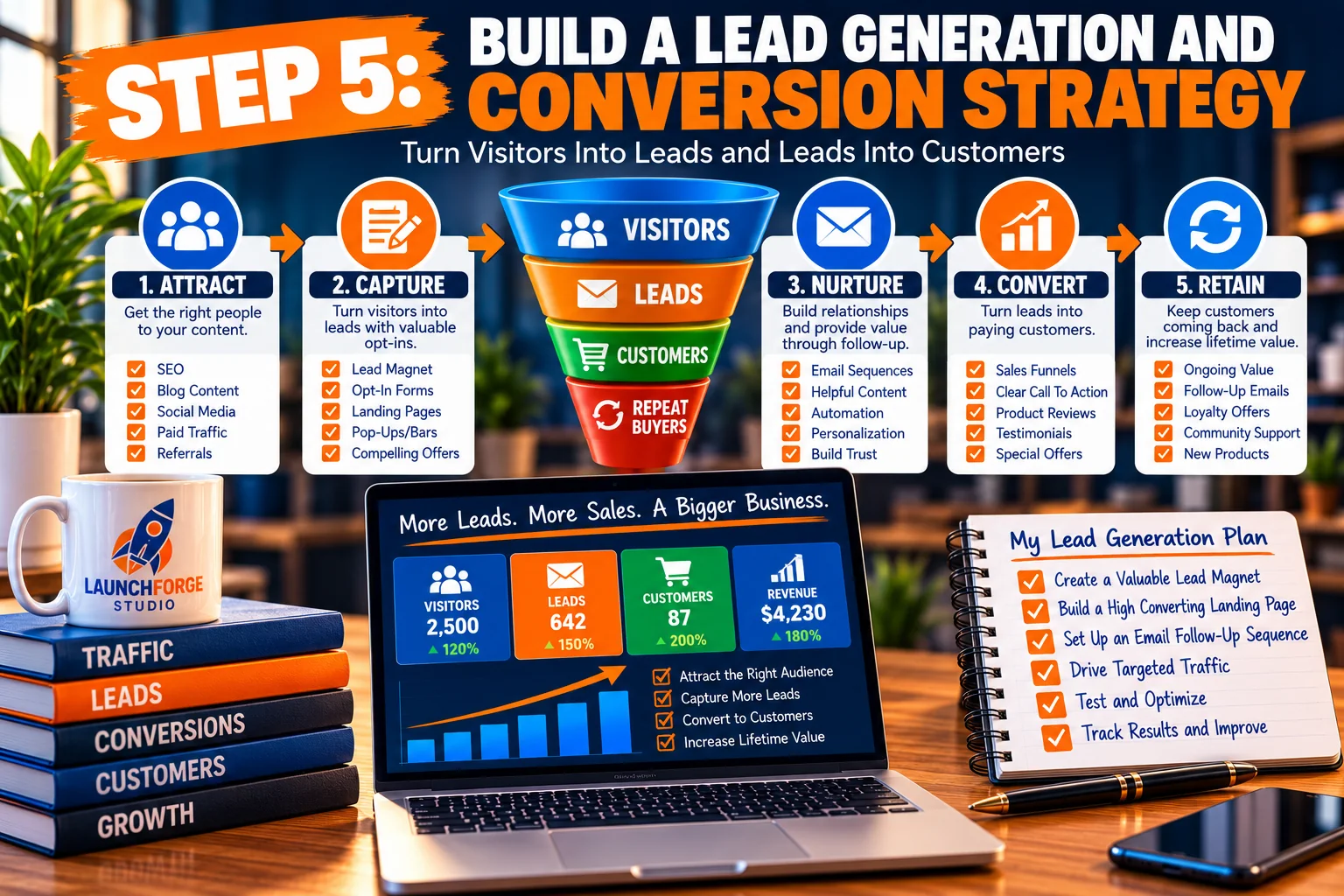
Turn website visitors into leads and customers with a simple strategy built around attracting, capturing, nurturing, converting, and retaining your audience.
You’ve established your marketing goals, identified your audience, selected your marketing channels, and developed a plan for creating valuable content.
Now comes an important question.
What happens when someone actually visits your website?
Getting people to discover your business is a significant accomplishment, especially when you’re starting from scratch.
But website traffic alone doesn’t necessarily lead to business growth.
You might attract hundreds of visitors who read an article, browse a few pages, and leave without taking another action.
That doesn’t automatically mean your marketing has failed. Some visitors are simply looking for information.
However, if your business depends on generating leads, building relationships, or making sales, you need a strategy for helping interested visitors take the next step.
That’s where lead generation and conversion optimization come into play.
Understand the Difference Between Traffic, Leads, and Conversions
Before building your strategy, it’s important to understand three terms that are frequently used in digital marketing.
Website Traffic
Website traffic refers to visits to your website.
Visitors might arrive through search engines, social media posts, email messages, advertisements, referrals, or direct visits.
Traffic tells you that people are reaching your website.
However, it doesn’t automatically tell you whether those people are interested in your products, services, or educational resources.
Lead Generation
Lead generation is the process of attracting interested people and encouraging them to voluntarily share information so you can continue communicating with them.
For example, someone reading an educational article might subscribe to receive additional tutorials through email.
That subscriber becomes a lead because they’ve expressed interest in continuing the relationship.
Not every lead will become a customer, and that’s perfectly normal.
Conversions
A conversion happens when a visitor completes an action you’ve identified as valuable.
Depending on your business, that action could include:
- Subscribing to an email newsletter.
- Completing a contact form.
- Downloading a free educational resource.
- Registering for a webinar.
- Requesting information about a service.
- Purchasing a product.
- Completing another meaningful action on your website.
The important distinction is that conversions depend on your business goals.
For one website, an email subscription might be the primary conversion.
For another, it might be a completed purchase or consultation request.
A successful digital marketing strategy connects traffic generation with meaningful visitor actions.
Give Visitors a Clear Reason to Take the Next Step
Imagine someone discovers your website through an article explaining how to start an online business.
They read the article and find the information helpful.
What happens next?
If your page doesn’t provide any relevant opportunities to continue learning, the visitor may simply leave.
But suppose the article includes an invitation to explore additional beginner-friendly guides.
Or perhaps visitors can subscribe to receive practical website-building and digital marketing tips.
Now they have a clear opportunity to continue their journey.
The key is relevance.
Someone researching basic website terminology may not be ready to purchase an advanced marketing system.
However, they might appreciate another helpful tutorial or a beginner-friendly checklist.
The best next step is one that makes sense for the visitor’s current needs.
This is why understanding your target audience and customer journey is so important.
You aren’t trying to force every visitor into an immediate purchasing decision.
You’re creating opportunities for interested people to move forward at their own pace.
Create a Simple Lead Generation System
A lead generation system doesn’t have to involve complicated software or expensive automation.
At its most basic level, it needs a few connected components.
1. A Source of Relevant Visitors
People need a way to discover your website.
This could happen through SEO, educational articles, social media, referrals, or paid advertising.
The goal is to attract visitors who are genuinely interested in the topics your business covers.
2. A Useful Destination
Once someone clicks through to your website, they should arrive on a page that matches their expectations.
If a social media post promises a beginner’s guide to landing pages, the destination should provide that information.
Sending people to an unrelated sales page creates confusion and can weaken trust.
3. A Relevant Offer or Invitation
Give interested visitors a reason to continue.
That might be a free guide, an educational email series, a webinar, or an opportunity to learn about your services.
Your offer should be connected to the content that brought the visitor to your website.
4. A Simple Signup or Contact Form
If visitors decide to subscribe or request information, make the process straightforward.
Ask only for information you genuinely need.
For a basic educational newsletter, an email address may be sufficient.
A first name can help personalize communication, but it isn’t always necessary.
5. A Helpful Follow-Up Process
After someone subscribes, what happens next?
Ideally, they receive confirmation that their action was successful and clear information about what to expect.
A welcome email can introduce your business, deliver any promised resource, and explain the types of messages subscribers may receive.
Future messages can provide additional educational content and relevant opportunities to continue learning.
These five components work together to create a simple, understandable lead generation process.
Understand the Role of Landing Pages
A landing page is a webpage designed around a specific purpose or action.
Unlike a general homepage that may introduce several aspects of your business, a dedicated landing page usually concentrates on one primary objective.
For example, imagine you’re offering a free beginner’s checklist for launching an online business.
A landing page for that resource might include:
- A clear headline explaining the offer.
- A short description of what visitors will receive.
- A few practical benefits.
- A simple signup form.
- A clear call to action.
- Appropriate privacy information.
The page should make it easy for visitors to understand what they’re being offered and what happens when they respond.
You don’t need elaborate animations, complicated layouts, or aggressive promotional language.
Clarity is often more useful than unnecessary complexity.
An effective landing page helps visitors understand the value of taking action without making them work to figure it out.
Landing pages are especially useful when promoting a specific resource, webinar, product, or service.
However, not every website interaction requires a separate landing page.
An appropriate signup form within a helpful article can also provide a relevant conversion opportunity.
Write Calls to Action That Make Sense
A call to action, commonly abbreviated as CTA, is an invitation encouraging someone to take a specific next step.
You’ll find CTAs throughout websites, landing pages, emails, and advertisements.
Examples include:
- Explore Our Free Guides
- Learn More About This Solution
- Get Beginner-Friendly Marketing Tips
- Download the Free Checklist
- Read the Step-by-Step Tutorial
- Join the Educational Newsletter
Notice that these examples explain what the visitor can expect.
They’re more informative than vague instructions that don’t provide any context.
When creating your CTAs, consider three important questions.
Is the Action Clear?
Visitors should understand what will happen when they click.
Is the Action Relevant?
The CTA should connect naturally to the information they’re currently viewing.
Is the Action Easy to Complete?
Avoid introducing unnecessary steps between the visitor and the promised resource.
For example, if someone wants to read additional educational articles, directing them to your resource library may be more appropriate than requiring an email subscription first.
Good calls to action guide visitors. They don’t need to pressure them.
Use Lead Magnets When They Provide Genuine Value
A lead magnet is a resource offered to visitors in exchange for their contact information, typically an email address.
Common examples include:
- Downloadable checklists.
- Beginner-friendly guides.
- Educational templates.
- Short email courses.
- Planning worksheets.
- Resource collections.
For example, someone learning digital marketing might appreciate a simple worksheet for identifying their target audience and setting measurable marketing goals.
That resource could help them apply what they’ve learned.
However, a lead magnet isn’t automatically valuable simply because it’s free.
It should solve a specific problem or make a task easier.
Avoid creating unnecessary downloads that repeat information without providing additional usefulness.
Also remember that some educational resources can remain freely accessible without requiring visitors to subscribe.
A business can build trust by making genuinely helpful information available to everyone while offering optional ways to stay connected.
Build Trust Before Expecting Sales
One of the most important principles of lead generation is understanding that people may need time to become comfortable with your business.
A first-time visitor might not know who you are, what you offer, or whether your recommendations are reliable.
That’s why educational content, transparent communication, and consistent follow-up matter.
Trust-building activities can include:
- Publishing accurate, useful information.
- Explaining products and services clearly.
- Being transparent about affiliate relationships.
- Avoiding unrealistic income promises.
- Providing straightforward contact information.
- Respecting subscriber preferences.
- Delivering resources you’ve promised.
- Keeping website information current.
You don’t need to present yourself as a massive company to earn credibility.
A smaller business can establish trust through clear communication, useful resources, and dependable behavior.
People are more likely to consider your recommendations when they understand your intentions and find value in what you provide.
Create a Beginner-Friendly Email Follow-Up Sequence
Once someone subscribes to your email list, you have an opportunity to continue the relationship.
A simple welcome sequence can help new subscribers understand what your business offers.
For example:
Email 1: Welcome and Introduction
Thank the subscriber for joining.
Deliver any resource you promised and explain what types of educational messages they can expect.
Email 2: Solve a Common Beginner Problem
Share a useful tutorial or practical tip related to the subscriber’s interests.
Focus on helping rather than selling.
Email 3: Introduce a Related Resource
Recommend another article, guide, or educational resource that builds on the previous information.
Email 4: Explain a Common Challenge
Discuss a problem beginners frequently encounter and provide suggestions for addressing it.
Email 5: Offer a Relevant Next Step
Introduce an appropriate resource, tool, or solution that may help subscribers make progress.
This is only an example.
Your actual sequence should reflect what subscribers signed up to receive.
You don’t need to send five emails in five days.
Choose a reasonable schedule and avoid overwhelming people with unnecessary messages.
Most importantly, respect consent and make unsubscribing straightforward.
Improve the Visitor Experience Before Increasing Traffic
Here’s something beginners sometimes overlook.
If your website is confusing, difficult to navigate, or frustrating to use on mobile devices, attracting more visitors may not solve the underlying problem.
Before spending additional time or money generating traffic, examine the experience visitors encounter.
Ask yourself:
- Does the page load reasonably quickly?
- Is the text easy to read?
- Does the page display properly on mobile devices?
- Are the headings clear?
- Can visitors find relevant information?
- Do buttons and forms work correctly?
- Are calls to action visible and understandable?
- Does the page deliver what visitors expected?
You don’t need a perfect website.
However, addressing obvious usability problems can make your existing marketing efforts more effective.
For example, if an email signup button is difficult to use on a smartphone, improving that button may be more useful than immediately launching another traffic campaign.
Conversion optimization begins with removing unnecessary obstacles from the visitor’s experience.
Measure Your Lead Generation Results
Once your lead generation system is operating, you need a way to evaluate its performance.
Start with a few simple measurements.
Website Visitors
How many people are visiting your website?
Landing Page Views
How many visitors are reaching pages designed around specific offers or actions?
Lead Submissions
How many people are completing your signup or contact forms?
Conversion Rate
What percentage of visitors complete the action you’re measuring?
For example, suppose a landing page receives 200 visits and generates 10 completed email signups.
You can calculate the conversion rate by dividing the number of signups by the number of visits and multiplying by 100.
In this example:
10 signups divided by 200 visits, multiplied by 100, equals a 5% conversion rate.
This calculation is useful for understanding the relationship between traffic and completed actions.
However, be consistent about which measurement you’re using.
A conversion rate based on sessions isn’t necessarily identical to one based on individual users.
Also, don’t assume that a particular conversion rate is automatically good or bad without considering your audience, offer, traffic source, and business objectives.
The purpose of measurement is to understand what’s happening and identify opportunities for improvement.
Connect Your Forms and Analytics Correctly
Analytics tools can help you understand whether your lead generation activities are working.
For example, Google Analytics 4 can record events associated with website activity.
Depending on your implementation, these events might include page views, form submissions, or completed signup actions.
An important event can also be marked as a key event when it represents a meaningful business outcome.
However, you shouldn’t assume that every recorded form submission represents a successful lead.
A visitor might encounter a form error, submit incomplete information, or fail to complete a required confirmation step.
Whenever possible, track a reliable success condition.
For example, a properly configured thank-you page can provide a useful confirmation that a signup process reached its intended destination.
If your form redirects visitors to that page only after successful submission, the destination can help you verify the process.
You should also test your forms directly.
Submit a test entry.
Confirm that the submission reaches the correct contact list.
Check whether the intended confirmation or welcome process occurs.
Verify that your analytics records the relevant event.
A lead generation system should be tested from the visitor’s perspective, not simply assumed to be working because a form appears on the page.
Avoid Common Lead Generation Mistakes
Beginners can save themselves considerable frustration by recognizing a few common problems.
Mistake 1: Asking for Too Much Information
Long forms may discourage people who only want to receive a simple educational resource.
Collect the information necessary for the stated purpose.
Mistake 2: Making Unrealistic Promises
Avoid suggesting that subscribing to a newsletter or purchasing a tool guarantees income, customers, or business success.
Be clear about what you’re actually providing.
Mistake 3: Sending Every Visitor to the Same Offer
Different visitors have different needs.
Match your invitations and recommendations to the topic they’re exploring.
Mistake 4: Ignoring Mobile Visitors
A form that works beautifully on a desktop computer may be difficult to use on a smaller screen.
Test important pages and forms on mobile devices.
Mistake 5: Failing to Follow Up
Collecting email addresses without delivering useful communication creates a missed opportunity.
Develop a realistic follow-up process before aggressively promoting your signup forms.
Mistake 6: Measuring Clicks Instead of Meaningful Results
A high number of button clicks doesn’t necessarily mean your business is generating qualified leads.
Pay attention to completed actions and the quality of the relationships you’re building.
Your Step 5 Action Plan
Before moving forward, create a simple plan for turning interested visitors into leads.
- Identify the primary conversion you want your website to generate.
- Choose a relevant offer or next step for your target audience.
- Create or improve a page where visitors can take that action.
- Make sure your signup or contact form is simple and functional.
- Establish an appropriate thank-you or confirmation process.
- Prepare a helpful welcome message for new subscribers.
- Test the complete process from submission through confirmation.
- Configure relevant analytics tracking and review the results regularly.
You don’t need to build an elaborate funnel containing dozens of pages and complicated automation sequences.
Start with a clear offer, a working form, and a useful follow-up process.
Improve the system as you learn more about your audience.
Remember: The purpose of lead generation isn’t simply to collect contact information. It’s to begin a relationship with someone who has expressed genuine interest in what your business provides.
Once your lead generation process is established, the next step is making sure your digital marketing activities are organized, measurable, and manageable as your business grows.
Step 6: Measure, Analyze, and Improve Your Digital Marketing Strategy
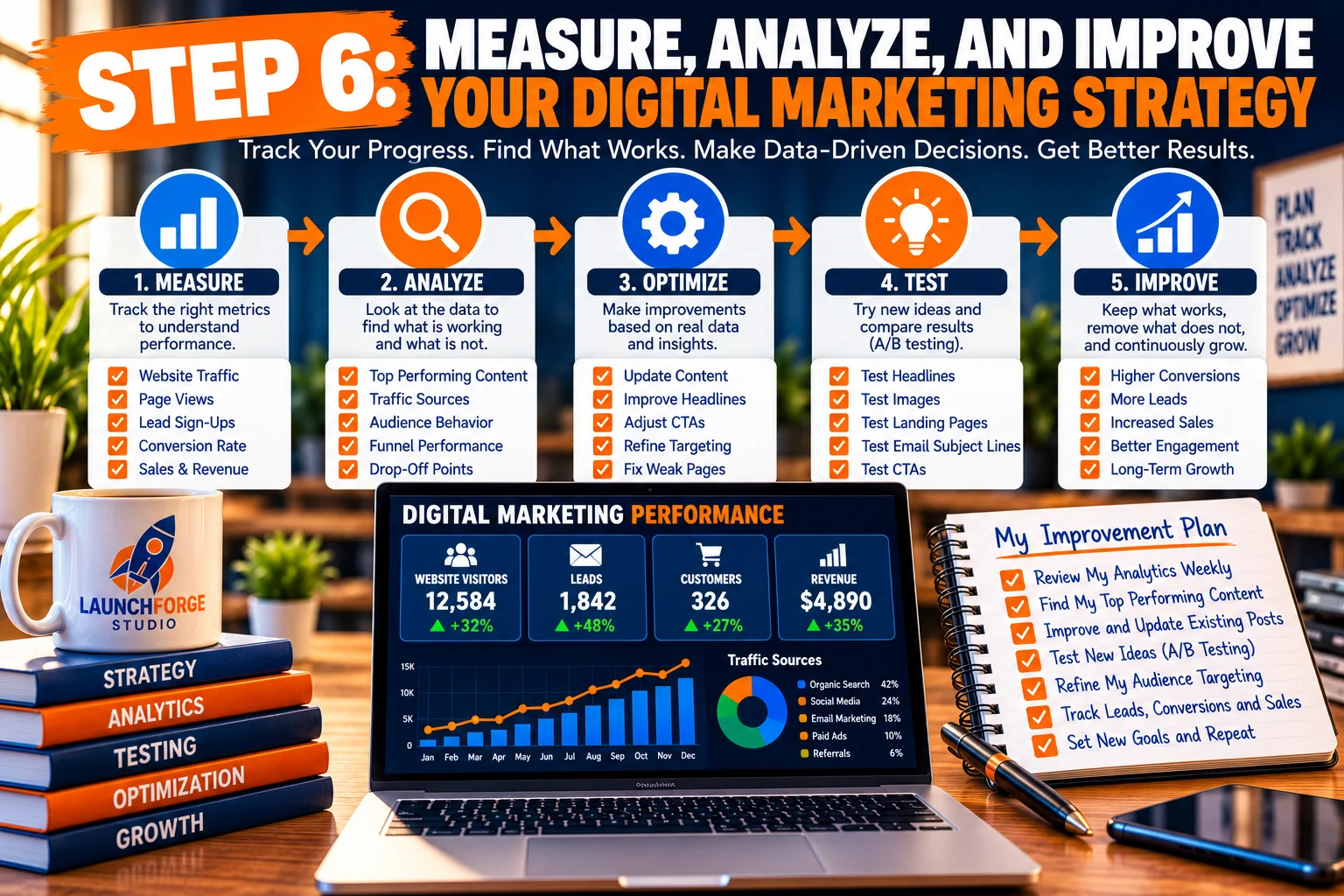
Learn how to measure digital marketing performance, analyze traffic and conversions, test improvements, and make data-driven decisions for sustainable growth.
You’ve established your goals, identified your audience, selected your marketing channels, created a content strategy, and developed a process for generating leads.
Now comes the final step: understanding what’s working and what needs improvement.
One of the biggest advantages of digital marketing is the ability to measure many of your activities.
Instead of relying entirely on guesswork, you can examine how people discover your website, which pages attract attention, and whether visitors complete meaningful actions.
The purpose of marketing analytics isn’t to collect impressive-looking numbers. It’s to make better decisions about where to spend your time, energy, and resources.
Start With a Few Meaningful Marketing Metrics
Beginners don’t need to monitor dozens of reports.
Start with measurements connected to your original marketing goals.
Website Traffic
Track how many people visit your website and which pages receive attention.
Look for patterns over time rather than reacting to every daily fluctuation.
Traffic Sources
Understand whether visitors are discovering your website through search engines, social media, referrals, email, or other channels.
This information can help you identify which marketing activities deserve further attention.
Search Performance
Google Search Console can show search impressions, clicks, queries, and average search positions.
These measurements can help you understand how your website appears in Google Search and identify opportunities to improve existing content.
Visitor Engagement
Google Analytics 4 can provide information about user activity, engagement, and events.
For example, you might investigate which articles attract visitors and whether those visitors continue exploring your website.
Lead Generation
If building an email list is one of your goals, monitor successful subscriptions and other relevant form submissions.
Focus on completed actions rather than simply counting button clicks.
Conversions
Track the actions that matter most to your business, such as subscriptions, inquiries, registrations, or purchases.
These measurements help connect your marketing efforts to meaningful outcomes.
Use Google Analytics and Google Search Console Together
Google Analytics and Google Search Console serve different but complementary purposes.
Google Search Console focuses on your website’s presence in Google Search.
It can help you understand which search queries generate impressions and clicks, whether important pages are indexed, and whether Google reports technical issues affecting your site.
Google Analytics focuses on activity that occurs on your website.
It can help you examine traffic acquisition, visitor engagement, and configured conversion-related events.
For example, Search Console might reveal that an article receives impressions for a particular search query but relatively few clicks.
That could prompt you to review whether the article’s title and description accurately communicate its value.
Meanwhile, Google Analytics might reveal that visitors are reaching your educational content but rarely completing your email signup process.
That could encourage you to review the relevance, placement, or usability of your signup form.
Neither tool provides every answer automatically.
However, together they can help you identify questions worth investigating.
Review Your Results Without Becoming Obsessed With Numbers
Checking website statistics can become addictive, especially when you’re excited about building something new.
But refreshing your analytics dashboard every few minutes won’t make your business grow faster.
Instead, establish a simple review schedule.
For example, once a week you could examine:
- Which pages received the most visits.
- Whether organic search traffic is changing.
- Which marketing channels generated visitors.
- How many meaningful conversions occurred.
- Whether any important technical issues appeared.
Once a month, take a broader look at your progress.
Ask yourself whether your marketing activities are moving you closer to the goals you established in Step 1.
Remember that small websites may experience considerable fluctuations.
A handful of additional visits or conversions can create dramatic percentage changes without indicating a lasting trend.
Look for meaningful patterns over time instead of treating every short-term change as a success or failure.
Make Small Improvements Based on What You Learn
Once you’ve identified a potential problem, resist the temptation to redesign your entire website or replace your marketing strategy immediately.
Start with manageable improvements.
For example:
If an article receives search impressions but few clicks:
Review whether its title accurately reflects the information visitors are searching for.
If visitors leave a page without exploring further:
Consider whether the page answers their questions and provides relevant opportunities to continue learning.
If your signup form receives little engagement:
Review its placement, wording, mobile usability, and the value of your offer.
If a marketing channel consumes considerable time but produces little meaningful activity:
Evaluate whether it reaches the right audience and supports your business goals.
Make changes deliberately and allow enough time to gather useful information.
Avoid changing numerous elements simultaneously when you want to understand which adjustment made a difference.
Build a Digital Marketing Strategy You Can Sustain
A successful digital marketing strategy doesn’t have to be complicated.
For beginners, simplicity can be a significant advantage.
You don’t need to master every platform, publish content constantly, or purchase every new marketing tool.
You need a process that fits your goals, audience, resources, and available time.
That process might involve publishing useful educational articles, sharing them through a selected social platform, inviting interested visitors to subscribe, and reviewing your results regularly.
As your knowledge and experience grow, you can expand your activities when there’s a clear reason to do so.
Your strategy should support your business, not become another overwhelming collection of tasks.
Your Step 6 Action Plan
Complete these final activities to establish a manageable performance review process:
- Confirm that Google Analytics and Google Search Console are properly configured for your website.
- Identify three to five metrics directly connected to your marketing goals.
- Verify that important conversion actions are being tracked correctly.
- Schedule a brief weekly review of your website and marketing performance.
- Identify one improvement you can make based on the available information.
- Review your broader progress monthly and adjust your strategy when necessary.
You don’t need perfect information to begin making progress.
Start with the measurements you have, learn what they mean, and improve your approach over time.
Digital marketing is not a one-time project. It’s an ongoing process of planning, creating, measuring, learning, and improving.
And when you approach it with realistic expectations and a clear strategy, you give yourself a stronger foundation for sustainable business growth.
Your First 30 Days: A Practical Digital Marketing Action Plan for Beginners
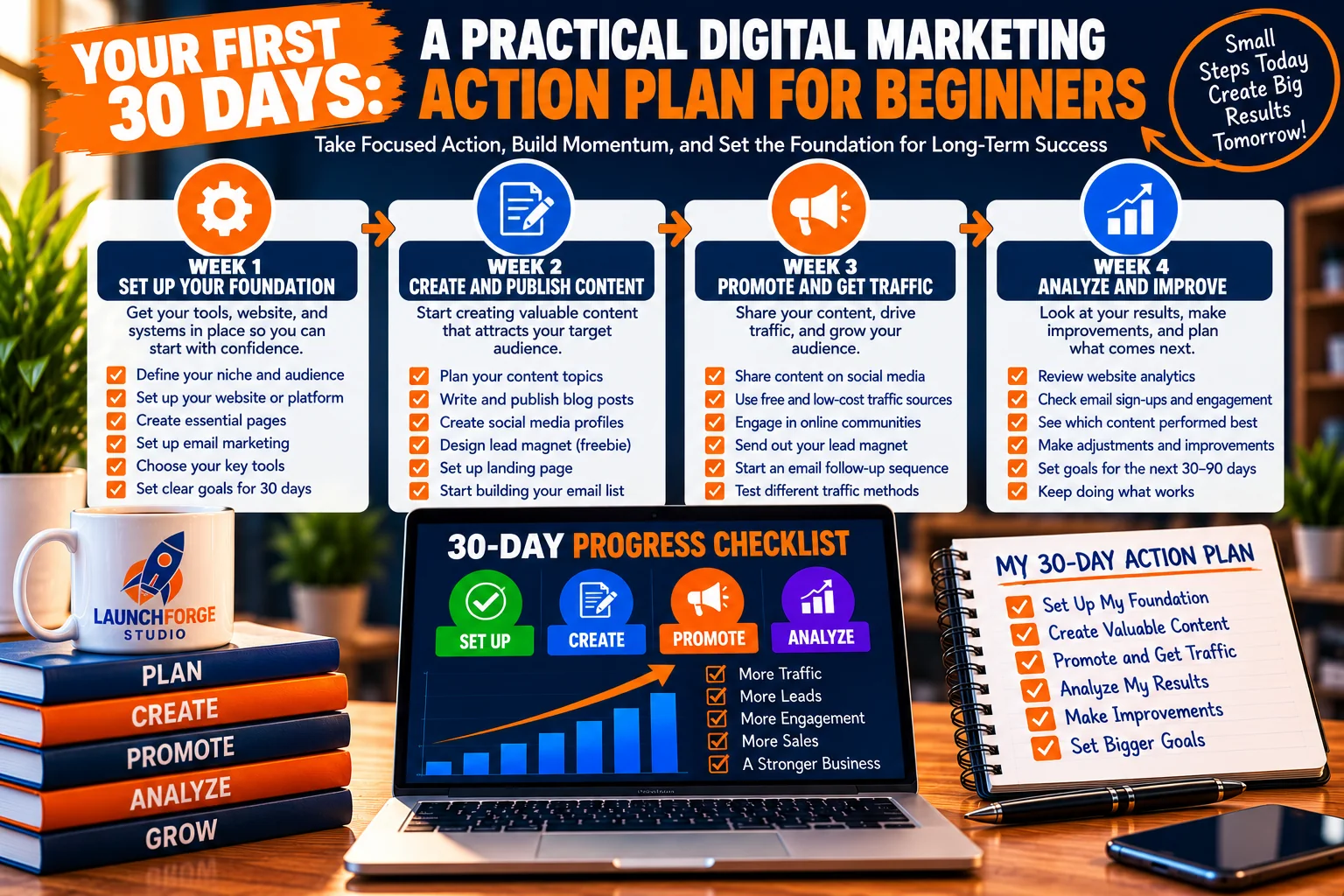
Follow this beginner-friendly 30-day digital marketing roadmap to establish your foundation, publish helpful content, attract visitors, and improve your results.
Understanding digital marketing is important, but knowing how to put that knowledge into practice is what moves your business forward.
By now, you’ve learned how to establish goals, identify your target audience, choose marketing channels, create valuable content, generate leads, and measure your results.
The next question is simple:
How do you turn everything you’ve learned into an actual marketing routine?
That’s where this 30-day digital marketing action plan comes in.
This plan is designed for beginners who want to make meaningful progress without becoming overwhelmed by complicated tools, expensive advertising campaigns, or unrealistic daily workloads.
You don’t need to complete every activity perfectly.
You also don’t need to spend eight hours a day working on your marketing.
The purpose is to establish a manageable foundation that you can build upon as your experience grows.
Week 1: Establish Your Marketing Foundation (Days 1–7)
During your first week, focus on understanding your business, audience, and marketing objectives.
Avoid rushing into advertising campaigns or creating social media accounts simply because someone recommends them.
Day 1: Define Your Primary Marketing Goal
Choose one meaningful objective for the next 30 days.
For example, you might want to publish your first educational article, improve an important website page, or establish a working email signup process.
Write your goal down and identify how you’ll measure progress.
Day 2: Identify Your Target Audience
Describe the people your business is intended to help.
Consider their experience levels, goals, frustrations, and common questions.
Try to be specific enough that you can imagine the type of person who would benefit from your content.
Day 3: Research Audience Questions
Find five to ten questions your intended audience is asking.
Explore relevant Google searches, educational discussions, online communities, and beginner-focused resources.
Look for recurring problems that your business can genuinely help address.
Day 4: Choose Your Primary Marketing Channel
Decide which channel best supports your audience and current goals.
For many beginner educational websites, creating useful content and improving search visibility can be practical starting points.
Day 5: Select One Supporting Channel
Choose one additional method for sharing your content or communicating with your audience.
This might be a social media platform or an email newsletter if you already have subscribers.
Avoid committing to multiple platforms before you understand how much time you can realistically dedicate.
Day 6: Review Your Website or Online Presence
Examine your homepage, navigation, important content pages, and contact information.
Make sure visitors can understand what your business offers and where to find relevant resources.
If your website isn’t ready yet, identify the minimum pages or information you need to get started.
Day 7: Review Your Progress
Look back at your first six days.
Have you established a clear goal, identified your audience, and selected manageable marketing channels?
Make adjustments where necessary.
Your objective is clarity, not perfection.
Week 2: Create Valuable Content (Days 8–14)
During your second week, focus on creating something useful for your intended audience.
Day 8: Choose Your First Content Topic
Select one question from your audience research.
Choose a topic you can explain clearly and that directly supports your business.
Day 9: Research Search Intent
Examine what someone searching for your chosen topic is likely trying to accomplish.
Are they looking for an explanation, a tutorial, a comparison, or a specific solution?
Use that information to guide your content.
Day 10: Create a Simple Outline
Organize your content into logical sections.
Begin with the reader’s question, explain the important concepts, and provide practical guidance.
Include examples where they help clarify the subject.
Day 11: Write Your First Draft
Focus on answering the reader’s question thoroughly.
Don’t worry about making every sentence perfect during the initial draft.
Concentrate on accuracy, clarity, and usefulness.
Day 12: Review and Improve Your Content
Check your article for confusing explanations, unnecessary repetition, spelling errors, and missing information.
Make sure headings are descriptive and paragraphs are easy to read.
Day 13: Prepare Your Content for Publishing
Add an appropriate page title, meta description, relevant images if needed, and useful internal links where applicable.
Check how the content appears on mobile devices.
Day 14: Publish Your Content
Publish your article or educational resource.
Make sure the page is accessible and displays correctly.
If you use Google Search Console, you can inspect the URL and request indexing when appropriate.
Remember that requesting indexing doesn’t guarantee immediate inclusion in search results.
Week 3: Promote Your Content and Build Connections (Days 15–21)
Now that you’ve created something useful, focus on helping interested people discover it.
Day 15: Share Your Content
Introduce your article through your selected supporting marketing channel.
Explain who the resource is intended to help and what readers can learn.
Day 16: Create a Helpful Social Media Tip
Take one practical lesson from your article and turn it into a short educational post.
Provide useful information rather than relying exclusively on promotional language.
Day 17: Participate in a Relevant Conversation
Visit an appropriate online community or discussion related to your business.
Answer questions when you can contribute something helpful.
Follow community rules and avoid unsolicited promotion.
Day 18: Review Your Calls to Action
Examine the next steps available to people who visit your content.
Can they easily find related articles, explore your resources, or contact your business?
Make sure those opportunities are relevant and clear.
Day 19: Test Your Contact or Signup Process
If you have a contact form or email signup form, submit a test entry.
Confirm that the submission works and reaches the correct destination.
If your process includes a confirmation page or welcome email, verify those steps too.
Day 20: Share Another Useful Insight
Create a second piece of supporting content based on your article.
You might share a common mistake, a practical checklist, or a beginner-friendly explanation.
Day 21: Review Audience Engagement
Look at any available website visits, social media engagement, subscriber activity, or audience questions.
Don’t expect dramatic results after one week of promotion.
Focus on learning how people respond.
Week 4: Measure Results and Improve Your Strategy (Days 22–30)
Your final week focuses on reviewing what you’ve accomplished and preparing for continued progress.
Day 22: Review Website Traffic
Use your available analytics tools to examine visitor activity.
Identify which pages received visits and where those visitors came from.
Day 23: Examine Search Performance
If you have Google Search Console configured, review available impressions, clicks, and search queries.
New content may not have meaningful search data yet, so avoid drawing conclusions too early.
Day 24: Review Your Lead Generation Activity
If collecting leads is one of your goals, examine successful subscriptions or contact submissions.
Verify that your tracking reflects meaningful completed actions.
Day 25: Identify One Improvement Opportunity
Choose one practical change that could improve your visitor experience.
For example, you might clarify a call to action, improve mobile readability, or add a relevant internal link.
Day 26: Make the Improvement
Implement the change you’ve selected.
Avoid redesigning everything at once.
Small, deliberate improvements are easier to evaluate.
Day 27: Plan Your Next Content Topic
Return to your audience research and choose another useful question to address.
Consider how your next article could complement the content you’ve already published.
Day 28: Review Your Marketing Routine
Think about the activities you’ve completed over the past four weeks.
Which tasks were manageable?
Which ones required more time than expected?
Are your selected marketing channels still appropriate?
Adjust your routine so it’s sustainable.
Day 29: Compare Your Progress With Your Original Goal
Review the objective you established on Day 1.
Did you complete the planned activities?
What measurable progress occurred?
What did you learn?
Remember that completing foundational tasks is valuable progress even if traffic, leads, or sales haven’t increased significantly yet.
Day 30: Create Your Next 30-Day Plan
Use what you’ve learned to establish your next realistic goal.
You might decide to publish additional educational content, improve an existing page, develop your email follow-up process, or concentrate on a marketing channel that’s beginning to show promise.
The important thing is to keep building on your experience rather than starting over every month.
What Should You Expect After 30 Days?
It’s important to approach your first month with realistic expectations.
Thirty days is enough time to establish useful habits, create foundational content, configure basic systems, and begin collecting information.
It isn’t necessarily enough time to achieve consistent organic search traffic, develop a substantial email list, or generate meaningful sales.
Those outcomes depend on numerous factors, including your audience, competition, business model, marketing channels, and consistency.
Instead of measuring your first month exclusively by revenue or visitor counts, consider the foundation you’ve created.
You may now have:
- A clearly defined target audience.
- A measurable marketing objective.
- A manageable content creation process.
- One or two selected marketing channels.
- Published educational content.
- A functioning contact or signup process.
- Basic analytics and performance tracking.
- A practical routine for continued improvement.
That’s a meaningful starting point.
The goal of your first 30 days isn’t to build a perfect marketing operation. It’s to establish a repeatable process that helps you learn, improve, and move your online business forward.
Keep Your Marketing Strategy Flexible
Your first digital marketing strategy should be treated as a working plan, not a permanent set of rules.
As you publish content, interact with visitors, and examine performance information, you’ll discover new opportunities and challenges.
Some topics may attract more interest than expected.
Certain marketing channels may require more effort than they’re worth.
You might discover that your audience responds especially well to a particular type of tutorial or educational resource.
Use those observations to refine your approach.
Keep the activities that support your goals.
Improve the ones that show potential.
And don’t be afraid to simplify when your marketing becomes unnecessarily complicated.
A sustainable digital marketing strategy grows through experience, consistent effort, and thoughtful improvements—not through trying to accomplish everything at once.
Conclusion: Your Digital Marketing Strategy Starts With a Plan, Not Perfection
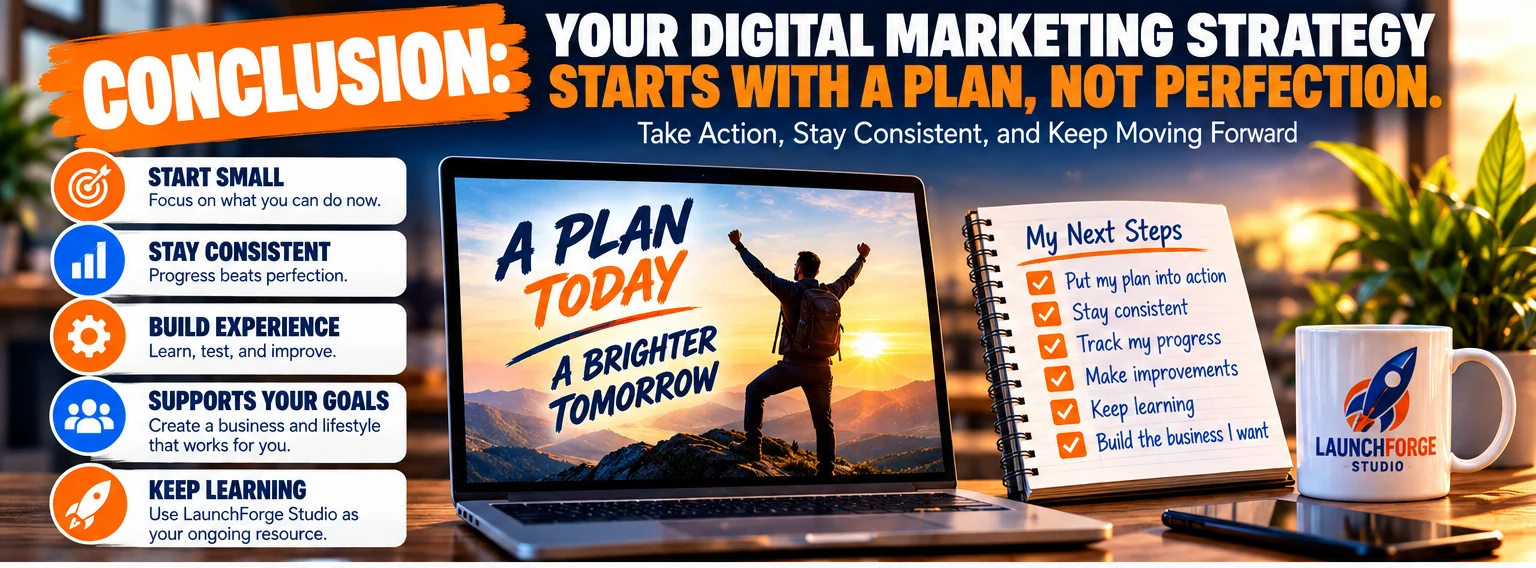
A successful digital marketing strategy begins with a practical plan, consistent action, and a willingness to learn and improve.
Creating a digital marketing strategy for beginners might seem overwhelming when you first consider everything involved.
Search engine optimization, content marketing, social media, email marketing, lead generation, conversion tracking, and analytics can sound like an endless collection of responsibilities.
But here’s something important to remember.
You don’t need to master every aspect of digital marketing before you begin building your online business.
You need a clear direction, an understanding of the people you want to reach, and a manageable plan for connecting your efforts.
Throughout this guide, we’ve explored six essential steps for building that foundation.
Step 1: Set Clear Digital Marketing Goals
Define what you want your marketing activities to accomplish. Whether your priority is increasing website traffic, building an email list, or generating customer inquiries, measurable goals give your efforts direction.
Step 2: Identify and Understand Your Target Audience
Learn who you’re trying to help, what challenges they face, and what information they’re searching for. Understanding your audience makes it easier to create relevant content and choose appropriate marketing channels.
Step 3: Choose the Right Digital Marketing Channels
Focus on the platforms and methods that fit your audience, goals, budget, and available time. You don’t need to be everywhere to make meaningful progress.
Step 4: Create a Content Strategy That Attracts the Right Audience
Develop educational resources that answer real questions, address common problems, and help visitors make informed decisions. Organize your content so readers can easily discover related information.
Step 5: Build a Lead Generation and Conversion Strategy
Give interested visitors clear opportunities to continue their journey. Use relevant calls to action, straightforward signup forms, and helpful follow-up communication to build relationships.
Step 6: Measure, Analyze, and Improve Your Results
Use available analytics tools to understand how visitors discover and interact with your website. Review meaningful measurements, identify opportunities for improvement, and refine your strategy over time.
Start Small, Stay Consistent, and Build From Experience
One of the biggest mistakes beginners make is believing they need a complete marketing operation before they can start.
They spend weeks comparing software, researching advertising platforms, and trying to develop the perfect system.
Meanwhile, their website remains unfinished, their content never gets published, and their business ideas stay trapped in the planning stage.
Planning matters.
But planning should eventually lead to action.
You can begin with a simple website, one clearly defined audience, a few useful educational articles, and a realistic schedule for sharing your content.
As you gain experience, you’ll discover which activities deserve more attention and which ones may not be worth continuing.
Your first digital marketing strategy won’t necessarily be your final strategy.
And that’s perfectly fine.
Businesses evolve. Audiences change. New opportunities emerge.
The purpose of having a strategy isn’t to eliminate every uncertainty.
It’s to give yourself a practical framework for making decisions, evaluating progress, and moving forward with greater confidence.
Build a Business That Supports Your Goals
At LaunchForge Studio, we believe that building an online business should be about creating opportunities, learning useful skills, and developing systems that make your work more manageable.
You shouldn’t have to feel pressured into purchasing every marketing tool or joining every new platform simply because someone claims it’s essential.
Instead, focus on understanding what your business actually needs.
Choose tools that serve a clear purpose.
Build processes you can realistically maintain.
Create educational content that helps people.
And remember that sustainable growth comes from consistent effort, thoughtful decisions, and a willingness to learn.
Whether you’re building your first website, developing your first email list, or learning how to attract visitors through digital marketing, every practical step contributes to your experience.
You don’t have to accomplish everything today.
You simply need to know what you’re working toward and take the next meaningful step.
Continue Learning With LaunchForge Studio
If you’re just beginning your online business journey, you don’t have to figure everything out at once.
Explore our free Guides & Tutorials to learn more about website building, lead generation, landing pages, email marketing, online business tools, and strategies for attracting and engaging visitors.
Our educational resources are designed to help beginners understand the fundamentals, avoid unnecessary complexity, and build their knowledge one step at a time.
Your digital marketing strategy doesn’t need to start perfectly. It needs to start with purpose.
Build your foundation. Keep learning. Make improvements as you go.
And most importantly, give yourself the opportunity to turn your ideas into something real.
Frequently Asked Questions About Digital Marketing Strategies for Beginners
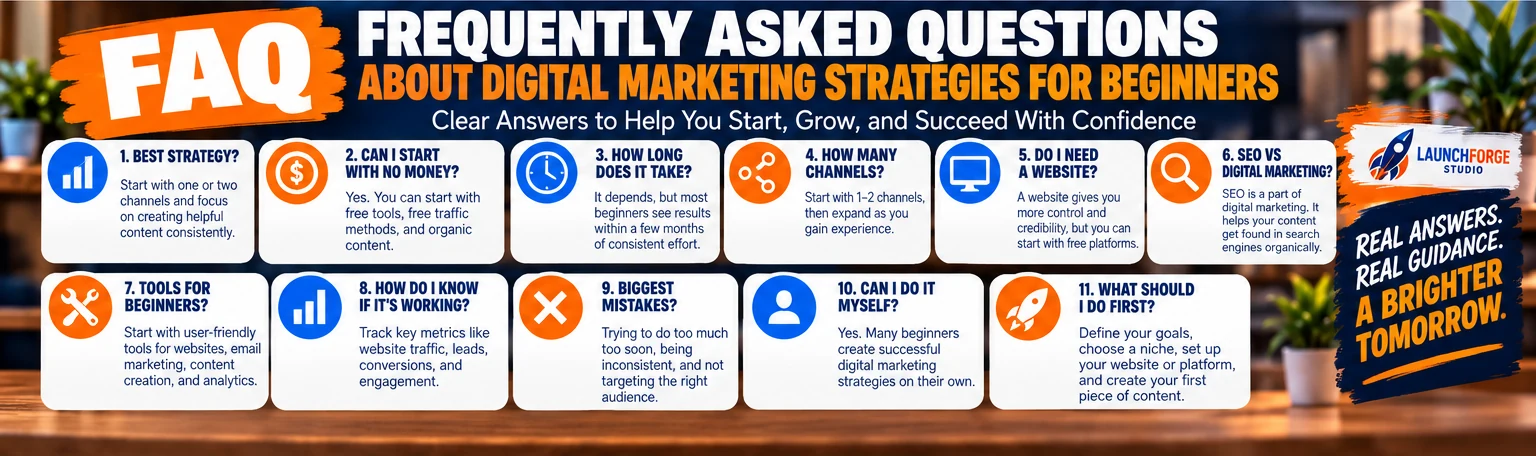
Find answers to common beginner questions about creating, managing, and improving a digital marketing strategy.
What Is the Best Digital Marketing Strategy for Beginners?
The best digital marketing strategy for beginners is one that matches their business goals, target audience, available time, and budget.
For many new online businesses, a practical starting point is creating helpful website content, improving search engine visibility, and sharing educational resources through one or two relevant marketing channels.
As visitors begin discovering your website, you can introduce email marketing and simple lead generation opportunities to build ongoing relationships.
Rather than attempting every available marketing method, focus on a few activities you can perform consistently and measure over time.
The best strategy isn’t necessarily the most complicated. It’s the one you can realistically implement, evaluate, and improve.
Can I Start Digital Marketing With No Money?
Yes. You can begin learning and practicing many digital marketing activities without purchasing advertising or expensive software.
For example, you can research audience questions, create educational content, participate in relevant online communities, and use free versions of certain analytics and marketing tools.
However, running an online business may still involve expenses such as website hosting, domain registration, or software subscriptions.
Free marketing methods also require an investment of time and effort.
If your budget is limited, concentrate on developing useful content and learning foundational skills before committing to paid advertising campaigns.
How Long Does It Take for a Digital Marketing Strategy to Work?
There isn’t a universal timeframe.
Results depend on your goals, marketing channels, competition, experience, and the resources you’re able to invest.
Paid advertising may generate website visits relatively quickly, but that doesn’t guarantee leads or sales.
Search engine optimization and content marketing often require more time to develop consistent visibility.
Email marketing results depend on factors such as subscriber interest, message relevance, and list quality.
Instead of expecting immediate success, establish realistic milestones and review your progress regularly.
A 30-day period can help you establish routines and collect initial information, while longer periods may be necessary to evaluate meaningful growth.
How Many Digital Marketing Channels Should a Beginner Use?
Most beginners benefit from starting with one primary marketing channel and one supporting channel.
For example, you might focus on creating helpful website articles and use social media to introduce those resources to potential visitors.
As your audience develops, you could add email marketing to maintain communication with interested subscribers.
Using fewer channels initially makes it easier to manage your time, understand performance, and avoid unnecessary complexity.
You can expand your marketing activities when you have a clear reason to do so.
Do I Need a Website to Start Digital Marketing?
Not every digital marketing activity requires a website.
You can share educational content, participate in online communities, or build an audience through certain third-party platforms.
However, having your own website provides a central destination for your content, business information, and relevant offers.
It also gives you greater control over how visitors explore your resources and interact with your business.
For beginners planning to build a long-term online presence, a website can be a valuable foundation.
What Is the Difference Between SEO and Digital Marketing?
Digital marketing is the broader process of promoting a business, communicating with audiences, and encouraging meaningful actions through online channels.
Search engine optimization, or SEO, is one component of digital marketing.
SEO focuses on improving a website’s ability to appear in relevant organic search results.
Digital marketing also includes activities such as content marketing, social media marketing, email marketing, paid advertising, and conversion optimization.
SEO helps people discover your website through search engines, while your overall digital marketing strategy determines how different channels work together to support your business goals.
What Tools Do Beginners Need for Digital Marketing?
You don’t need dozens of marketing tools to get started.
The essentials depend on your business model and the activities you’ve chosen.
A beginner might need:
- A website or publishing platform.
- A way to create and organize content.
- A basic analytics solution.
- A tool for monitoring search performance.
- An email marketing platform if collecting subscribers.
- A simple method for tracking goals and marketing tasks.
Google Analytics and Google Search Console are examples of tools that can help website owners understand traffic and search performance.
As your business develops, you may explore additional tools for landing pages, automation, social media scheduling, or customer management.
However, every new tool should serve a clear purpose.
Choose tools based on what your strategy requires, not simply because they’re popular or heavily advertised.
How Do I Know Whether My Digital Marketing Strategy Is Successful?
Start by comparing your results with the measurable goals you established before launching your marketing activities.
If your goal is attracting relevant website visitors, examine traffic trends and acquisition sources.
If your goal is building an email list, monitor successful subscriptions and subscriber engagement.
If your goal is generating customer inquiries or sales, track those completed actions.
You should also consider whether the time and money you’re investing are producing results that make sense for your business.
Avoid judging success exclusively by social media followers, impressions, or website visits.
Those measurements can be useful, but they don’t always indicate meaningful progress.
A successful strategy should help you move toward your business objectives while remaining realistic to maintain.
What Are the Biggest Digital Marketing Mistakes Beginners Make?
Some of the most common mistakes include:
- Trying to use too many marketing channels at once.
- Publishing content without understanding the target audience.
- Focusing on traffic numbers instead of meaningful visitor actions.
- Spending money on advertising without a clear goal.
- Purchasing tools before understanding whether they’re necessary.
- Neglecting email follow-up after collecting subscribers.
- Ignoring mobile website usability.
- Expecting immediate results from long-term marketing activities.
- Failing to review analytics and improve existing content.
Most of these mistakes share a common cause: taking action without a clear strategy.
Starting with realistic goals, understanding your audience, and measuring results can help you avoid many unnecessary setbacks.
Can I Create a Digital Marketing Strategy by Myself?
Absolutely.
You don’t need to hire a marketing agency or build a large team to create your first digital marketing strategy.
Begin by defining one measurable goal, identifying your intended audience, choosing a manageable marketing channel, and developing useful content.
Then establish a simple way to evaluate your results.
As your business grows, you may decide to outsource certain tasks or invest in additional tools.
But the foundational planning process is something beginners can learn and implement themselves.
What Should I Do First After Creating My Digital Marketing Strategy?
Choose one practical action you can complete immediately.
That might mean researching your audience, improving an important website page, outlining your first educational article, setting up basic analytics, or creating a simple email signup opportunity.
Avoid spending weeks perfecting your plan without implementing anything.
Once you’ve completed your first action, move to the next priority.
Review your progress regularly and adjust your strategy based on what you learn.
Remember: A digital marketing strategy becomes valuable when you put it into practice. Start with one meaningful step, build consistency, and improve as you gain experience.